
ImLautiPVP_Is_ur - Minecraft Skins & Skin History
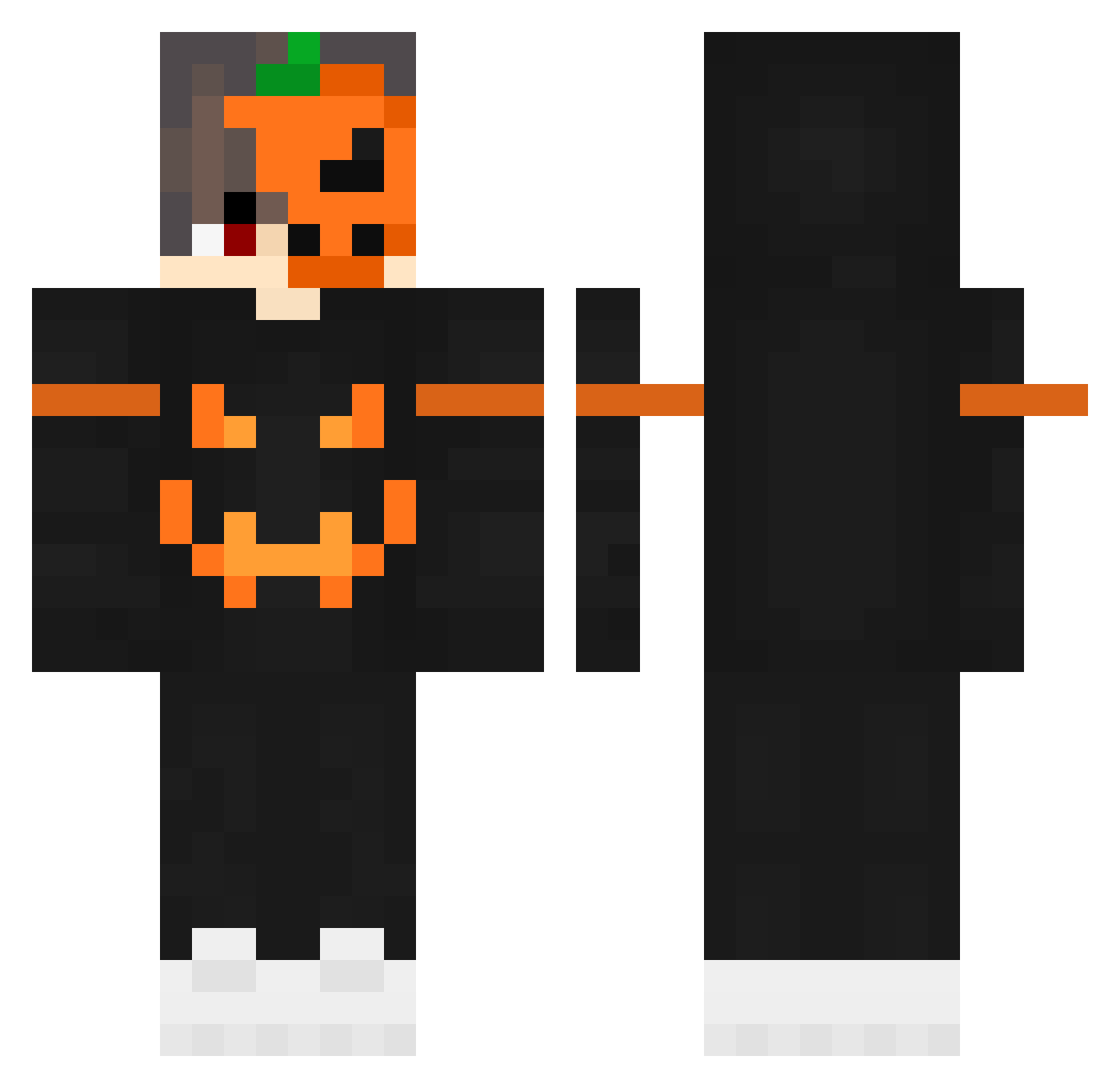
Current Minecraft skin of the player ImLautiPVP_Is_ur, loaded from the official Mojang API. Rotate the 3D model with your mouse or finger, then download the skin as a PNG file and use it in Minecraft: Bedrock Edition or Java Edition for free. When ImLautiPVP_Is_ur changes their skin, this page updates automatically and the old skin stays in the history below.
Other players with this skin (84)
ImLautiPVP_Is_ur was the 30th player we have seen with this skin, first spotted on 29.08.2026. The same skin was seen on these players. Open a nickname to see their current skin and skin history.
 Mr_Pumpkin11111 Rattatui blwl _Kritsada_ berKeaD aaaaaha Toto_57 Illusion_MC SanMikeva brendenc1 Widowsmaker Ball_Isme MrFernBoey StonerChef zekikus2
 Nieznajomy14309 BenceMaster Mobyer Signalises emmasl0016 ALEXque963 Kioshile _NeFTuM_ Ayenia05 kirya12lol Crucifes Suiicide_
 Xtian1304 BramGoo sn1p3RR fuiojgnbjbiohjbi filipkomando DarkDragon_VN diefy27 rhuanyt Emio44 DARRONq10 mr_signal_130 Dz_7hb pgc_PefIy_0306 The_Weakened Brkobutch Minigamer34 Olimpiox Audi_SQ UrborgMage Itz_ZenNoob Athena354 xCarissax Rugved_King kevin51520 IOWNDUHVEY mcardili Ankatheduck ToniRap123 Akkira10 DBRAIN Yash_Bhaiya Jarnus_104 groszekkwm
More Pumpkin Minecraft skins
How to install the ImLautiPVP_Is_ur skin
- Press the Download button above to save the skin as a PNG file.
- Minecraft: Bedrock Edition (PE): open the Dressing Room from the main menu (or tap your character → Edit Character), go to Classic Skins → Owned, press the + (new skin) button, choose the downloaded PNG and pick the Classic (Steve) model. Works on PC and mobile; consoles cannot import custom skins.
- Minecraft: Java Edition: open the Minecraft Launcher, go to the Skins tab, click New Skin, load the PNG, pick the Classic (Steve) model and press Save & Use. You can also upload it at minecraft.net → Profile → Change Skin.
The skin does not show up after import - what should I do?
Restart Minecraft and open the Dressing Room again - imported skins sometimes appear only after a restart. Also make sure you selected the imported skin and picked the Classic (Steve) model.
Which model should I choose, Classic or Slim?
This skin is designed for the Classic (Steve) model. If you pick the wrong model, the arms of the skin will look stretched or squeezed.
Is the skin of ImLautiPVP_Is_ur free to download?
Yes. Press Download, save the PNG file and use it in Minecraft: Bedrock Edition or Java Edition - no payment or registration needed. The skin also works on multiplayer servers and Realms.
More skins
Looking for more? Go back to all Minecraft skins and check the top skins of the week, month and all time, or find any player's skin by nickname.