
ImKaoji - Minecraft Skins & Skin History
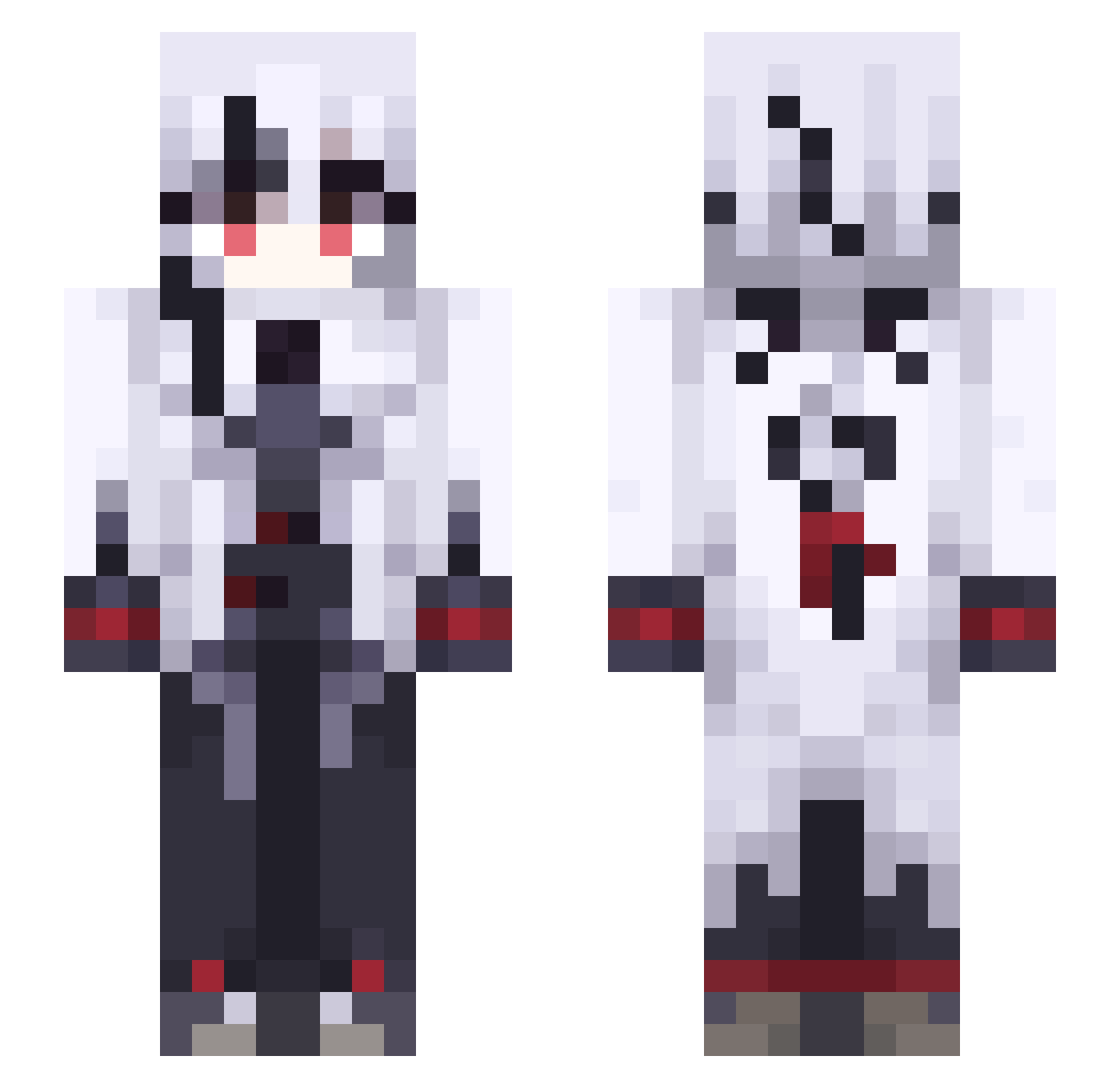
Current Minecraft skin of the player ImKaoji, loaded from the official Mojang API. Rotate the 3D model with your mouse or finger, then download the skin as a PNG file and use it in Minecraft: Bedrock Edition or Java Edition for free. When ImKaoji changes their skin, this page updates automatically and the old skin stays in the history below.
Other players with this skin (491)
ImKaoji was the 409th player we have seen with this skin, first spotted on 17.10.2026. The same skin was seen on these players. Open a nickname to see their current skin and skin history.
 Nevamis KeWF171 RNGBlessMe hener921 nOo59 msmarvolo KWOG966 SjLB479 qMQ766 zanattochan Artemis980 Acezada LAPERRADEDEXI Arts4Reals snowowl015 N1ghtmares bambiviscera IWasTakenBy1S1S Manaman31 lucky_fox098 roboslayer2000 Snap_Trap ritococo Softrik cappuccinoTwT Famima161212 Luix_Dextructor SEfn137 gbsmo Jealousy315 momomo0822 LIKE24 Anciak arikastrat Dokirex verRasyez scenicsix TORIK666 Cackal Kael2954 AP_Spicy KTAh35 Nxcotine Viccaro SWyq975 Plexir FreeTG KKWw303 rui0624 Kylian41 Funtime_Kio MUYUBUYUYE YukiNotAvailable Fgdre Labrys__ NasTyNasTyNasTy iMazt Cxnvass Fokalorss oldfamer
More Goth Minecraft skins
How to install the ImKaoji skin
- Press the Download button above to save the skin as a PNG file.
- Minecraft: Bedrock Edition (PE): open the Dressing Room from the main menu (or tap your character → Edit Character), go to Classic Skins → Owned, press the + (new skin) button, choose the downloaded PNG and pick the Slim (Alex) model. Works on PC and mobile; consoles cannot import custom skins.
- Minecraft: Java Edition: open the Minecraft Launcher, go to the Skins tab, click New Skin, load the PNG, pick the Slim (Alex) model and press Save & Use. You can also upload it at minecraft.net → Profile → Change Skin.
The skin does not show up after import - what should I do?
Restart Minecraft and open the Dressing Room again - imported skins sometimes appear only after a restart. Also make sure you selected the imported skin and picked the Slim (Alex) model.
Which model should I choose, Classic or Slim?
This skin is designed for the Slim (Alex) model. If you pick the wrong model, the arms of the skin will look stretched or squeezed.
Is the skin of ImKaoji free to download?
Yes. Press Download, save the PNG file and use it in Minecraft: Bedrock Edition or Java Edition - no payment or registration needed. The skin also works on multiplayer servers and Realms.
More skins
Looking for more? Go back to all Minecraft skins and check the top skins of the week, month and all time, or find any player's skin by nickname.