
ImJustSean - Minecraft Skins & Skin History
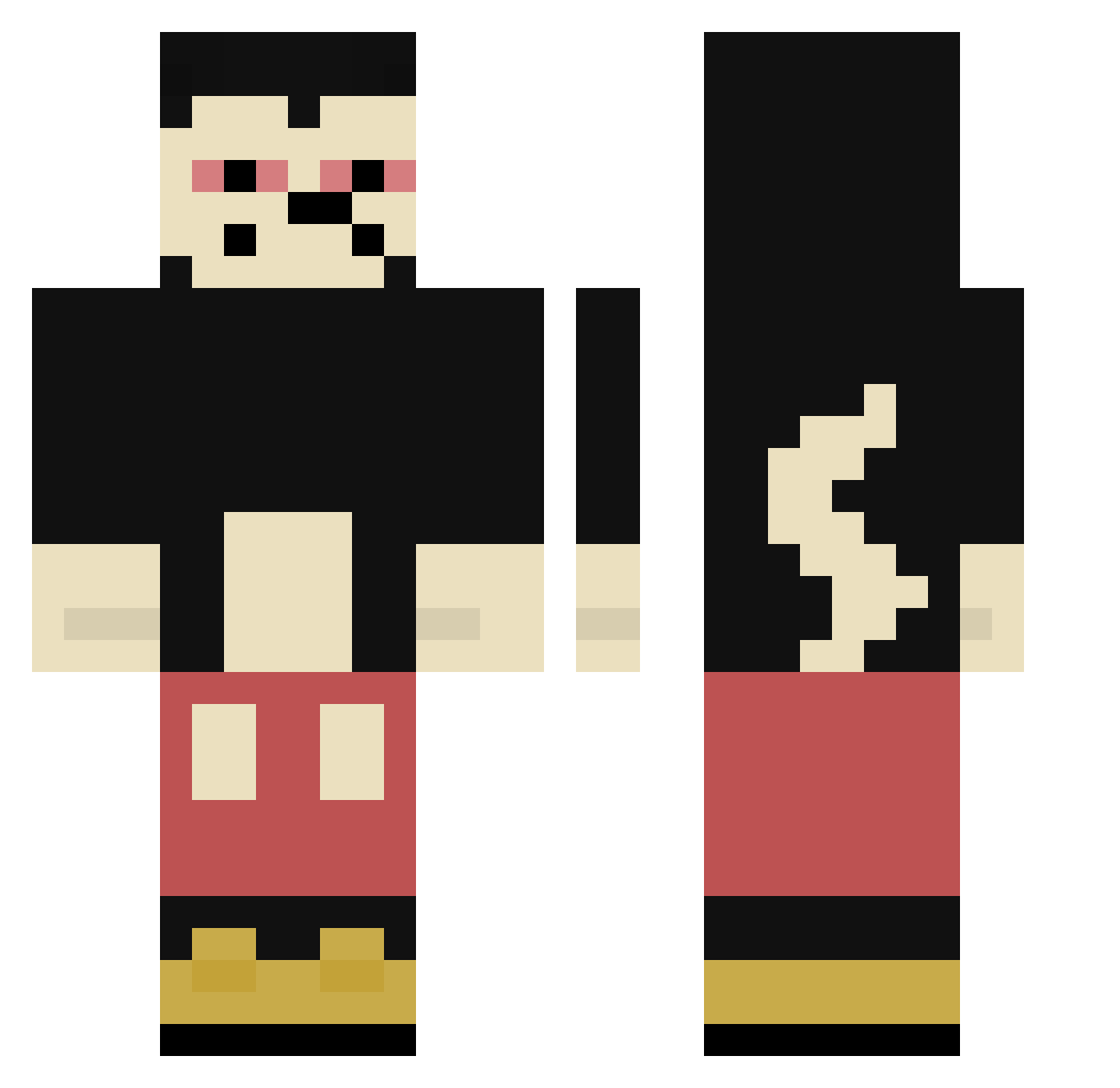
Current Minecraft skin of the player ImJustSean, loaded from the official Mojang API. Rotate the 3D model with your mouse or finger, then download the skin as a PNG file and use it in Minecraft: Bedrock Edition or Java Edition for free. When ImJustSean changes their skin, this page updates automatically and the old skin stays in the history below.
Other players with this skin (304)
ImJustSean was the 224th player we have seen with this skin, first spotted on 30.09.2026. The same skin was seen on these players. Open a nickname to see their current skin and skin history.
 piotrekkoxu FaZejais54 ViviKBeaTBoX jierui555 BRGwarrior Miki_Waleczny7 Pobox67 TOBBY_284 SPTxD SUPERDADO9 WhyChinmoku KaroI1 gepufft Vxsekk brwnxlovesryuk Czeeno Akito_izuki sonic82 Asgot_ Ryuuk_ LANKARE Ewan695821 l2cargarage LOLEKnaFAZIE k0sak_v2 biggie323 Bocamion 5erReachImCW Derzocker39 brecx yabrail JPNam1kaze zayiscooler Roropipp rcogollor420 dora____ KingBarth Cosm0420 Lvatto 2daser2 xjimmyxlol Barillet UcubeTemmuz Karfffff kingking320 Zikong8161 Matildekille LokUpp nomorsy bananero16 KimTae88 noul99 JEFFRAT HudsonHornett LentejaLicuada MaickyMouse devoracucas SteelTooLazy 04NiclasH 88Erika
More Mickey Mouse Minecraft skins
See all 146 Mickey Mouse skins
How to install the ImJustSean skin
- Press the Download button above to save the skin as a PNG file.
- Minecraft: Bedrock Edition (PE): open the Dressing Room from the main menu (or tap your character → Edit Character), go to Classic Skins → Owned, press the + (new skin) button, choose the downloaded PNG and pick the Classic (Steve) model. Works on PC and mobile; consoles cannot import custom skins.
- Minecraft: Java Edition: open the Minecraft Launcher, go to the Skins tab, click New Skin, load the PNG, pick the Classic (Steve) model and press Save & Use. You can also upload it at minecraft.net → Profile → Change Skin.
The skin does not show up after import - what should I do?
Restart Minecraft and open the Dressing Room again - imported skins sometimes appear only after a restart. Also make sure you selected the imported skin and picked the Classic (Steve) model.
Which model should I choose, Classic or Slim?
This skin is designed for the Classic (Steve) model. If you pick the wrong model, the arms of the skin will look stretched or squeezed.
Is the skin of ImJustSean free to download?
Yes. Press Download, save the PNG file and use it in Minecraft: Bedrock Edition or Java Edition - no payment or registration needed. The skin also works on multiplayer servers and Realms.
More skins
Looking for more? Go back to all Minecraft skins and check the top skins of the week, month and all time, or find any player's skin by nickname.