
Iluomendium - Minecraft Skins & Skin History
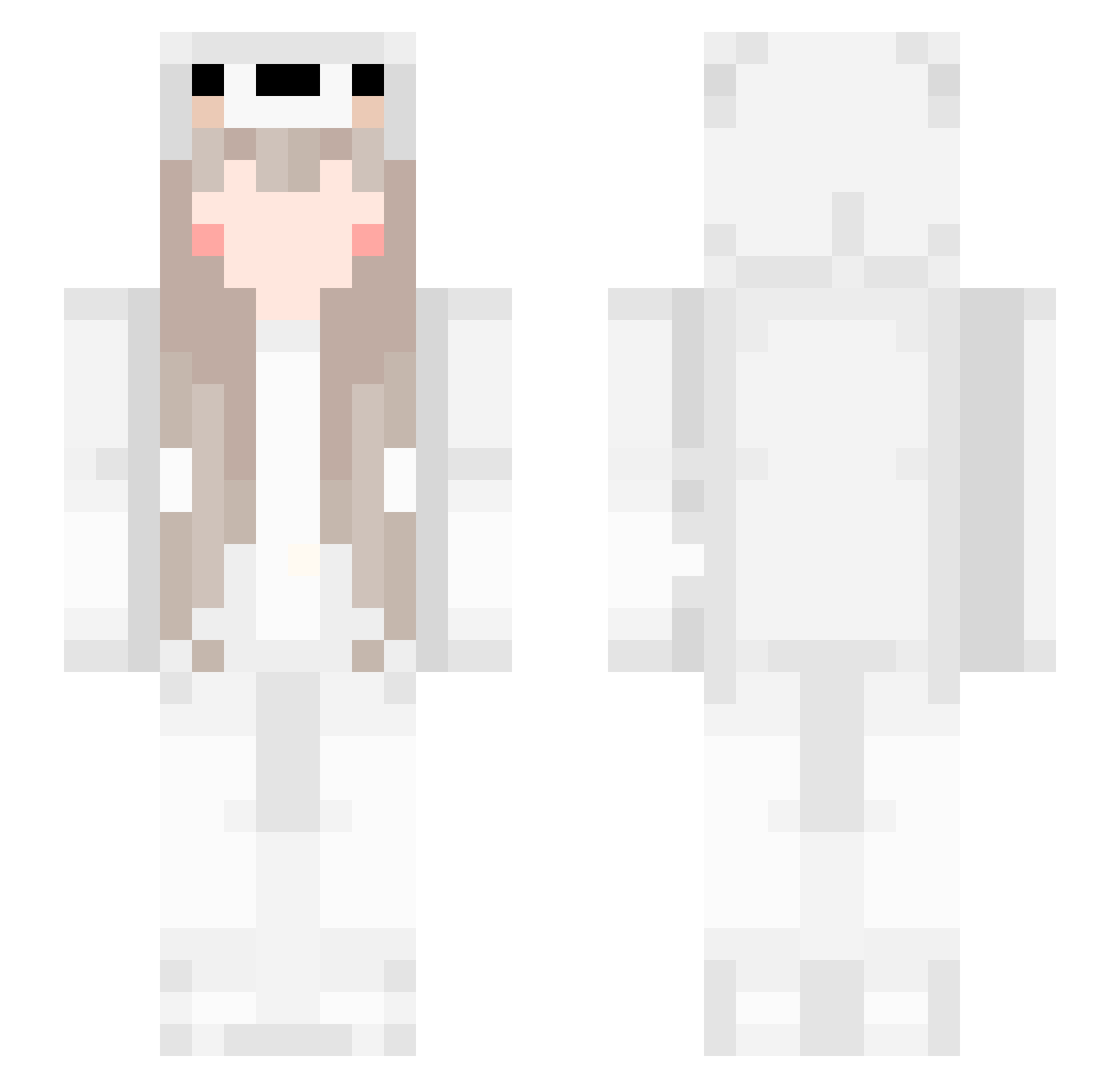
Current Minecraft skin of the player Iluomendium, loaded from the official Mojang API. Rotate the 3D model with your mouse or finger, then download the skin as a PNG file and use it in Minecraft: Bedrock Edition or Java Edition for free. When Iluomendium changes their skin, this page updates automatically and the old skin stays in the history below.
Other players with this skin (561)
Iluomendium was the 311th player we have seen with this skin, first spotted on 26.09.2026. The same skin was seen on these players. Open a nickname to see their current skin and skin history.
 peachyneko yiyiyihan dddu7 KusadaSota Lisbq SQ121 KKJU CH_Muffin Zelda59 Onlyany M0_MG mmmujin _Meltryllis_ summerwind6 Jigglypuffly ywdxg Champion3748 SoraSiro shumian111 Luzixuan Shadow_yeah Clei257 haruka1314 I0A0I SPM_QiW eric_0718 EDWARDZE jasmineanahii leauo pAvAq StraySmoker bayuncai LittleDroplets Yum0Sama play921 feifei0415 pupu724 L1_YAN9 Ruizhi777 Saysgoodnight Shallowmo_ Mikakaela Meigui0312 AnnOwO Chen_io NicoNco RealMan_KUN IsYanyan FreeShen ddr2c68 146upiq yexun11 WorldBiggestKciD ZHNN2 Bear_BOYzz xxx_iiii FAYELLLL Algo_gg shijiebazhu Yukiiiiii_
More Girl Minecraft skins
How to install the Iluomendium skin
- Press the Download button above to save the skin as a PNG file.
- Minecraft: Bedrock Edition (PE): open the Dressing Room from the main menu (or tap your character → Edit Character), go to Classic Skins → Owned, press the + (new skin) button, choose the downloaded PNG and pick the Slim (Alex) model. Works on PC and mobile; consoles cannot import custom skins.
- Minecraft: Java Edition: open the Minecraft Launcher, go to the Skins tab, click New Skin, load the PNG, pick the Slim (Alex) model and press Save & Use. You can also upload it at minecraft.net → Profile → Change Skin.
The skin does not show up after import - what should I do?
Restart Minecraft and open the Dressing Room again - imported skins sometimes appear only after a restart. Also make sure you selected the imported skin and picked the Slim (Alex) model.
Which model should I choose, Classic or Slim?
This skin is designed for the Slim (Alex) model. If you pick the wrong model, the arms of the skin will look stretched or squeezed.
Is the skin of Iluomendium free to download?
Yes. Press Download, save the PNG file and use it in Minecraft: Bedrock Edition or Java Edition - no payment or registration needed. The skin also works on multiplayer servers and Realms.
More skins
Looking for more? Go back to all Minecraft skins and check the top skins of the week, month and all time, or find any player's skin by nickname.