
IanChong777 - Minecraft Skins & Skin History
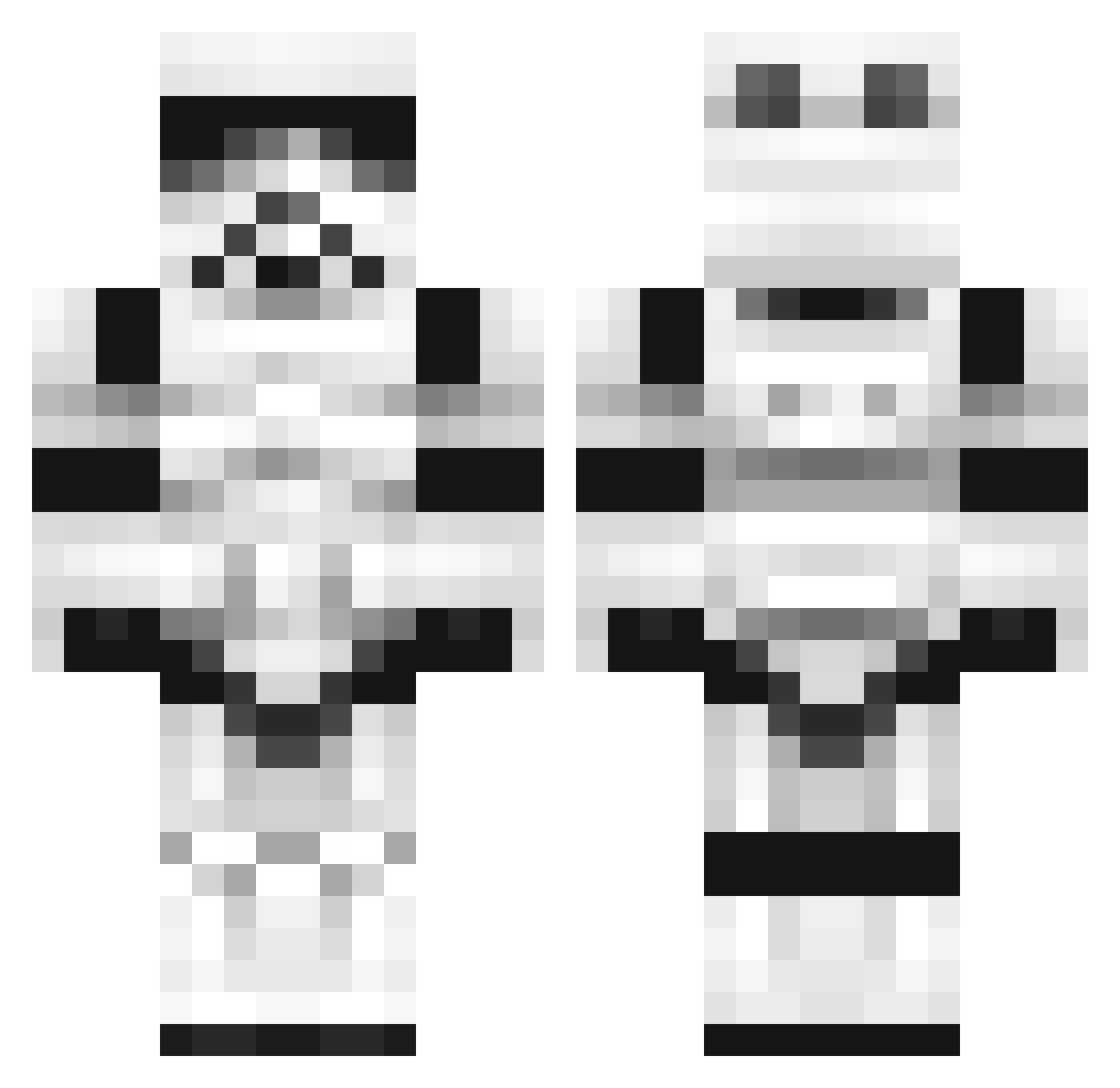
Current Minecraft skin of the player IanChong777, loaded from the official Mojang API. Rotate the 3D model with your mouse or finger, then download the skin as a PNG file and use it in Minecraft: Bedrock Edition or Java Edition for free. When IanChong777 changes their skin, this page updates automatically and the old skin stays in the history below.
Other players with this skin (1100)
IanChong777 was the 526th player we have seen with this skin, first spotted on 16.09.2026. The same skin was seen on these players. Open a nickname to see their current skin and skin history.
 Anatole_Talent eanjames8585 MidgiRonaldo carloscrayfish timross14 Chr1s4224 evilnoodle14 Aritas dreampunchboy ploday x_RISK_x Redmagic99 leafclock13 BlueKahn Bhaunted HeyFriday88 jchimal530 Bonifacio98 Luciamarchett Wilzzz GetHyperCraft WIKVIYA atomicw0lf Lubr1cator Corafication barbarianclone lolkill90 krillz95 SebSVW HECKtor89 xXThe_InventorXx Dylansawesome Liquid_Zero jus_n_creible Hooogi Oddkid KingKrunch97 FelixGJ CaptainHugeHead Ascent3 Knives74 itsDuckworth69 MinerCrafterWes KuphJr rjm1992 Chriss26 realhenet octaviokoch Venom_Is_Best encalio Ritske100 tomhawkins1598 Domikron Seval2002 homigura Lord_Thermoss 3Cap tgv999 eddie414 B_MiLLi
More Trooper Minecraft skins
How to install the IanChong777 skin
- Press the Download button above to save the skin as a PNG file.
- Minecraft: Bedrock Edition (PE): open the Dressing Room from the main menu (or tap your character → Edit Character), go to Classic Skins → Owned, press the + (new skin) button, choose the downloaded PNG and pick the Classic (Steve) model. Works on PC and mobile; consoles cannot import custom skins.
- Minecraft: Java Edition: open the Minecraft Launcher, go to the Skins tab, click New Skin, load the PNG, pick the Classic (Steve) model and press Save & Use. You can also upload it at minecraft.net → Profile → Change Skin.
The skin does not show up after import - what should I do?
Restart Minecraft and open the Dressing Room again - imported skins sometimes appear only after a restart. Also make sure you selected the imported skin and picked the Classic (Steve) model.
Which model should I choose, Classic or Slim?
This skin is designed for the Classic (Steve) model. If you pick the wrong model, the arms of the skin will look stretched or squeezed.
Is the skin of IanChong777 free to download?
Yes. Press Download, save the PNG file and use it in Minecraft: Bedrock Edition or Java Edition - no payment or registration needed. The skin also works on multiplayer servers and Realms.
More skins
Looking for more? Go back to all Minecraft skins and check the top skins of the week, month and all time, or find any player's skin by nickname.