
IS44C_ - Minecraft Skins & Skin History
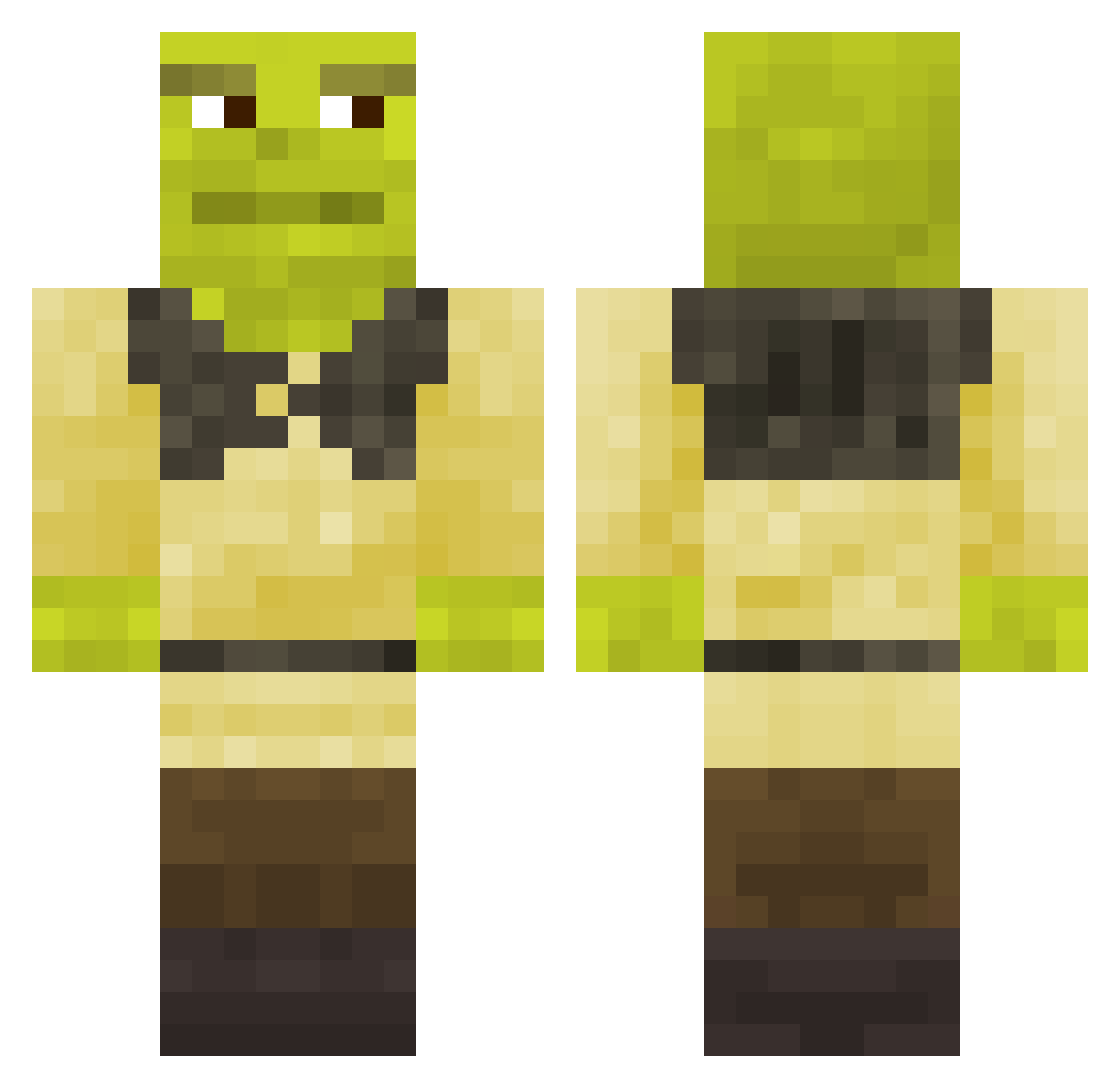
Current Minecraft skin of the player IS44C_, loaded from the official Mojang API. Rotate the 3D model with your mouse or finger, then download the skin as a PNG file and use it in Minecraft: Bedrock Edition or Java Edition for free. When IS44C_ changes their skin, this page updates automatically and the old skin stays in the history below.
Other players with this skin (743)
IS44C_ was the 481st player we have seen with this skin, first spotted on 02.10.2026. The same skin was seen on these players. Open a nickname to see their current skin and skin history.
 julianckl Giiieeek iaraneves KarlsonMilkMan Alycuk Elwiro LeMaitreKiwi MegaMunchiez monkeyy2k MysticalCiaran Sooney RichRibs W0jtazzz FreddiMachtShow ElTulaGrande xDrag10 PKN8 01_xxq lonewolf280_ GeoDragon123 ITS_tgs1 Chumigab LooseCanaan iNewman777 Winber0930 techteen24 squishywaffles_ Zslun goldbros23 Glyge DarkGamer12345 Leonsio9589 MaioMaie dizzyblue Azales Blackspine murpho_fly pozitiveee deanomate03 Stapelbroek Paulclanof6 G3GA555 KELT0R ShrekBal ShrekIsCoolYes spotsquid345 Brock_3 shrek_perez PAPI__SHREK Hohlandb Scale_Expansion Abu65 0G4 jAIME_9157 balenca_viperr DarkAnge BlackPanzer_ Hiss00 elfcan5 Krafter19
More Shrek Minecraft skins
How to install the IS44C_ skin
- Press the Download button above to save the skin as a PNG file.
- Minecraft: Bedrock Edition (PE): open the Dressing Room from the main menu (or tap your character → Edit Character), go to Classic Skins → Owned, press the + (new skin) button, choose the downloaded PNG and pick the Classic (Steve) model. Works on PC and mobile; consoles cannot import custom skins.
- Minecraft: Java Edition: open the Minecraft Launcher, go to the Skins tab, click New Skin, load the PNG, pick the Classic (Steve) model and press Save & Use. You can also upload it at minecraft.net → Profile → Change Skin.
The skin does not show up after import - what should I do?
Restart Minecraft and open the Dressing Room again - imported skins sometimes appear only after a restart. Also make sure you selected the imported skin and picked the Classic (Steve) model.
Which model should I choose, Classic or Slim?
This skin is designed for the Classic (Steve) model. If you pick the wrong model, the arms of the skin will look stretched or squeezed.
Is the skin of IS44C_ free to download?
Yes. Press Download, save the PNG file and use it in Minecraft: Bedrock Edition or Java Edition - no payment or registration needed. The skin also works on multiplayer servers and Realms.
More skins
Looking for more? Go back to all Minecraft skins and check the top skins of the week, month and all time, or find any player's skin by nickname.