
ILoveYarny - Minecraft Skins & Skin History
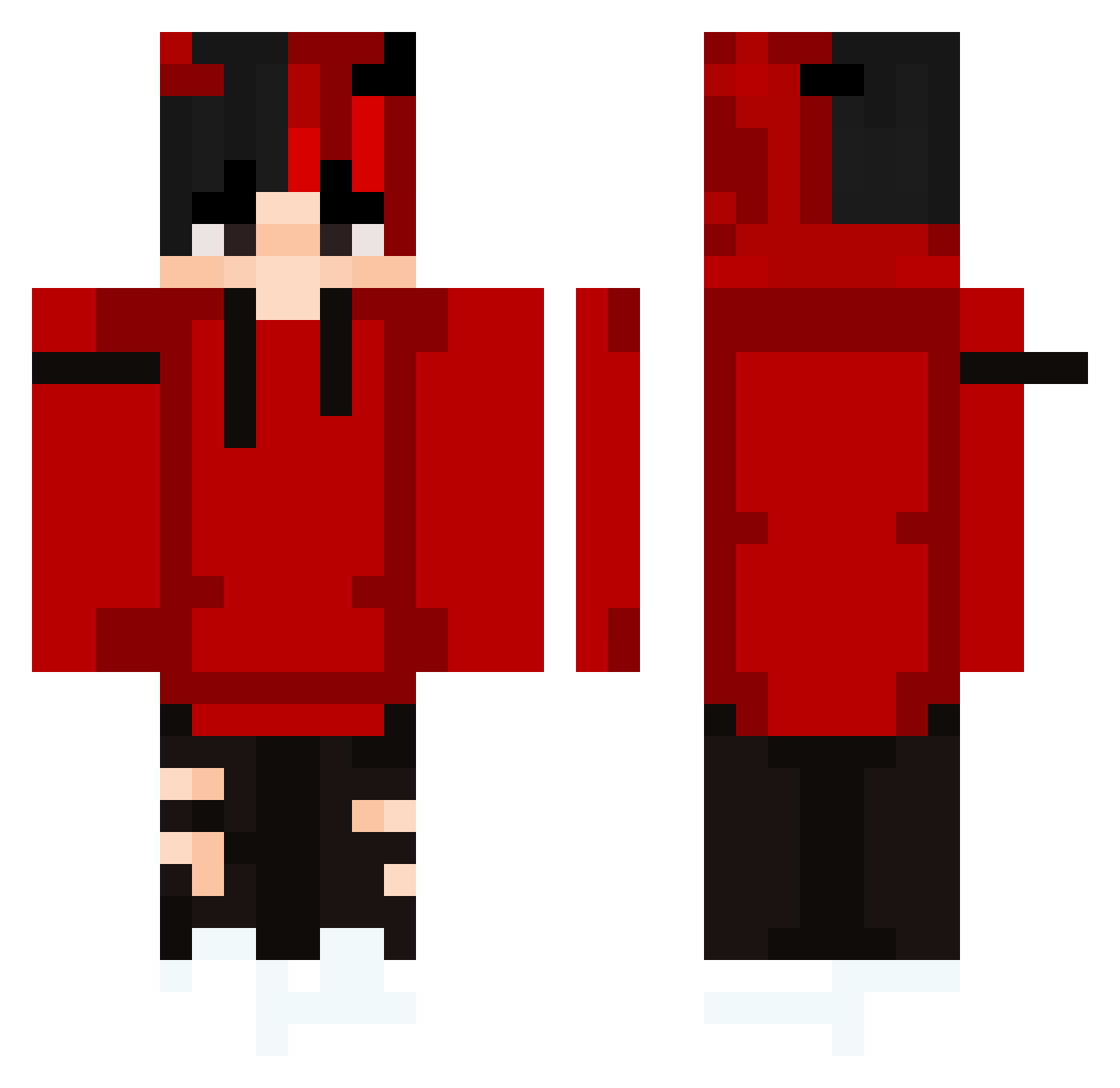
Current Minecraft skin of the player ILoveYarny, loaded from the official Mojang API. Rotate the 3D model with your mouse or finger, then download the skin as a PNG file and use it in Minecraft: Bedrock Edition or Java Edition for free. When ILoveYarny changes their skin, this page updates automatically and the old skin stays in the history below.
Other players with this skin (298)
ILoveYarny was the 276th player we have seen with this skin, first spotted on 13.10.2026. The same skin was seen on these players. Open a nickname to see their current skin and skin history.
 7Mody87 Buckbeak86 HatsaPlays 16mDomce matekocido93 xxxhhz SummerChip31011 alanq__ coat3 TheRedJuice kleine005 01Riffer SuMoIsNoOb12 ShaiiNo clearyi cnmbnbelali Trafford888 Hisoka13 PhxlxP Barteq56 DarQWorlD Bedless_N00B Saudio2521 Tomsi_ mentos2312 GRblue Lucas633 YoungKiroo Eikaaz jiwon060709 ClickBaitXD eurichard CiaoSonoCarlooo koolfootAID Anszlus WoLFY_ytb zZDarkzZ_ Pe4enku Pawex1x theyoungs07 Marht_R Rogue_Beast1 asafd Rewquick Buckker ITzAlee_ ctrain01 PNettoOnLine GHOULO69 S0UG0 Dawid6162 HitujiDaaa MrMusic24 Gianfypeperone zayats935 brocheeto minners4dinners ElhombrePoto williamgetsdubz SDK_ZokreToxic
More Horns Minecraft skins
How to install the ILoveYarny skin
- Press the Download button above to save the skin as a PNG file.
- Minecraft: Bedrock Edition (PE): open the Dressing Room from the main menu (or tap your character → Edit Character), go to Classic Skins → Owned, press the + (new skin) button, choose the downloaded PNG and pick the Classic (Steve) model. Works on PC and mobile; consoles cannot import custom skins.
- Minecraft: Java Edition: open the Minecraft Launcher, go to the Skins tab, click New Skin, load the PNG, pick the Classic (Steve) model and press Save & Use. You can also upload it at minecraft.net → Profile → Change Skin.
The skin does not show up after import - what should I do?
Restart Minecraft and open the Dressing Room again - imported skins sometimes appear only after a restart. Also make sure you selected the imported skin and picked the Classic (Steve) model.
Which model should I choose, Classic or Slim?
This skin is designed for the Classic (Steve) model. If you pick the wrong model, the arms of the skin will look stretched or squeezed.
Is the skin of ILoveYarny free to download?
Yes. Press Download, save the PNG file and use it in Minecraft: Bedrock Edition or Java Edition - no payment or registration needed. The skin also works on multiplayer servers and Realms.
More skins
Looking for more? Go back to all Minecraft skins and check the top skins of the week, month and all time, or find any player's skin by nickname.