
ICHIKYUU - Minecraft Skins & Skin History
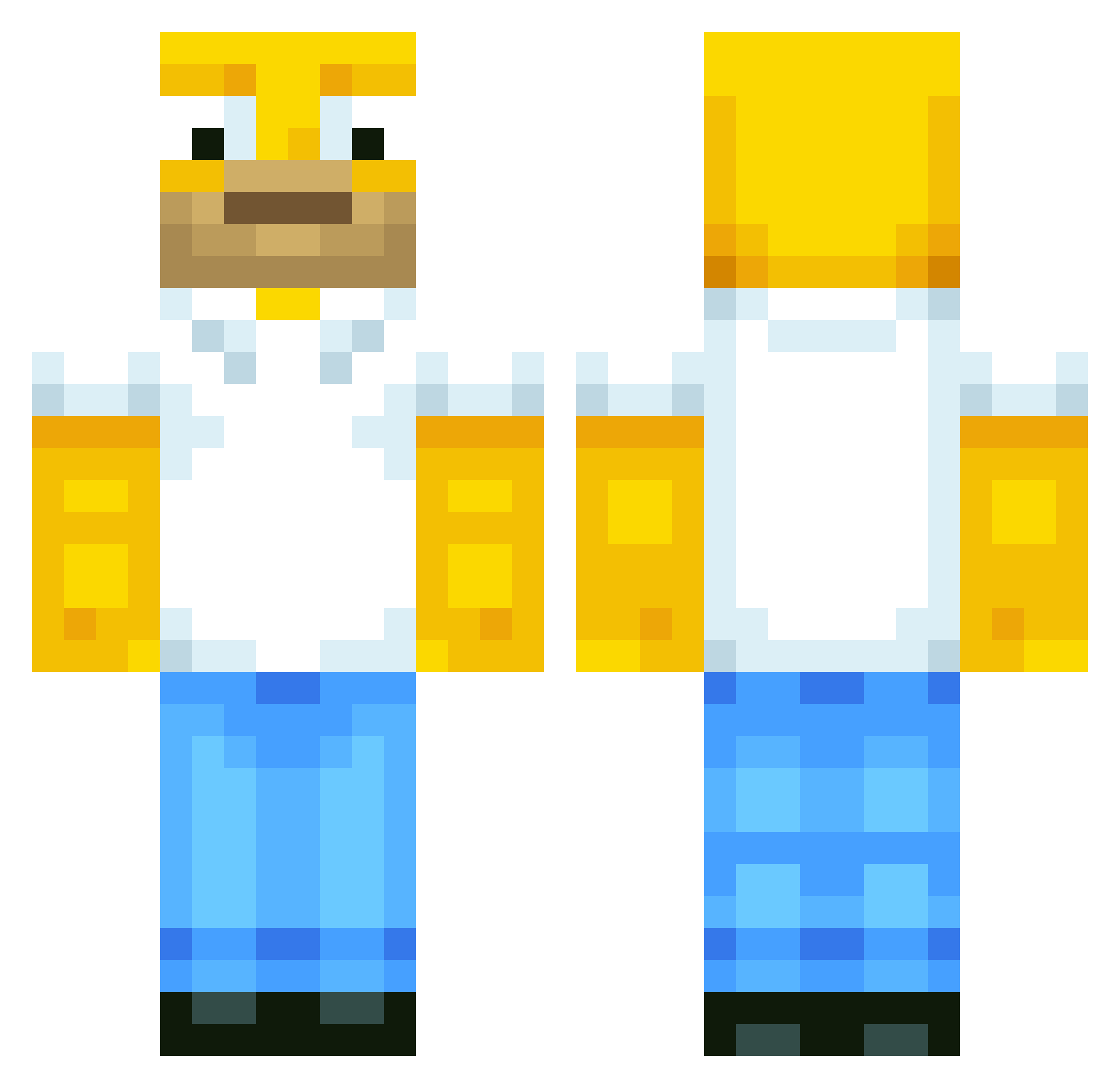
Current Minecraft skin of the player ICHIKYUU, loaded from the official Mojang API. Rotate the 3D model with your mouse or finger, then download the skin as a PNG file and use it in Minecraft: Bedrock Edition or Java Edition for free. When ICHIKYUU changes their skin, this page updates automatically and the old skin stays in the history below.
Other players with this skin (567)
ICHIKYUU was the 47th player we have seen with this skin, first spotted on 31.07.2026. The same skin was seen on these players. Open a nickname to see their current skin and skin history.
 the_man2011
 tom_ik765
 N0F el_neox_545 Abca68 KODkobra KuroTheBoi Gaylord162 Eneloop flohiee 6Y9R bje103101 theblockofcube PhAT_GUs DR_TOTM ilovezaccc cheeseballsuz EllyChi CreeperBrendan Someloser12 LordHegue 467051802 synovii willyman___123 Volvc X10GAMES paddinsky matepardi BotMilk Gruggsy101 kalipo24 b00d mattnardella12 melrh12 Kid_Crafting kang2 2SNAN Lexxio91 seahawks99 Esko0 OscarIscoolboy
 brujorojas tommybzoom2 itsben_btw nail1706 BlockMaster1717 271_Thousand MAFAKKAxx noah160204 Madies345 LeLeBotaK Makars333 Blaaxito Fregity Sir_Homer_XD zLuiiziinn20 hw227 Dahhd whitemeat_ s4nt1212
More Homer Simpson Minecraft skins
See all 283 Homer Simpson skins
How to install the ICHIKYUU skin
- Press the Download button above to save the skin as a PNG file.
- Minecraft: Bedrock Edition (PE): open the Dressing Room from the main menu (or tap your character → Edit Character), go to Classic Skins → Owned, press the + (new skin) button, choose the downloaded PNG and pick the Classic (Steve) model. Works on PC and mobile; consoles cannot import custom skins.
- Minecraft: Java Edition: open the Minecraft Launcher, go to the Skins tab, click New Skin, load the PNG, pick the Classic (Steve) model and press Save & Use. You can also upload it at minecraft.net → Profile → Change Skin.
The skin does not show up after import - what should I do?
Restart Minecraft and open the Dressing Room again - imported skins sometimes appear only after a restart. Also make sure you selected the imported skin and picked the Classic (Steve) model.
Which model should I choose, Classic or Slim?
This skin is designed for the Classic (Steve) model. If you pick the wrong model, the arms of the skin will look stretched or squeezed.
Is the skin of ICHIKYUU free to download?
Yes. Press Download, save the PNG file and use it in Minecraft: Bedrock Edition or Java Edition - no payment or registration needed. The skin also works on multiplayer servers and Realms.
More skins
Looking for more? Go back to all Minecraft skins and check the top skins of the week, month and all time, or find any player's skin by nickname.