
Hyta1e - Minecraft Skins & Skin History
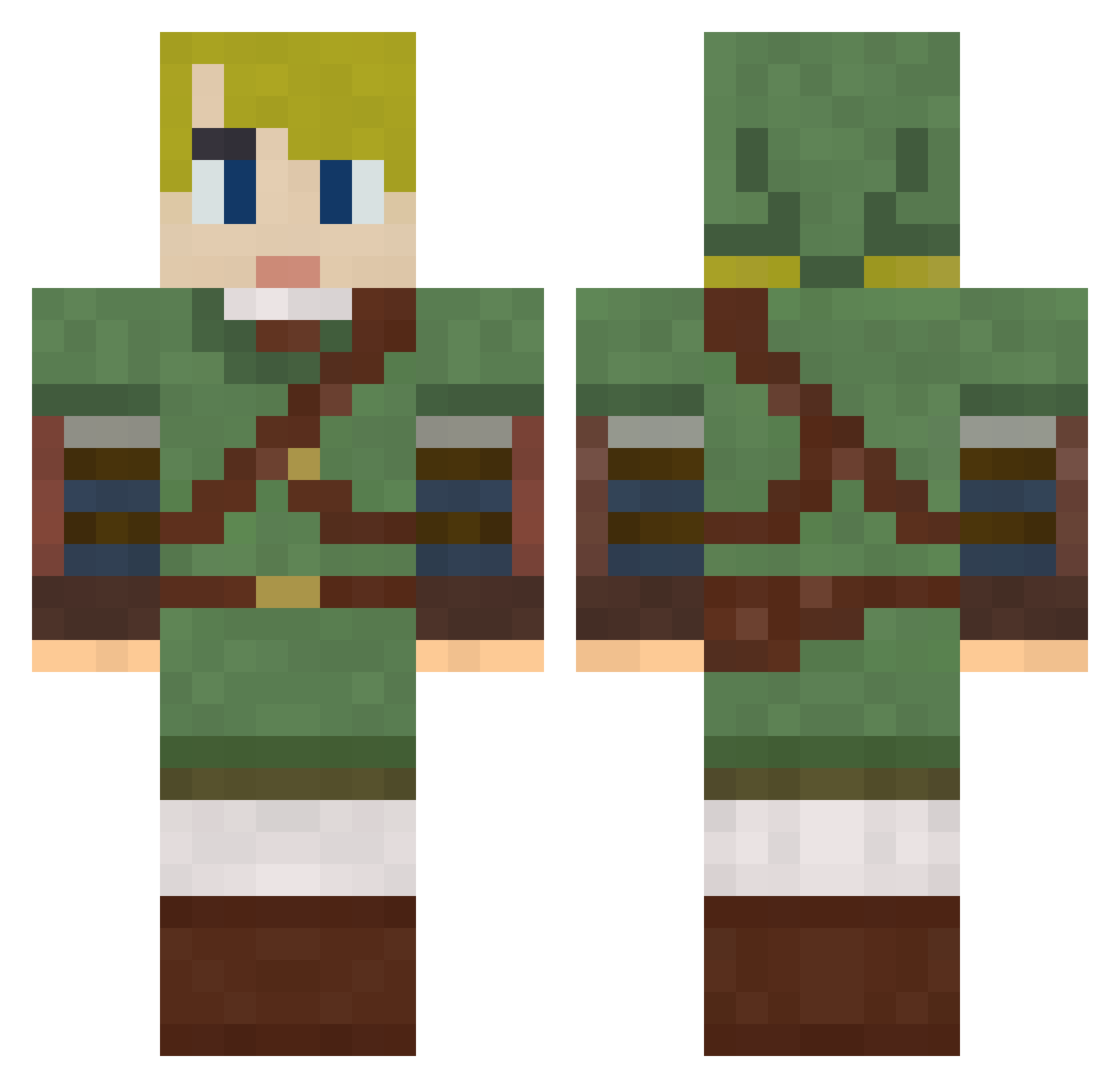
Current Minecraft skin of the player Hyta1e, loaded from the official Mojang API. Rotate the 3D model with your mouse or finger, then download the skin as a PNG file and use it in Minecraft: Bedrock Edition or Java Edition for free. When Hyta1e changes their skin, this page updates automatically and the old skin stays in the history below.
Other players with this skin (792)
Hyta1e was the 120th player we have seen with this skin, first spotted on 11.08.2026. The same skin was seen on these players. Open a nickname to see their current skin and skin history.
 shadowmaniac craftnight trile1000 SeannyScootz PetiteElite sss0000 GaijinGuyJim Darkmame WiseOldChap ActingAlone rdrewz winslowws mikethebeast12 Gen3bie AaronHennessey ClawHawk64 Shimasaka antical Feldyn KIWI622 spartanINC T4kky SasukeSlayer20 SUI_Khaos CodyisKingg armind86 SAMrens freeziex cmlilley Take_to3 slaim_ik thornhill2000 aMKMa Startrekk ThatRandomGuy309 Linn1337 RyKing93 Mothenoob tattunnn Zanthor83 Sparkey2005 Francles TrixTrix creepersbecreeps joserojas7991 peterportanova mantak09 BigBThom thenickster117 __J_A_C_K__ Tekenator Atai_Pea EoShire PBenjii GetDisciplined flyingtaco27 Beauxbatons ChuckWizzle Findal _kooza_
More Zelda Minecraft skins
How to install the Hyta1e skin
- Press the Download button above to save the skin as a PNG file.
- Minecraft: Bedrock Edition (PE): open the Dressing Room from the main menu (or tap your character → Edit Character), go to Classic Skins → Owned, press the + (new skin) button, choose the downloaded PNG and pick the Classic (Steve) model. Works on PC and mobile; consoles cannot import custom skins.
- Minecraft: Java Edition: open the Minecraft Launcher, go to the Skins tab, click New Skin, load the PNG, pick the Classic (Steve) model and press Save & Use. You can also upload it at minecraft.net → Profile → Change Skin.
The skin does not show up after import - what should I do?
Restart Minecraft and open the Dressing Room again - imported skins sometimes appear only after a restart. Also make sure you selected the imported skin and picked the Classic (Steve) model.
Which model should I choose, Classic or Slim?
This skin is designed for the Classic (Steve) model. If you pick the wrong model, the arms of the skin will look stretched or squeezed.
Is the skin of Hyta1e free to download?
Yes. Press Download, save the PNG file and use it in Minecraft: Bedrock Edition or Java Edition - no payment or registration needed. The skin also works on multiplayer servers and Realms.
More skins
Looking for more? Go back to all Minecraft skins and check the top skins of the week, month and all time, or find any player's skin by nickname.