
Hyggdrasil - Minecraft Skins & Skin History
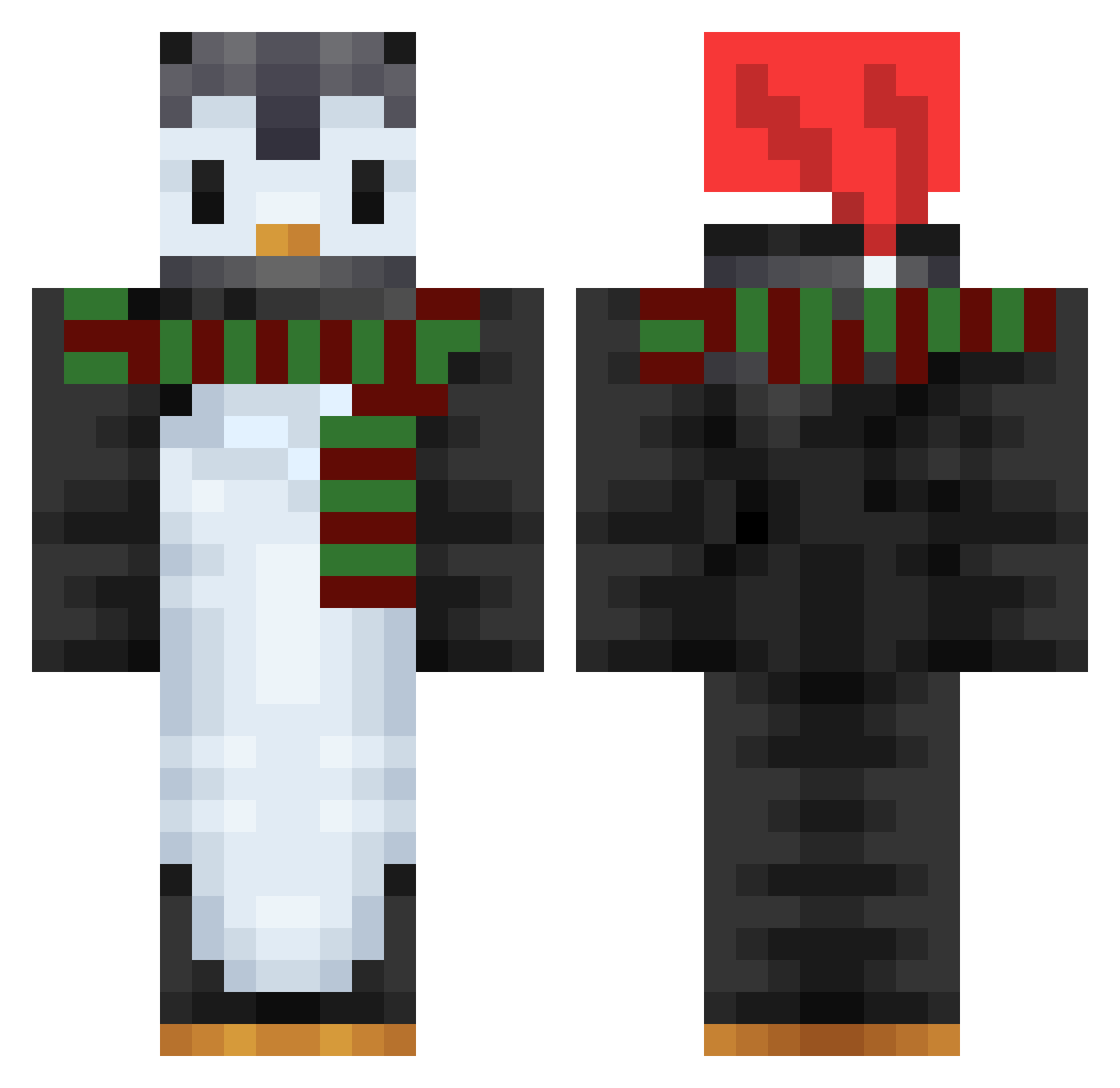
Current Minecraft skin of the player Hyggdrasil, loaded from the official Mojang API. Rotate the 3D model with your mouse or finger, then download the skin as a PNG file and use it in Minecraft: Bedrock Edition or Java Edition for free. When Hyggdrasil changes their skin, this page updates automatically and the old skin stays in the history below.
Other players with this skin (749)
Hyggdrasil was the 612th player we have seen with this skin, first spotted on 20.10.2026. The same skin was seen on these players. Open a nickname to see their current skin and skin history.
 Diana_Zockt SpeggyBoy Ferrari599GTB inkeeper WinnyMosc BAERENJVDE ike_963 yuuuuuuuuuu0124 AcidGreek Boinha_ SkyD0FLa bangi248 Renvy rw2Ls olOvOlo qwts LilGutsy Kubron camilinhaplays JINJIN09 chaechaeyeon Nettikkk poisonpeach Hexoce Natsu_EGL Splimmie_ LaniBene carmenn1212 Vompie Entity_8607 MinceMeat101 Shantix Tituzoulou Internes Misostoopid aidenTheHacker1 eetann deadloki chickenutguts Dutchwang killerswen08 oms7525 Der96 Oil_flower DadOfTheDead420 Arthur1230 renoahappiness charleysouls asthmaticloser SimoneSluis pithony Bat_Claus 1001101120 FoxiePoggers Young_Gu Thythy_ Wh1teFlame PowerfulYonasan ShoPaiOtaku Gusta2
More Penguin Minecraft skins
How to install the Hyggdrasil skin
- Press the Download button above to save the skin as a PNG file.
- Minecraft: Bedrock Edition (PE): open the Dressing Room from the main menu (or tap your character → Edit Character), go to Classic Skins → Owned, press the + (new skin) button, choose the downloaded PNG and pick the Classic (Steve) model. Works on PC and mobile; consoles cannot import custom skins.
- Minecraft: Java Edition: open the Minecraft Launcher, go to the Skins tab, click New Skin, load the PNG, pick the Classic (Steve) model and press Save & Use. You can also upload it at minecraft.net → Profile → Change Skin.
The skin does not show up after import - what should I do?
Restart Minecraft and open the Dressing Room again - imported skins sometimes appear only after a restart. Also make sure you selected the imported skin and picked the Classic (Steve) model.
Which model should I choose, Classic or Slim?
This skin is designed for the Classic (Steve) model. If you pick the wrong model, the arms of the skin will look stretched or squeezed.
Is the skin of Hyggdrasil free to download?
Yes. Press Download, save the PNG file and use it in Minecraft: Bedrock Edition or Java Edition - no payment or registration needed. The skin also works on multiplayer servers and Realms.
More skins
Looking for more? Go back to all Minecraft skins and check the top skins of the week, month and all time, or find any player's skin by nickname.