
Hydrolysis0 - Minecraft Skins & Skin History
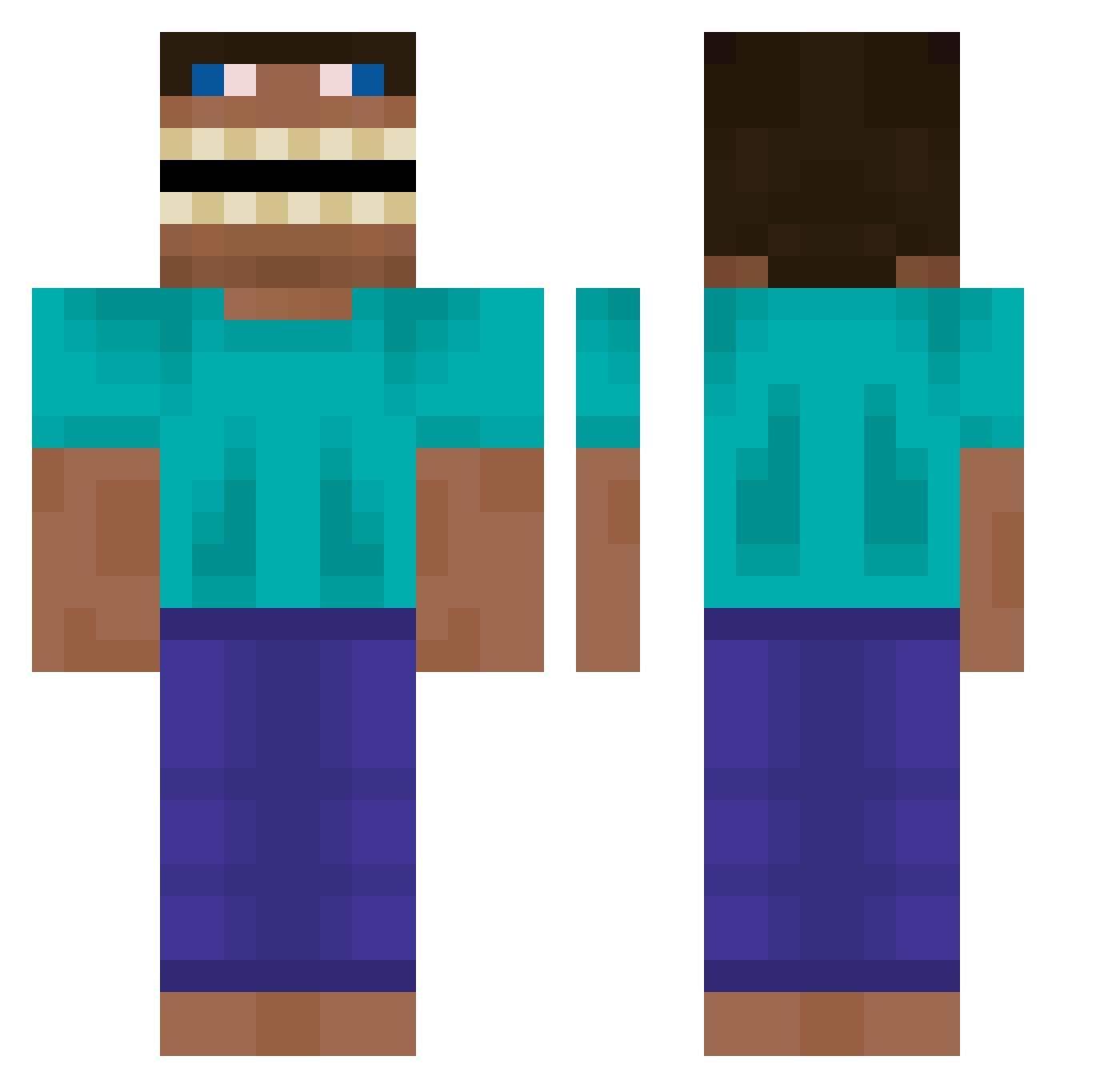
Current Minecraft skin of the player Hydrolysis0, loaded from the official Mojang API. Rotate the 3D model with your mouse or finger, then download the skin as a PNG file and use it in Minecraft: Bedrock Edition or Java Edition for free. When Hydrolysis0 changes their skin, this page updates automatically and the old skin stays in the history below.
Other players with this skin (619)
Hydrolysis0 was the 171st player we have seen with this skin, first spotted on 25.08.2026. The same skin was seen on these players. Open a nickname to see their current skin and skin history.
 sexrlarlcks christi4nHD bigguy_1120 MaxDairyKing45 The4thZodiac
 TheLow_187_132 Daisy2138 XDeathParadeX xd_jojoW PouPouMan choijahoo kanase10 Reavek_ JonBro1 DoDziSWAG Berat_Maroef Suuld4m ilsukizo TheOGSamurai slapteur 0EnVer0 PredatorSoap treechopper4LL pxxl_0 clbzh Tripotausaure KingKymo Manticore94 D1zzY21 CharleyCrock TheDoctor1911 Komorebi_LD Divine_Bunny NorkX Aspychan dr0idtehboss1 Fieshta tukimidango_ elifish Ricardokauann hongbu Cariet Memin5150 qazwxav m1ndrevival Sirdibstooge Variableciao 2POINTER specter84 vxmm HoneyBadger1102 co_ty anggimozzi7777 potatoleftfried Juan_El_Cavalo shjal0811 madjellyy xXA2canGamesXx Clavius007 Laerositus
More Funny Minecraft skins
How to install the Hydrolysis0 skin
- Press the Download button above to save the skin as a PNG file.
- Minecraft: Bedrock Edition (PE): open the Dressing Room from the main menu (or tap your character → Edit Character), go to Classic Skins → Owned, press the + (new skin) button, choose the downloaded PNG and pick the Classic (Steve) model. Works on PC and mobile; consoles cannot import custom skins.
- Minecraft: Java Edition: open the Minecraft Launcher, go to the Skins tab, click New Skin, load the PNG, pick the Classic (Steve) model and press Save & Use. You can also upload it at minecraft.net → Profile → Change Skin.
The skin does not show up after import - what should I do?
Restart Minecraft and open the Dressing Room again - imported skins sometimes appear only after a restart. Also make sure you selected the imported skin and picked the Classic (Steve) model.
Which model should I choose, Classic or Slim?
This skin is designed for the Classic (Steve) model. If you pick the wrong model, the arms of the skin will look stretched or squeezed.
Is the skin of Hydrolysis0 free to download?
Yes. Press Download, save the PNG file and use it in Minecraft: Bedrock Edition or Java Edition - no payment or registration needed. The skin also works on multiplayer servers and Realms.
More skins
Looking for more? Go back to all Minecraft skins and check the top skins of the week, month and all time, or find any player's skin by nickname.