
Husteel - Minecraft Skins & Skin History
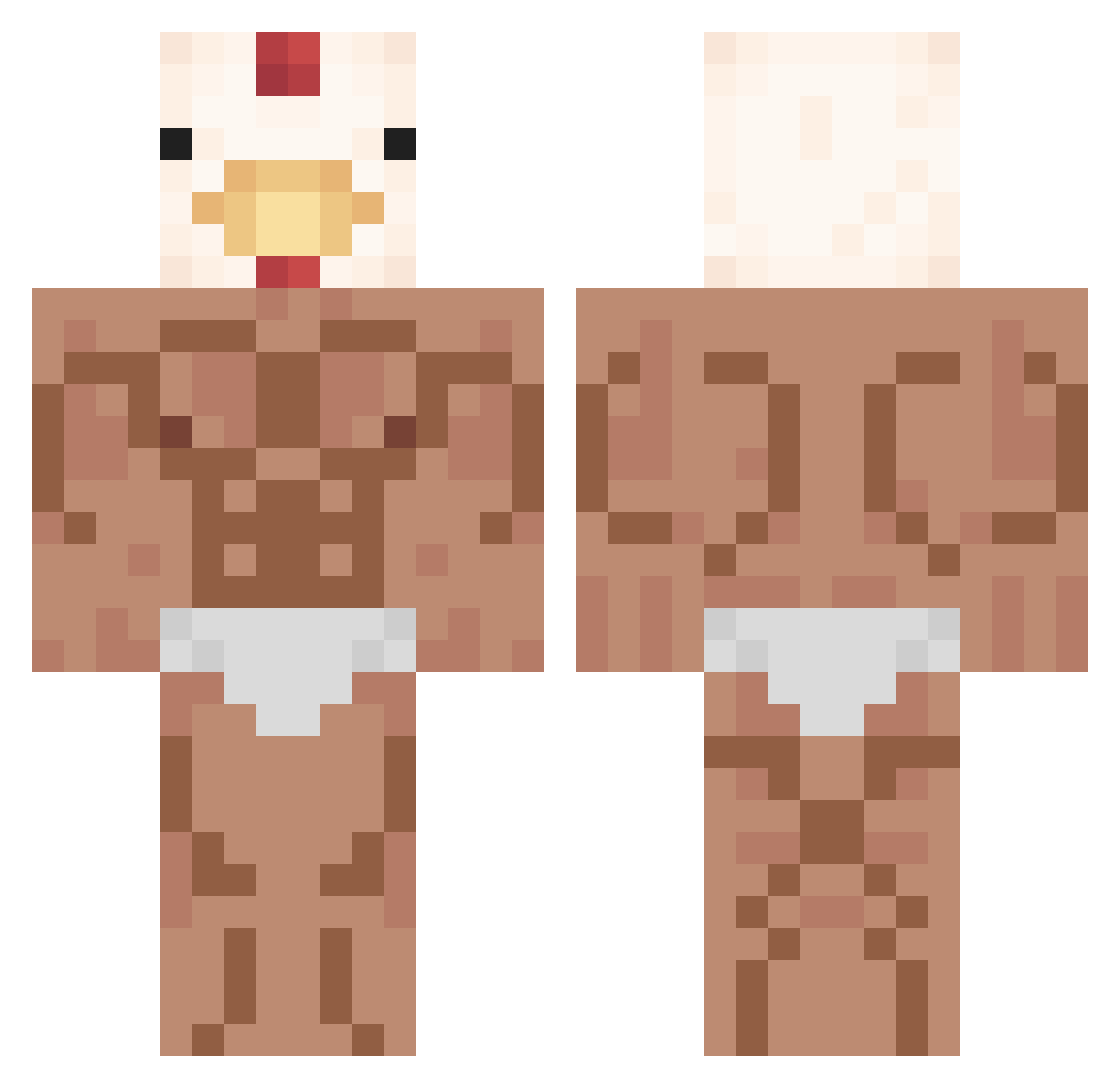
Current Minecraft skin of the player Husteel, loaded from the official Mojang API. Rotate the 3D model with your mouse or finger, then download the skin as a PNG file and use it in Minecraft: Bedrock Edition or Java Edition for free. When Husteel changes their skin, this page updates automatically and the old skin stays in the history below.
Other players with this skin (352)
Husteel was the 23rd player we have seen with this skin, first spotted on 03.08.2026. The same skin was seen on these players. Open a nickname to see their current skin and skin history.
 Pauinski15 dannycoks coolnohgur0222 rabbitGOGO MoslemNada TurtlesOnDrugs kelian45 MooKrata0P gypsymagic2001 Nimasiler OmegaRiccio Carrot_Science Duckpro47 LzzLight MBased nero1357 sey8 VegeNappi BigTurtle23 JunDDo WHOMITSKI Luzier420 leesophiee CAN0NIND Pollolitos_ Knip imbabayagay TripleSaas Mau44 Uziali Speedrost tsehlzna KM_Andrea11 adelfhitlr
 REDthecracky staryjacus123 JavierNight2 Pollitotron KIM_NAM__
 MrLinYe ByIVAAANXx ddegi812 dT3Tb conetto06 D3FYxP russian0992 OxKart x9olly RABBIT___ kuuracjusz LiYiii James_Monroe LoneWolf9710 Massive_T1t slimmist AfterAceGalaxy jellyybeanss Moutontone Oita0 BORITAX
More Chicken Minecraft skins
How to install the Husteel skin
- Press the Download button above to save the skin as a PNG file.
- Minecraft: Bedrock Edition (PE): open the Dressing Room from the main menu (or tap your character → Edit Character), go to Classic Skins → Owned, press the + (new skin) button, choose the downloaded PNG and pick the Classic (Steve) model. Works on PC and mobile; consoles cannot import custom skins.
- Minecraft: Java Edition: open the Minecraft Launcher, go to the Skins tab, click New Skin, load the PNG, pick the Classic (Steve) model and press Save & Use. You can also upload it at minecraft.net → Profile → Change Skin.
The skin does not show up after import - what should I do?
Restart Minecraft and open the Dressing Room again - imported skins sometimes appear only after a restart. Also make sure you selected the imported skin and picked the Classic (Steve) model.
Which model should I choose, Classic or Slim?
This skin is designed for the Classic (Steve) model. If you pick the wrong model, the arms of the skin will look stretched or squeezed.
Is the skin of Husteel free to download?
Yes. Press Download, save the PNG file and use it in Minecraft: Bedrock Edition or Java Edition - no payment or registration needed. The skin also works on multiplayer servers and Realms.
More skins
Looking for more? Go back to all Minecraft skins and check the top skins of the week, month and all time, or find any player's skin by nickname.