
HumorWE - Minecraft Skins & Skin History
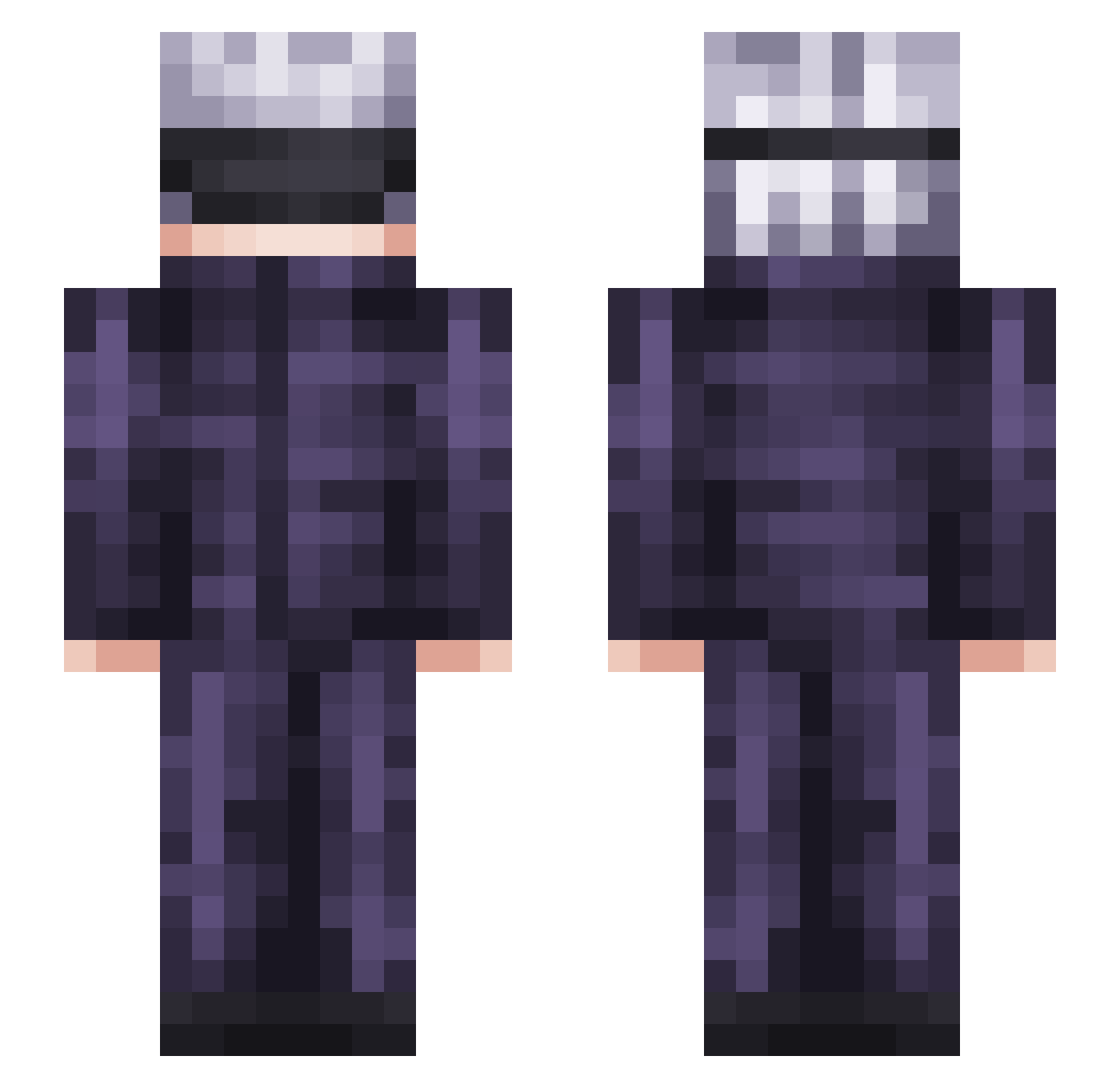
Current Minecraft skin of the player HumorWE, loaded from the official Mojang API. Rotate the 3D model with your mouse or finger, then download the skin as a PNG file and use it in Minecraft: Bedrock Edition or Java Edition for free. When HumorWE changes their skin, this page updates automatically and the old skin stays in the history below.
Other players with this skin (350)
HumorWE was the 128th player we have seen with this skin, first spotted on 11.09.2026. The same skin was seen on these players. Open a nickname to see their current skin and skin history.
 Venganzaa Veeus Lore2104 Witless_Witness BigFudge_69 turbosoupe Benson9021 Phil_Crush Zen009 lDxU3 HALISOYA Maltolm HairyGarnish Nept0nix Boxamid seokmin1301 BlockBubatz445 DiamondKujoh GaengSom GOATRyuk Fili__ Cornelia1228 GojoSixEyes Din_Frost Ulquiorra0801 arnogueira TheRevller Somchai2 aSniffer RONINYASUKE IvyOsiris I_luv_Cat_Girls zumi_2814 clemt0608 AschenteKuuhaku ByVortexX Godvoid EclipseWereLynx ylim3 Angusc_424 Charmy97_ Isekaitis Exonite WatersDiscord DJAYMO2000 Peevyy NotRevs Ryanwth Gojo_Sattoru Finnee Fundamented Leviinjeans Nico2coolboi naruto5293 Ausrede Horeo_ Moo_man22 Neokito IRL_Npc PEPEGG22
More Satoru Gojo Minecraft skins
See all 1375 Satoru Gojo skins
How to install the HumorWE skin
- Press the Download button above to save the skin as a PNG file.
- Minecraft: Bedrock Edition (PE): open the Dressing Room from the main menu (or tap your character → Edit Character), go to Classic Skins → Owned, press the + (new skin) button, choose the downloaded PNG and pick the Slim (Alex) model. Works on PC and mobile; consoles cannot import custom skins.
- Minecraft: Java Edition: open the Minecraft Launcher, go to the Skins tab, click New Skin, load the PNG, pick the Slim (Alex) model and press Save & Use. You can also upload it at minecraft.net → Profile → Change Skin.
The skin does not show up after import - what should I do?
Restart Minecraft and open the Dressing Room again - imported skins sometimes appear only after a restart. Also make sure you selected the imported skin and picked the Slim (Alex) model.
Which model should I choose, Classic or Slim?
This skin is designed for the Slim (Alex) model. If you pick the wrong model, the arms of the skin will look stretched or squeezed.
Is the skin of HumorWE free to download?
Yes. Press Download, save the PNG file and use it in Minecraft: Bedrock Edition or Java Edition - no payment or registration needed. The skin also works on multiplayer servers and Realms.
More skins
Looking for more? Go back to all Minecraft skins and check the top skins of the week, month and all time, or find any player's skin by nickname.