
Hordubal - Minecraft Skins & Skin History
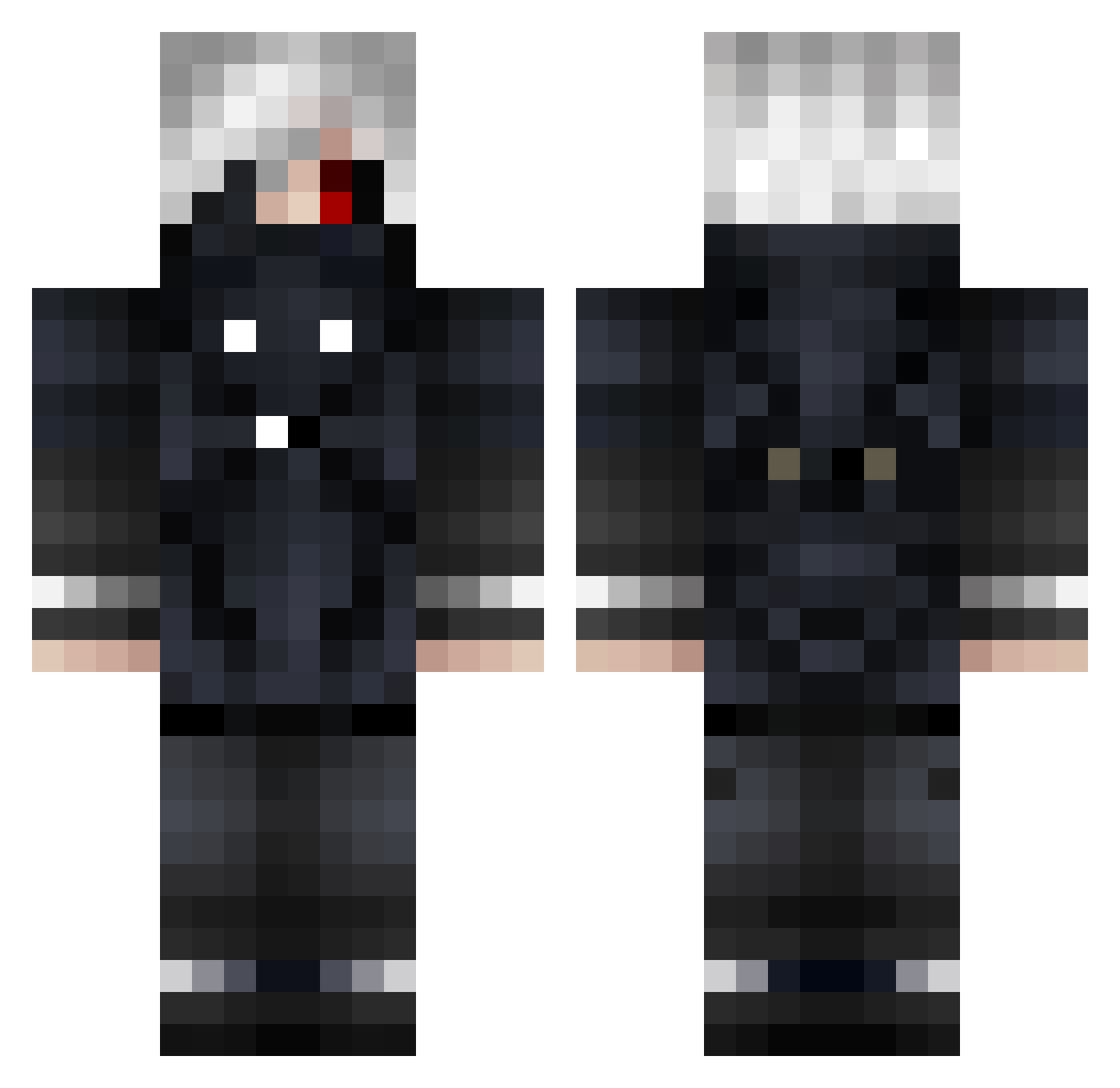
Current Minecraft skin of the player Hordubal, loaded from the official Mojang API. Rotate the 3D model with your mouse or finger, then download the skin as a PNG file and use it in Minecraft: Bedrock Edition or Java Edition for free. When Hordubal changes their skin, this page updates automatically and the old skin stays in the history below.
Other players with this skin (62)
Hordubal was the 8th player we have seen with this skin, first spotted on 02.08.2026. The same skin was seen on these players. Open a nickname to see their current skin and skin history.
 bwadada eron0507 Ravenledemon purebmx ReFUZE2Lose 8_TERMINATOR_8 sleckkk Emerodes DATKingSam RomkaGames wariong trewavy D_Y_C ProfoundWalk7 EndReleased AkaTriade jomo9999 Bl00dB4thsReaper DreaminPizzaTime DarkyDark1337 xX_TokyoGhoul_Xx Kotansori Miisno NY_Smiley Wallyy08 Motorpool98 ZXCHARONSKIY Jamabi Hades141 eferken Mcalvin31 sam556611111 ppz1 Dakotahig1 ROAM1420 DK_Aron_ HardstyleKing dead_lnside BakedUnicorn Ares429 aviv7576 deb04 oto__king alecbroso JayMc21 CantSync Flip3 Tibarn972 Evgenchik8 ghostp1213 ElPistrun Makingsalad Vain_137 Bajanboy03 JohnnyCH SnowyCharizard Mr_Pusher murrr4u Phuller SeraphimOfTheEnd
More Mask Minecraft skins
How to install the Hordubal skin
- Press the Download button above to save the skin as a PNG file.
- Minecraft: Bedrock Edition (PE): open the Dressing Room from the main menu (or tap your character → Edit Character), go to Classic Skins → Owned, press the + (new skin) button, choose the downloaded PNG and pick the Classic (Steve) model. Works on PC and mobile; consoles cannot import custom skins.
- Minecraft: Java Edition: open the Minecraft Launcher, go to the Skins tab, click New Skin, load the PNG, pick the Classic (Steve) model and press Save & Use. You can also upload it at minecraft.net → Profile → Change Skin.
The skin does not show up after import - what should I do?
Restart Minecraft and open the Dressing Room again - imported skins sometimes appear only after a restart. Also make sure you selected the imported skin and picked the Classic (Steve) model.
Which model should I choose, Classic or Slim?
This skin is designed for the Classic (Steve) model. If you pick the wrong model, the arms of the skin will look stretched or squeezed.
Is the skin of Hordubal free to download?
Yes. Press Download, save the PNG file and use it in Minecraft: Bedrock Edition or Java Edition - no payment or registration needed. The skin also works on multiplayer servers and Realms.
More skins
Looking for more? Go back to all Minecraft skins and check the top skins of the week, month and all time, or find any player's skin by nickname.