
Homer455 - Minecraft Skins & Skin History
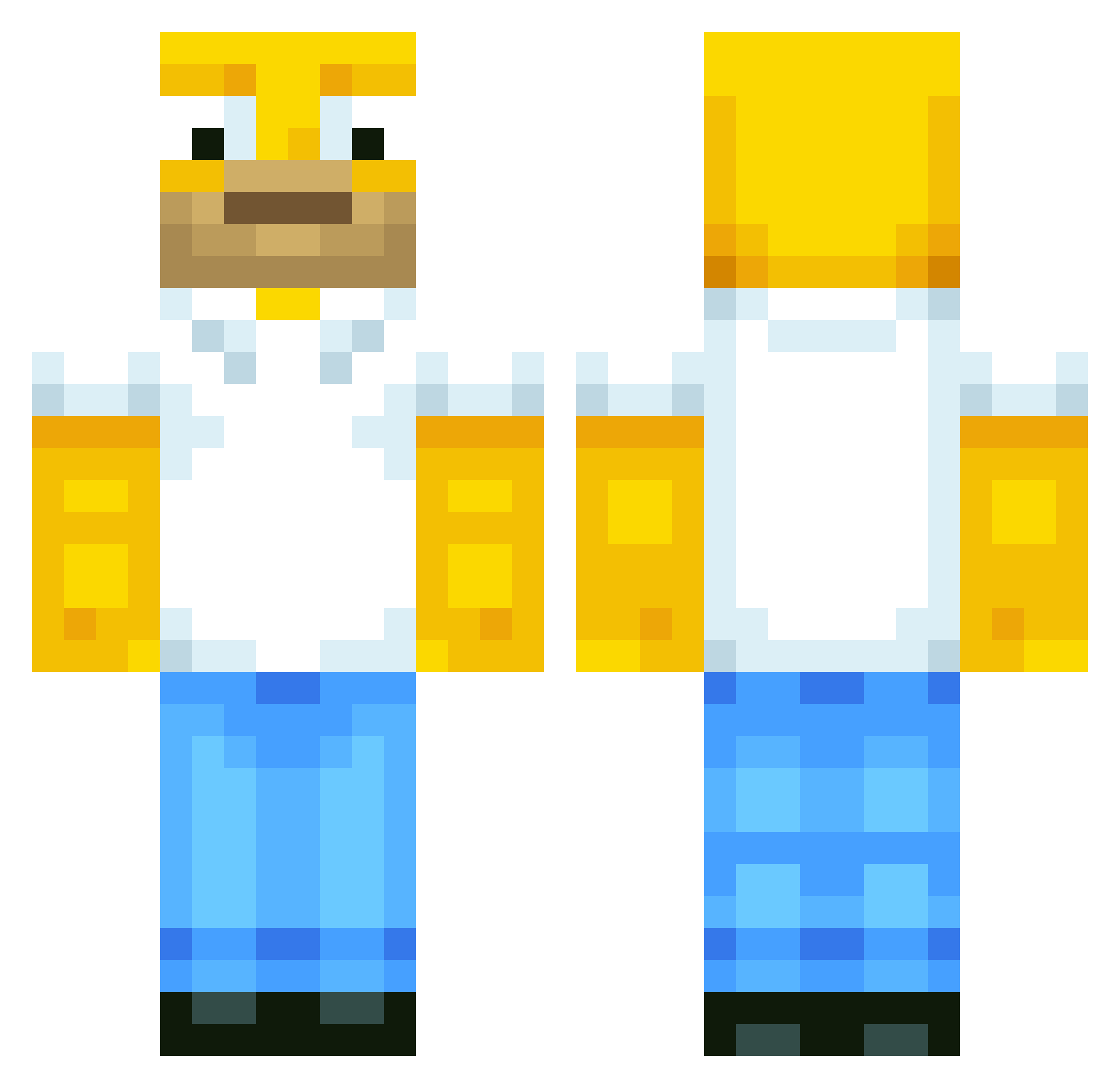
Current Minecraft skin of the player Homer455, loaded from the official Mojang API. Rotate the 3D model with your mouse or finger, then download the skin as a PNG file and use it in Minecraft: Bedrock Edition or Java Edition for free. When Homer455 changes their skin, this page updates automatically and the old skin stays in the history below.
Other players with this skin (568)
Homer455 was the 92nd player we have seen with this skin, first spotted on 10.08.2026. The same skin was seen on these players. Open a nickname to see their current skin and skin history.
 MaraboutV2 SimplyWilson Pitbull50667 zHqcky Skyzth3lmiT Migszyy Pelikanpirat BERUBE166 LongingGarlic65
 Dre4minqs FelixEnder2021 ItsMeIgor_ MaskedVigilance Lord_Dodo2002 ThatJerp MopC FinnsterWest sevsevenn pokers_tv extrasmalljake Martim82 notsoslim72 RyanHockey3 inGrannyWeTrust coolbman9 SomeRandomHorror HeastHawara nicohals2411
 Jdawg4523 Larimar9094 wiilfred jianghuchuan99 2Faded
 Catmando11 curdfunk swampy_2 RogueWeiner Fly_Boi98 BoyLover27 INMOmine xsarcasm zedew Cloutmonkey masonkinsella wumao whitemeat_ Sammyo77777777 Dahhd zLuiiziinn20 Unicoded Fregity Makars333 Woolycraft45 Baby_Wax powerBOB0301 MAFAKKAxx SL0PPYTOPPY YouNeverFindMe itsben_btw OscarIscoolboy
More Homer Simpson Minecraft skins
See all 284 Homer Simpson skins
How to install the Homer455 skin
- Press the Download button above to save the skin as a PNG file.
- Minecraft: Bedrock Edition (PE): open the Dressing Room from the main menu (or tap your character → Edit Character), go to Classic Skins → Owned, press the + (new skin) button, choose the downloaded PNG and pick the Classic (Steve) model. Works on PC and mobile; consoles cannot import custom skins.
- Minecraft: Java Edition: open the Minecraft Launcher, go to the Skins tab, click New Skin, load the PNG, pick the Classic (Steve) model and press Save & Use. You can also upload it at minecraft.net → Profile → Change Skin.
The skin does not show up after import - what should I do?
Restart Minecraft and open the Dressing Room again - imported skins sometimes appear only after a restart. Also make sure you selected the imported skin and picked the Classic (Steve) model.
Which model should I choose, Classic or Slim?
This skin is designed for the Classic (Steve) model. If you pick the wrong model, the arms of the skin will look stretched or squeezed.
Is the skin of Homer455 free to download?
Yes. Press Download, save the PNG file and use it in Minecraft: Bedrock Edition or Java Edition - no payment or registration needed. The skin also works on multiplayer servers and Realms.
More skins
Looking for more? Go back to all Minecraft skins and check the top skins of the week, month and all time, or find any player's skin by nickname.