
Hlj875 - Minecraft Skins & Skin History
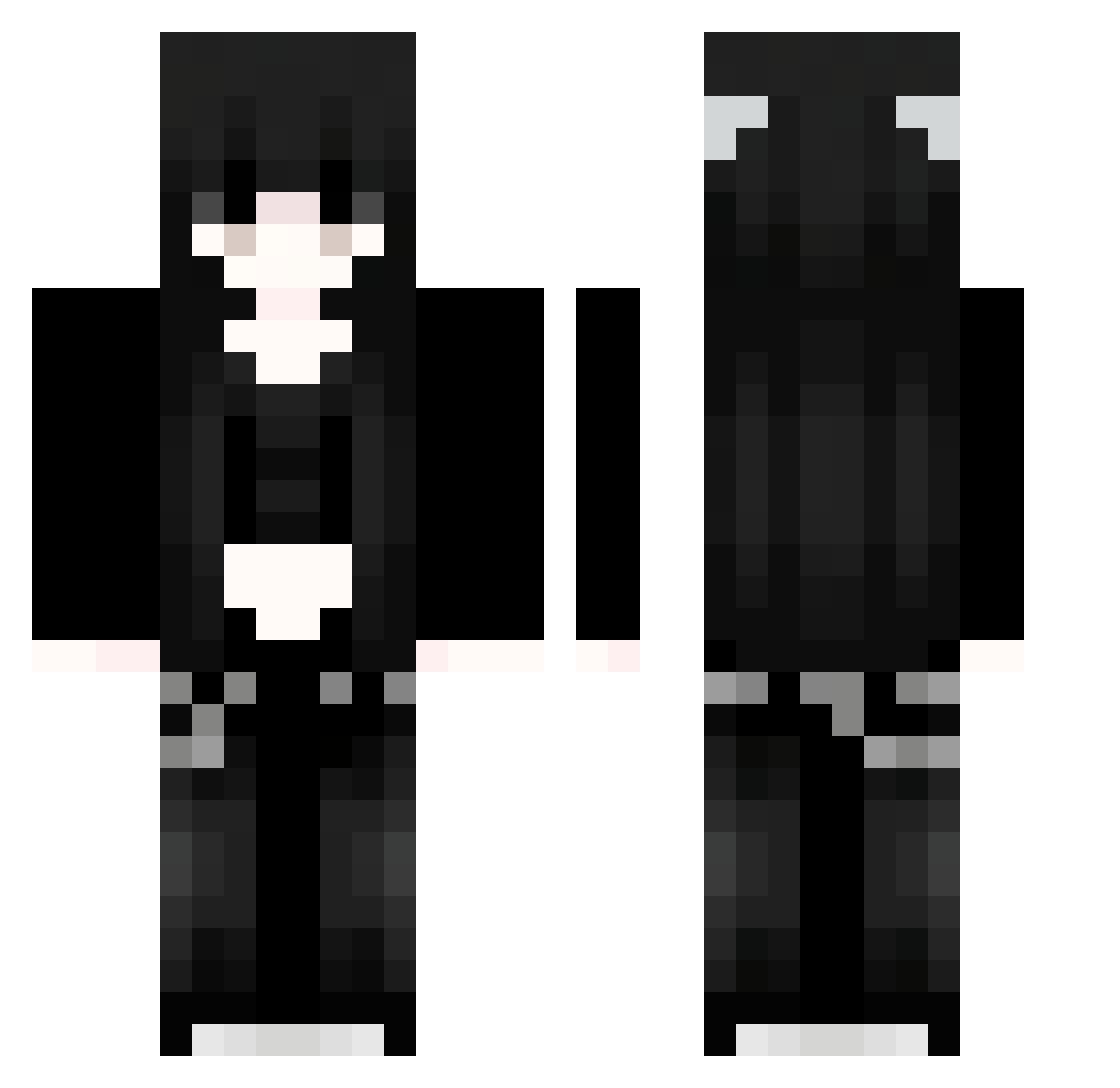
Current Minecraft skin of the player Hlj875, loaded from the official Mojang API. Rotate the 3D model with your mouse or finger, then download the skin as a PNG file and use it in Minecraft: Bedrock Edition or Java Edition for free. When Hlj875 changes their skin, this page updates automatically and the old skin stays in the history below.
Other players with this skin (1126)
Hlj875 was the 509th player we have seen with this skin, first spotted on 17.09.2026. The same skin was seen on these players. Open a nickname to see their current skin and skin history.
 lovelyfragrance KjW615 hrm385 91_fZYvdlcmky739 Sakura_rzBAWK321 91_gVDKjcRutT128 Sakura_eAMumY895 cn7_23 cFU310 TWZ22 uqB694 SpookyAstero Fwc579 91_INlmoREwFz541 dLN844 Jvav_kMwdHwiU396 fse284 5jin23 VGC143 91_EglNtDGyQY595 hBQ44 KoYOHYxcbVCFy706 Sakura_WYbEtO876 Sakura_jAAxnL944 PKS674 aOv545 gVo832 RetroTG Pnl888 YWr929 wkf307 oeP46 Ratsmalls Sakura_fmbXni204 TXe18 SpiritlordUgin 91_uxAvNxvdri798 larayyu 91_VBIzcEopBF778 FruityVanilla pZN983 bopfoQNMVKNgV350 FPi850 kxF788 VIx658 _Valenta_ uaCDkvVYkoDFh779 Sakura_HIUzJW847 Sage_1886 IamJayh nMo775 Oaitoy uEu2 iYo624 qOp515 91_lXGAxXLZth783 TRX789 91_nrhwDZiXBa333 UTf101 wKA524
More Emo Minecraft skins
How to install the Hlj875 skin
- Press the Download button above to save the skin as a PNG file.
- Minecraft: Bedrock Edition (PE): open the Dressing Room from the main menu (or tap your character → Edit Character), go to Classic Skins → Owned, press the + (new skin) button, choose the downloaded PNG and pick the Classic (Steve) model. Works on PC and mobile; consoles cannot import custom skins.
- Minecraft: Java Edition: open the Minecraft Launcher, go to the Skins tab, click New Skin, load the PNG, pick the Classic (Steve) model and press Save & Use. You can also upload it at minecraft.net → Profile → Change Skin.
The skin does not show up after import - what should I do?
Restart Minecraft and open the Dressing Room again - imported skins sometimes appear only after a restart. Also make sure you selected the imported skin and picked the Classic (Steve) model.
Which model should I choose, Classic or Slim?
This skin is designed for the Classic (Steve) model. If you pick the wrong model, the arms of the skin will look stretched or squeezed.
Is the skin of Hlj875 free to download?
Yes. Press Download, save the PNG file and use it in Minecraft: Bedrock Edition or Java Edition - no payment or registration needed. The skin also works on multiplayer servers and Realms.
More skins
Looking for more? Go back to all Minecraft skins and check the top skins of the week, month and all time, or find any player's skin by nickname.