
Hexzombie_ - Minecraft Skins & Skin History
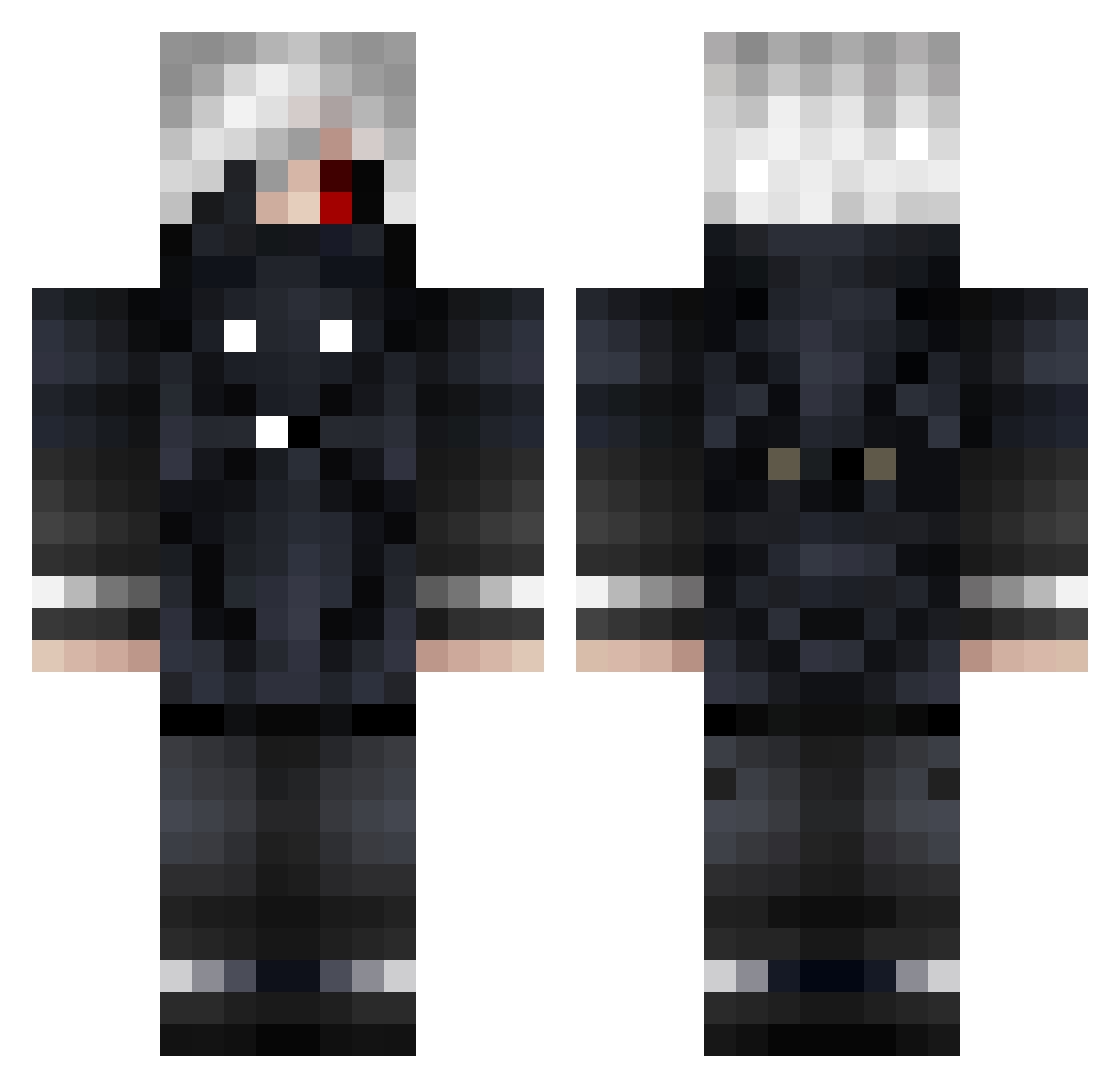
Current Minecraft skin of the player Hexzombie_, loaded from the official Mojang API. Rotate the 3D model with your mouse or finger, then download the skin as a PNG file and use it in Minecraft: Bedrock Edition or Java Edition for free. When Hexzombie_ changes their skin, this page updates automatically and the old skin stays in the history below.
Other players with this skin (691)
Hexzombie_ was the 367th player we have seen with this skin, first spotted on 17.09.2026. The same skin was seen on these players. Open a nickname to see their current skin and skin history.
 Mouillette WHITE_PUDDING00 ZB_SenSeii xPeaceMinusOnex Kahos18 DAJIBA69 ONjOlt OAO_1106 shudou ALIRACHPC AyyySquishy Kognaccc LonelyPug10 LordNugget117 SimoGreg2004 JuggerPunch mphr2d2 CAGRIABINIZBURDA nooobmaster696 FlashBxng ZombieHelloKitty DiorCee CosinJanBaptist D4wn_ BlackReaperrTR BadAshAssassin Klaudiusz002 nerweeq_exe feliksok JustSkillIn Clawfishhhh poopmaster24 svelto_hotza ldyhhh1 Stash10008 Vegeta_Sama_ A0xiDiUm Dredzaum KrAsAvChIk34 MrWiD KibeSedutor chunsik_63 Elfz97 Txschi NessQ Shigekix_x Votal Gmbaa Strike015 Waezu Mycandee sinay0000 WolfSawl jeanc4rl02 Basto0os Pneumatic LeoReaper Sweaty_Cthulhu Shiung0 Fireball266
More Mask Minecraft skins
How to install the Hexzombie_ skin
- Press the Download button above to save the skin as a PNG file.
- Minecraft: Bedrock Edition (PE): open the Dressing Room from the main menu (or tap your character → Edit Character), go to Classic Skins → Owned, press the + (new skin) button, choose the downloaded PNG and pick the Classic (Steve) model. Works on PC and mobile; consoles cannot import custom skins.
- Minecraft: Java Edition: open the Minecraft Launcher, go to the Skins tab, click New Skin, load the PNG, pick the Classic (Steve) model and press Save & Use. You can also upload it at minecraft.net → Profile → Change Skin.
The skin does not show up after import - what should I do?
Restart Minecraft and open the Dressing Room again - imported skins sometimes appear only after a restart. Also make sure you selected the imported skin and picked the Classic (Steve) model.
Which model should I choose, Classic or Slim?
This skin is designed for the Classic (Steve) model. If you pick the wrong model, the arms of the skin will look stretched or squeezed.
Is the skin of Hexzombie_ free to download?
Yes. Press Download, save the PNG file and use it in Minecraft: Bedrock Edition or Java Edition - no payment or registration needed. The skin also works on multiplayer servers and Realms.
More skins
Looking for more? Go back to all Minecraft skins and check the top skins of the week, month and all time, or find any player's skin by nickname.