
Henman8 - Minecraft Skins & Skin History
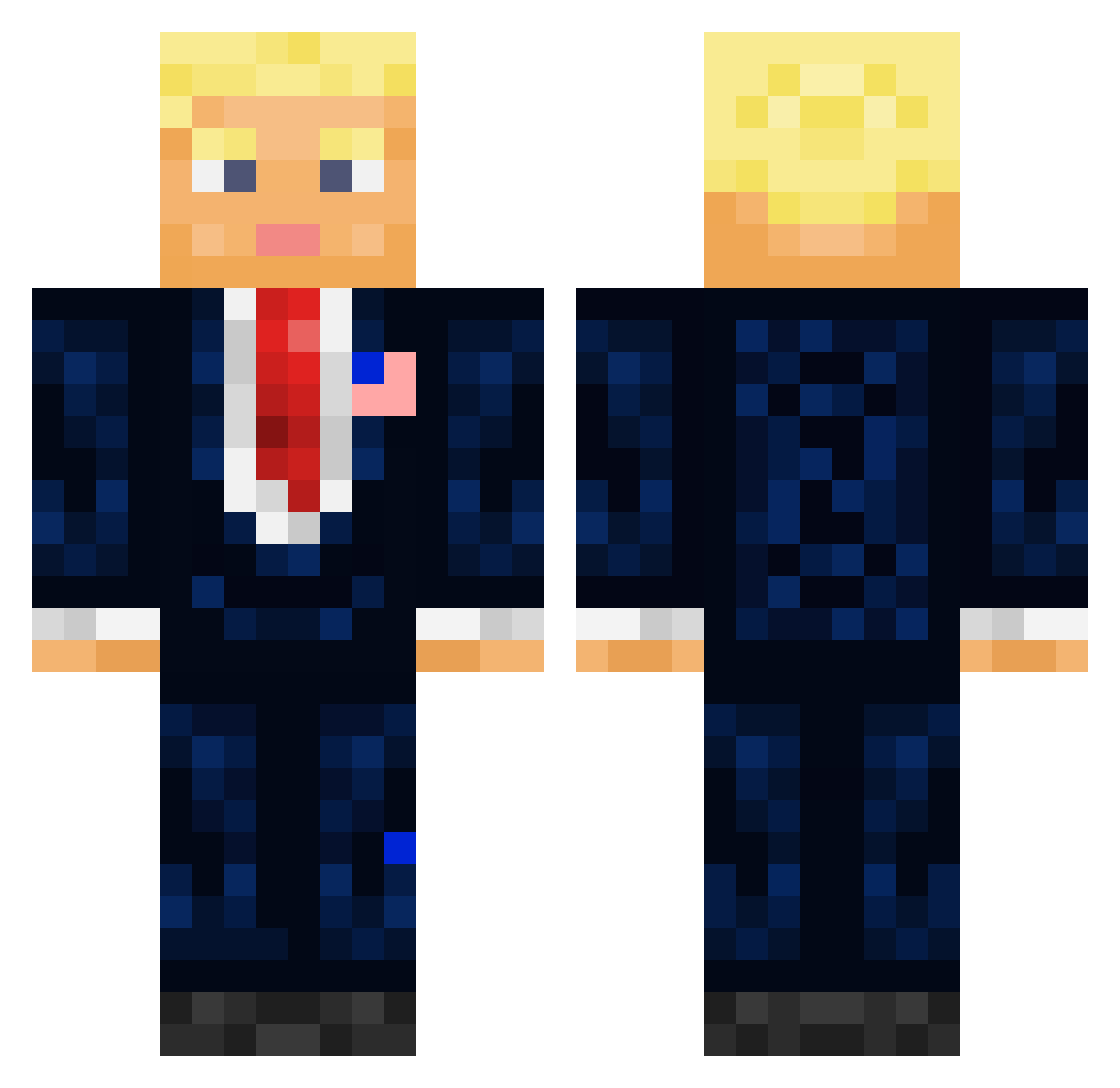
Current Minecraft skin of the player Henman8, loaded from the official Mojang API. Rotate the 3D model with your mouse or finger, then download the skin as a PNG file and use it in Minecraft: Bedrock Edition or Java Edition for free. When Henman8 changes their skin, this page updates automatically and the old skin stays in the history below.
Other players with this skin (711)
Henman8 was the 512th player we have seen with this skin, first spotted on 10.10.2026. The same skin was seen on these players. Open a nickname to see their current skin and skin history.
 Lubin_21 exorig DaP0N Mando_2700 LongDukDongg BDCarbine KornelSanders FatCalinette Marauder_gg Aardboi manking__ Windmist OzamaBinLaggin xFRE4Kx xGian99 jguyon06 Iamcrazyguy9381 B4RB4R14N michaelslam Endjamin Alpingenn Razine12 Auspicate7 Duny__ SoyDuvi Tony_Me pshenichhh Kelorastuss W3rzard KV_Playz JustSimplyWild Haylo__ NetoLord007 Tailswind gabe_itchs iphn TonerSt0ner ImSnazzyYT stefa3580 Donny_Trumpster Will6841 vannbergsjakk FRY1311 WaltanMaran SmokieZz Anwkd Operandii WanR90 Brian33333 ToxicTom_ DonalTroump foppa__ Large_Johnson_69 nansthegreat Freddy_124 alexgson PowerReinier kneeNeck element8111 veryfatdog12345
More President Minecraft skins
How to install the Henman8 skin
- Press the Download button above to save the skin as a PNG file.
- Minecraft: Bedrock Edition (PE): open the Dressing Room from the main menu (or tap your character → Edit Character), go to Classic Skins → Owned, press the + (new skin) button, choose the downloaded PNG and pick the Classic (Steve) model. Works on PC and mobile; consoles cannot import custom skins.
- Minecraft: Java Edition: open the Minecraft Launcher, go to the Skins tab, click New Skin, load the PNG, pick the Classic (Steve) model and press Save & Use. You can also upload it at minecraft.net → Profile → Change Skin.
The skin does not show up after import - what should I do?
Restart Minecraft and open the Dressing Room again - imported skins sometimes appear only after a restart. Also make sure you selected the imported skin and picked the Classic (Steve) model.
Which model should I choose, Classic or Slim?
This skin is designed for the Classic (Steve) model. If you pick the wrong model, the arms of the skin will look stretched or squeezed.
Is the skin of Henman8 free to download?
Yes. Press Download, save the PNG file and use it in Minecraft: Bedrock Edition or Java Edition - no payment or registration needed. The skin also works on multiplayer servers and Realms.
More skins
Looking for more? Go back to all Minecraft skins and check the top skins of the week, month and all time, or find any player's skin by nickname.