
HelloRiley15 - Minecraft Skins & Skin History
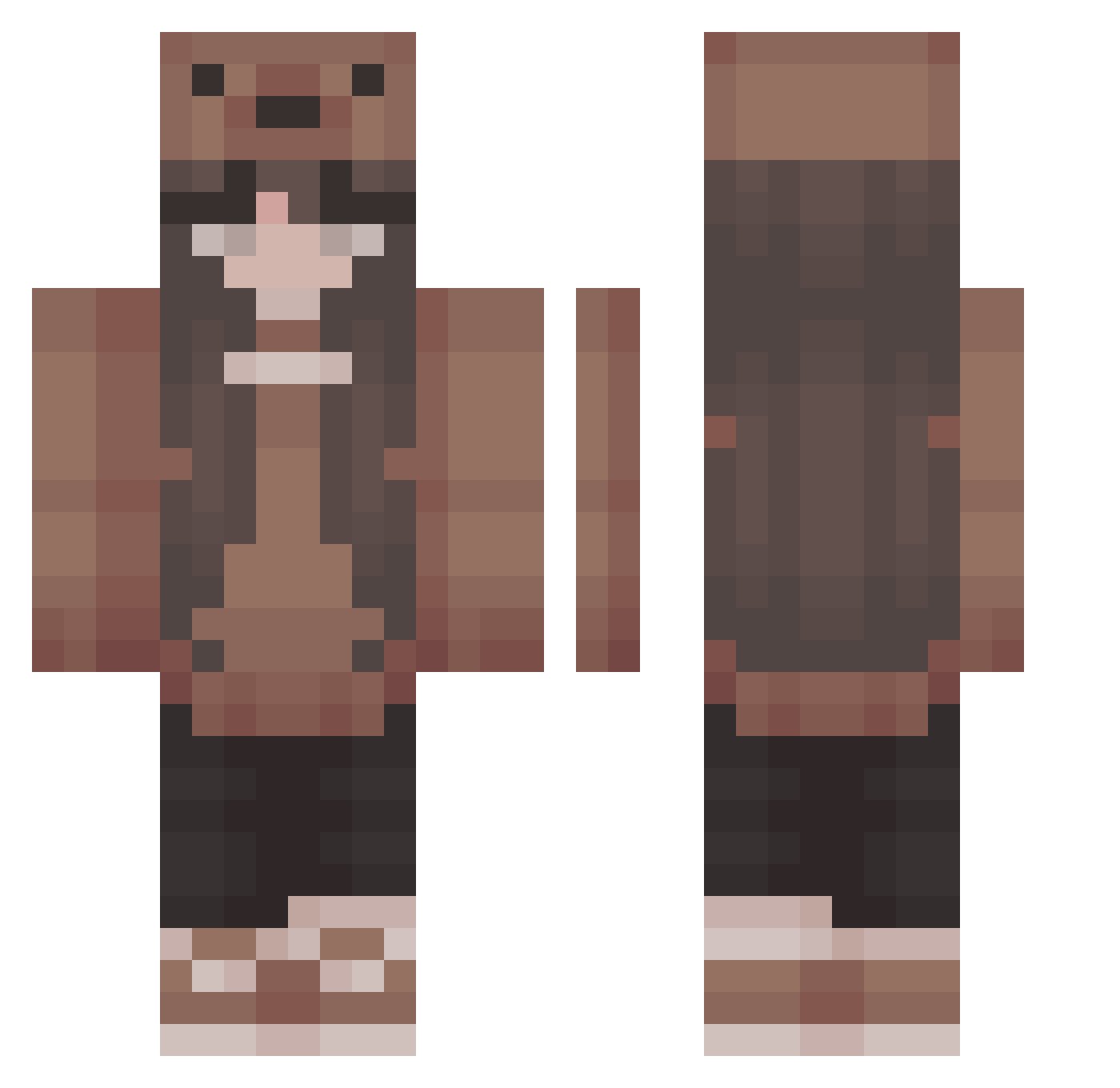
Current Minecraft skin of the player HelloRiley15, loaded from the official Mojang API. Rotate the 3D model with your mouse or finger, then download the skin as a PNG file and use it in Minecraft: Bedrock Edition or Java Edition for free. When HelloRiley15 changes their skin, this page updates automatically and the old skin stays in the history below.
Other players with this skin (402)
HelloRiley15 was the 254th player we have seen with this skin, first spotted on 30.09.2026. The same skin was seen on these players. Open a nickname to see their current skin and skin history.
 emqlxx myuchann wxbbl3 pastavani_ effloreescence tara_b27 SerenitySky_ alabnar khatija Mysery74 schadenfroh123 Syvrn FOX_Nestea FullGoldFish007 Kenrobbiscrazy32 TwistedMeh Pudding1552 silly_vi PastaKnife InfusedBlunt luvmarls payrl Sophiaulina Tater4567 miestie KUYAhlecks Catgie14 Kiezo__ virtualblades annabradford13 K0_0 easyjonna Thedulapeep lauraiskoel NicNicBoom hopeydopey18 emiajs TayaxTeo wwwping Fedeeey moonss050 Chillischoten AkaManko Rudock2 Lunazela 333hanako luvvcupid NexieGame Nickelback__ yucksarah soott_sprite emobeamo CxrruptVi sophsnow24 lolamartinez Veketan Riah_bear Paattchyy Kookieee_ moonbellen
More Cute Minecraft skins
How to install the HelloRiley15 skin
- Press the Download button above to save the skin as a PNG file.
- Minecraft: Bedrock Edition (PE): open the Dressing Room from the main menu (or tap your character → Edit Character), go to Classic Skins → Owned, press the + (new skin) button, choose the downloaded PNG and pick the Classic (Steve) model. Works on PC and mobile; consoles cannot import custom skins.
- Minecraft: Java Edition: open the Minecraft Launcher, go to the Skins tab, click New Skin, load the PNG, pick the Classic (Steve) model and press Save & Use. You can also upload it at minecraft.net → Profile → Change Skin.
The skin does not show up after import - what should I do?
Restart Minecraft and open the Dressing Room again - imported skins sometimes appear only after a restart. Also make sure you selected the imported skin and picked the Classic (Steve) model.
Which model should I choose, Classic or Slim?
This skin is designed for the Classic (Steve) model. If you pick the wrong model, the arms of the skin will look stretched or squeezed.
Is the skin of HelloRiley15 free to download?
Yes. Press Download, save the PNG file and use it in Minecraft: Bedrock Edition or Java Edition - no payment or registration needed. The skin also works on multiplayer servers and Realms.
More skins
Looking for more? Go back to all Minecraft skins and check the top skins of the week, month and all time, or find any player's skin by nickname.