
HedQhh - Minecraft Skins & Skin History
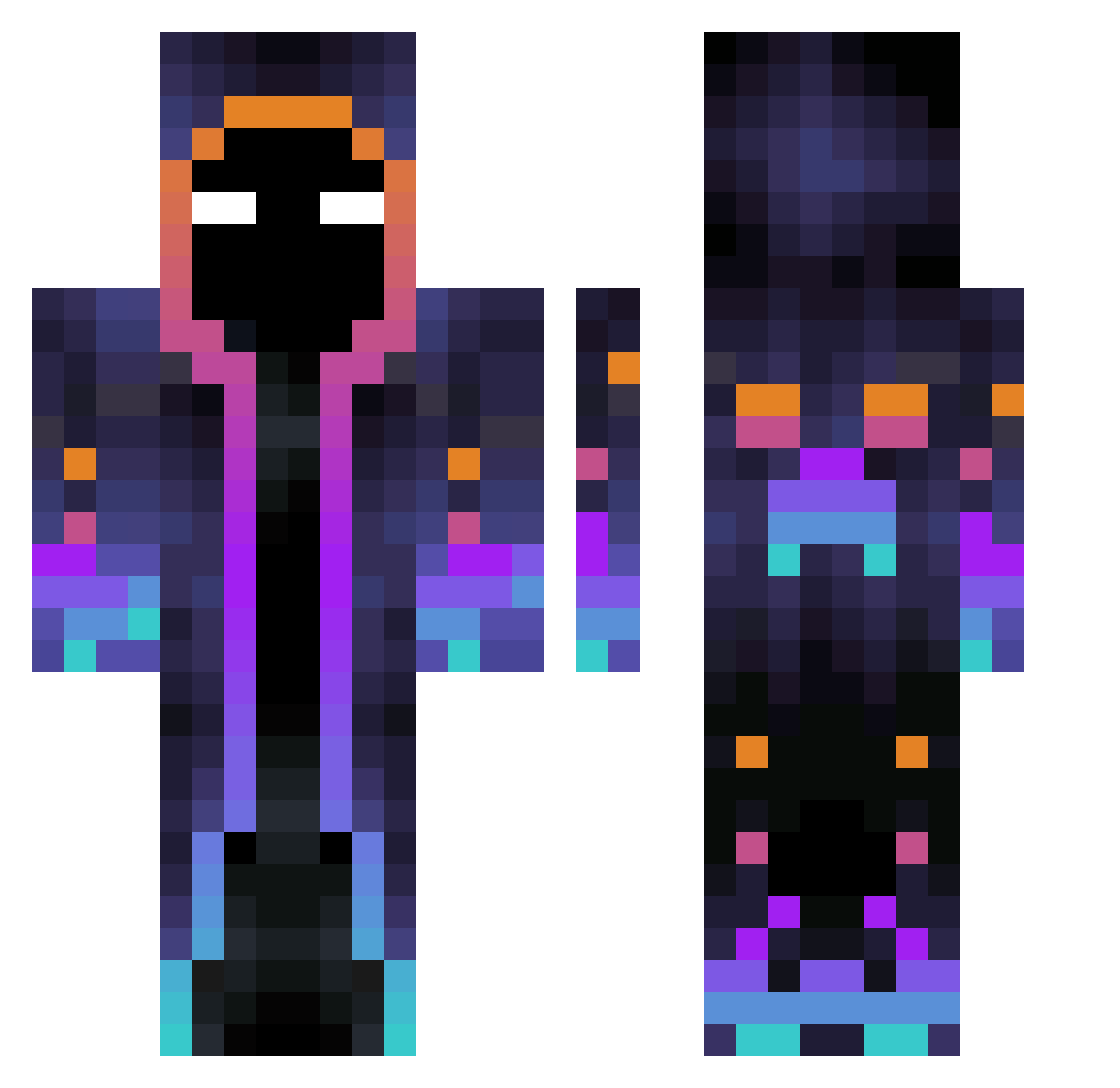
Current Minecraft skin of the player HedQhh, loaded from the official Mojang API. Rotate the 3D model with your mouse or finger, then download the skin as a PNG file and use it in Minecraft: Bedrock Edition or Java Edition for free. When HedQhh changes their skin, this page updates automatically and the old skin stays in the history below.
Other players with this skin (597)
HedQhh was the 328th player we have seen with this skin, first spotted on 29.09.2026. The same skin was seen on these players. Open a nickname to see their current skin and skin history.
 Sternlane C3RS1AN Yumiko51 Moanyahei Mani1933 Armeski mativg21 ZhuaBaA2 ghostpig1219 MrGarfieldZ Betetrottoire23 HellAllucard Esthon Keilhem Psyhiris Bus1bam ThatmIggs pitica007 Vergilz SliseLol Andre96NYG Jager995 qzxsjeh Fischi0411 DarkWaaag041185 skydark_play Leonidas167 AK2K14 DrakerM AresRS0 ZiomalWisniowy GustavoIlI LGP4 lucasbns MikosekKokosek lufelco ehds22 yangpapappa kevinszy Fritevalex DosCero RedTeamDrag1 sisska14 ARedWolf apexprotkl3000 Blackcapel 6224 HxShark FinicalHac Chemazao Flair666 Dejtox tuliozz Shade_of_faith Ronquini TheValerianTR Embakon IncubatorCH XxX_MAX_XxXx Lolertroll0
More Galaxy Minecraft skins
How to install the HedQhh skin
- Press the Download button above to save the skin as a PNG file.
- Minecraft: Bedrock Edition (PE): open the Dressing Room from the main menu (or tap your character → Edit Character), go to Classic Skins → Owned, press the + (new skin) button, choose the downloaded PNG and pick the Classic (Steve) model. Works on PC and mobile; consoles cannot import custom skins.
- Minecraft: Java Edition: open the Minecraft Launcher, go to the Skins tab, click New Skin, load the PNG, pick the Classic (Steve) model and press Save & Use. You can also upload it at minecraft.net → Profile → Change Skin.
The skin does not show up after import - what should I do?
Restart Minecraft and open the Dressing Room again - imported skins sometimes appear only after a restart. Also make sure you selected the imported skin and picked the Classic (Steve) model.
Which model should I choose, Classic or Slim?
This skin is designed for the Classic (Steve) model. If you pick the wrong model, the arms of the skin will look stretched or squeezed.
Is the skin of HedQhh free to download?
Yes. Press Download, save the PNG file and use it in Minecraft: Bedrock Edition or Java Edition - no payment or registration needed. The skin also works on multiplayer servers and Realms.
More skins
Looking for more? Go back to all Minecraft skins and check the top skins of the week, month and all time, or find any player's skin by nickname.