
Haskeer38 - Minecraft Skins & Skin History
Current Minecraft skin of the player Haskeer38, loaded from the official Mojang API. Rotate the 3D model with your mouse or finger, then download the skin as a PNG file and use it in Minecraft: Bedrock Edition or Java Edition for free. When Haskeer38 changes their skin, this page updates automatically and the old skin stays in the history below.
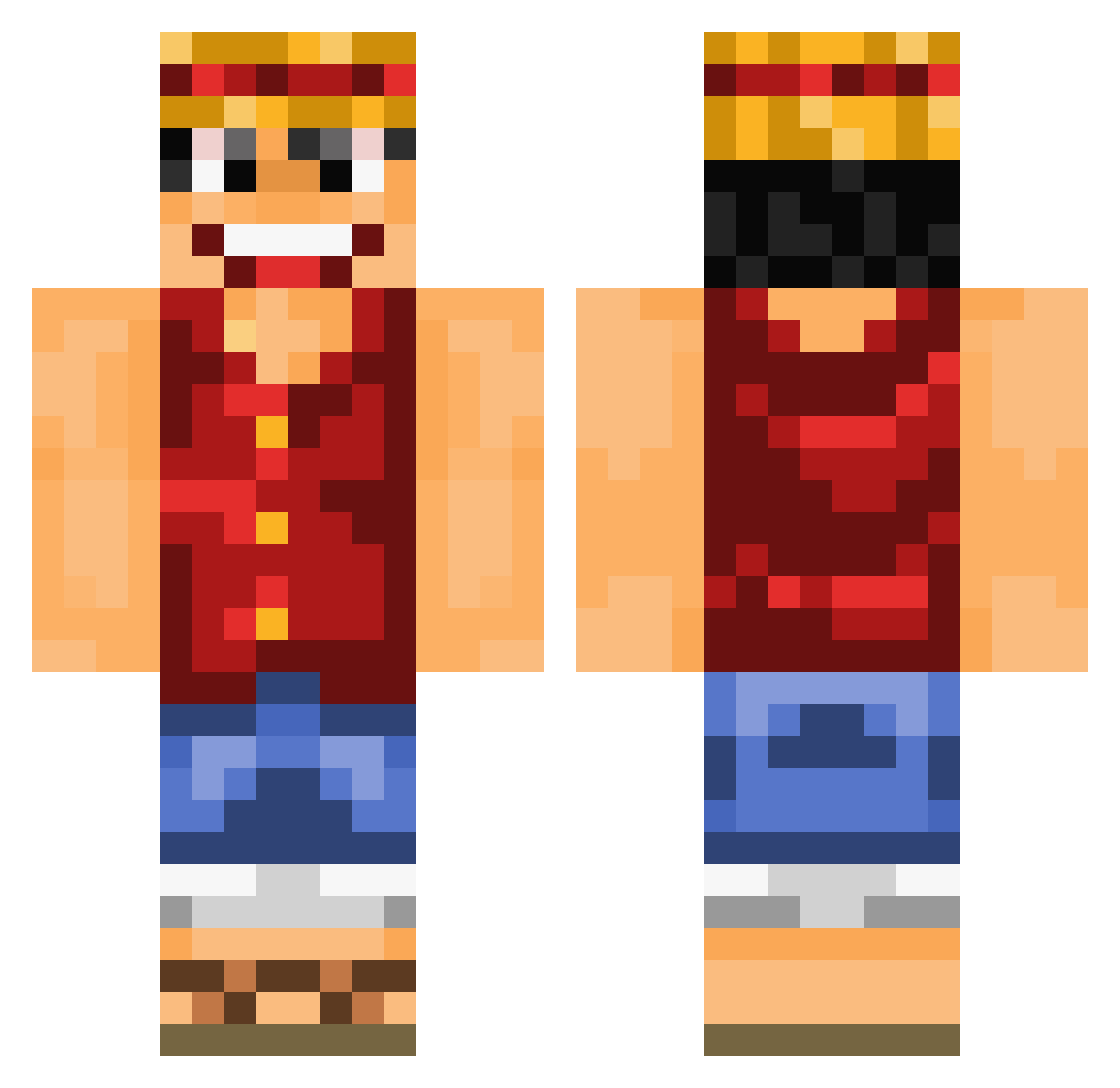
Other players with this skin (755)
Haskeer38 was the 52nd player we have seen with this skin, first spotted on 01.08.2026. The same skin was seen on these players. Open a nickname to see their current skin and skin history.
 finquik123 Franchesco_15 chorrong2 ScrollExploder cheroko36 Einfach_MVP iwanttodieirl oles67 Cbang92 utotoo0 RickTheReal CN_XH Alexcauge
 DeapforceTV Paolowwww Peixe_Sol JLZoniak nariiiiiico VelociraptorKing OGOblivion Jorisgtr Dino1404 Luznov Mzouden ItzTheLouis Rick_ornichon ProvennePlaine Trinityiii1 ksufiyanxd QuinJustQuin3 mdr02 stevie_t92 Spiritko mathvdk24 NickSlinG TheTaggerx galesiz ElGatoHierro soan38 DJDomCook TheP4iin MyLittleSociety 97david97 Varukers buck1191 Sorong kronika2008 Keiiiiii09 ThisGuyFawkes furryslayer1338 Gregcez kidman0224 Ezpay29 benvarughese extremekiwiOG Juggernaut6969 JustCallMeTyyy Black_Snadow Merychipus kalapothakis
More Monkey D Luffy Minecraft skins
See all 864 Monkey D Luffy skins
How to install the Haskeer38 skin
- Press the Download button above to save the skin as a PNG file.
- Minecraft: Bedrock Edition (PE): open the Dressing Room from the main menu (or tap your character → Edit Character), go to Classic Skins → Owned, press the + (new skin) button, choose the downloaded PNG and pick the Classic (Steve) model. Works on PC and mobile; consoles cannot import custom skins.
- Minecraft: Java Edition: open the Minecraft Launcher, go to the Skins tab, click New Skin, load the PNG, pick the Classic (Steve) model and press Save & Use. You can also upload it at minecraft.net → Profile → Change Skin.
The skin does not show up after import - what should I do?
Restart Minecraft and open the Dressing Room again - imported skins sometimes appear only after a restart. Also make sure you selected the imported skin and picked the Classic (Steve) model.
Which model should I choose, Classic or Slim?
This skin is designed for the Classic (Steve) model. If you pick the wrong model, the arms of the skin will look stretched or squeezed.
Is the skin of Haskeer38 free to download?
Yes. Press Download, save the PNG file and use it in Minecraft: Bedrock Edition or Java Edition - no payment or registration needed. The skin also works on multiplayer servers and Realms.
More skins
Looking for more? Go back to all Minecraft skins and check the top skins of the week, month and all time, or find any player's skin by nickname.