
Hardkley - Minecraft Skins & Skin History
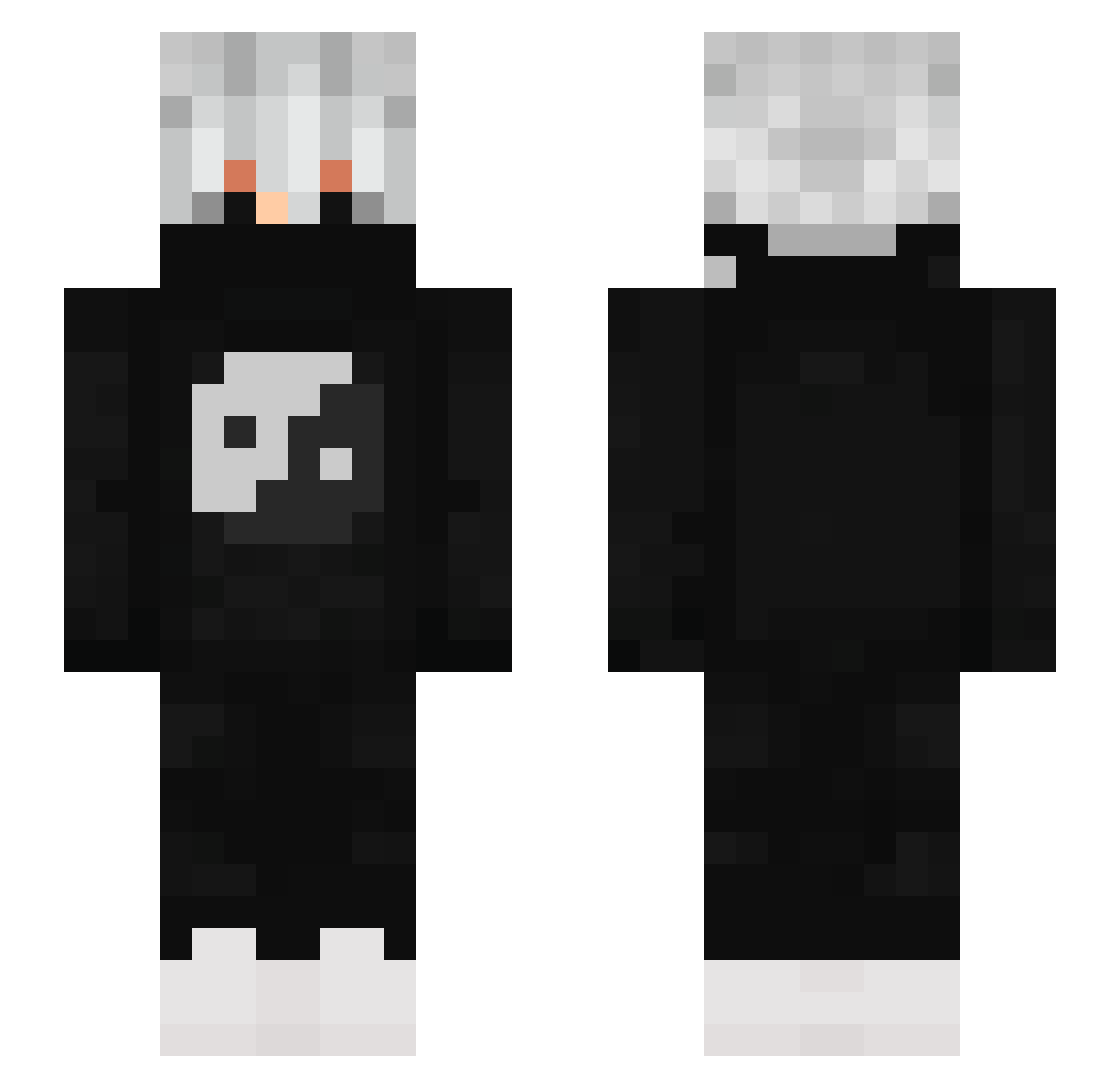
Current Minecraft skin of the player Hardkley, loaded from the official Mojang API. Rotate the 3D model with your mouse or finger, then download the skin as a PNG file and use it in Minecraft: Bedrock Edition or Java Edition for free. When Hardkley changes their skin, this page updates automatically and the old skin stays in the history below.
Other players with this skin (881)
Hardkley was the 240th player we have seen with this skin, first spotted on 23.08.2026. The same skin was seen on these players. Open a nickname to see their current skin and skin history.
 Pampi02 Titanio28 Jeam8792 Silent_magic Darkshadow220 lori0210 Gamsero sippgames redxreal_x BigBurrito611 AdminMc1968 ProDeveloper_ Obito55 Hazhmamad X_Shadow_Hunter TILT000 DonniMC sp1n41k YotoNamike Casius_Munke
 ShadowSpyMC oJordaoo MxZerK Esolso iBlqckn Jumiii9 SawHazretleri Dzejkob32 Realrp Macialaka zlqhem21 SejkiCZ
 1Rip_prowil1 yyms_ VDEido32 Nxkixz ALEXander0X0 Dice7374 Rabisco16 mitsuyaaa deine_Ducky123 Hardikus CarlosJPMK kalishhh LordGrawitax _friaS_ LeWeste08 Teofanes Real_Flow_ Derkenex HBerat23 XPMAX ALQNINJA EndGamerV1 Samo203 ItsKratzeisTV Tomysahzer SchaWaaa
 suchtipcleon SigmaDivyanshLOL
More Yin Yang Minecraft skins
How to install the Hardkley skin
- Press the Download button above to save the skin as a PNG file.
- Minecraft: Bedrock Edition (PE): open the Dressing Room from the main menu (or tap your character → Edit Character), go to Classic Skins → Owned, press the + (new skin) button, choose the downloaded PNG and pick the Slim (Alex) model. Works on PC and mobile; consoles cannot import custom skins.
- Minecraft: Java Edition: open the Minecraft Launcher, go to the Skins tab, click New Skin, load the PNG, pick the Slim (Alex) model and press Save & Use. You can also upload it at minecraft.net → Profile → Change Skin.
The skin does not show up after import - what should I do?
Restart Minecraft and open the Dressing Room again - imported skins sometimes appear only after a restart. Also make sure you selected the imported skin and picked the Slim (Alex) model.
Which model should I choose, Classic or Slim?
This skin is designed for the Slim (Alex) model. If you pick the wrong model, the arms of the skin will look stretched or squeezed.
Is the skin of Hardkley free to download?
Yes. Press Download, save the PNG file and use it in Minecraft: Bedrock Edition or Java Edition - no payment or registration needed. The skin also works on multiplayer servers and Realms.
More skins
Looking for more? Go back to all Minecraft skins and check the top skins of the week, month and all time, or find any player's skin by nickname.