
Halentn_ - Minecraft Skins & Skin History
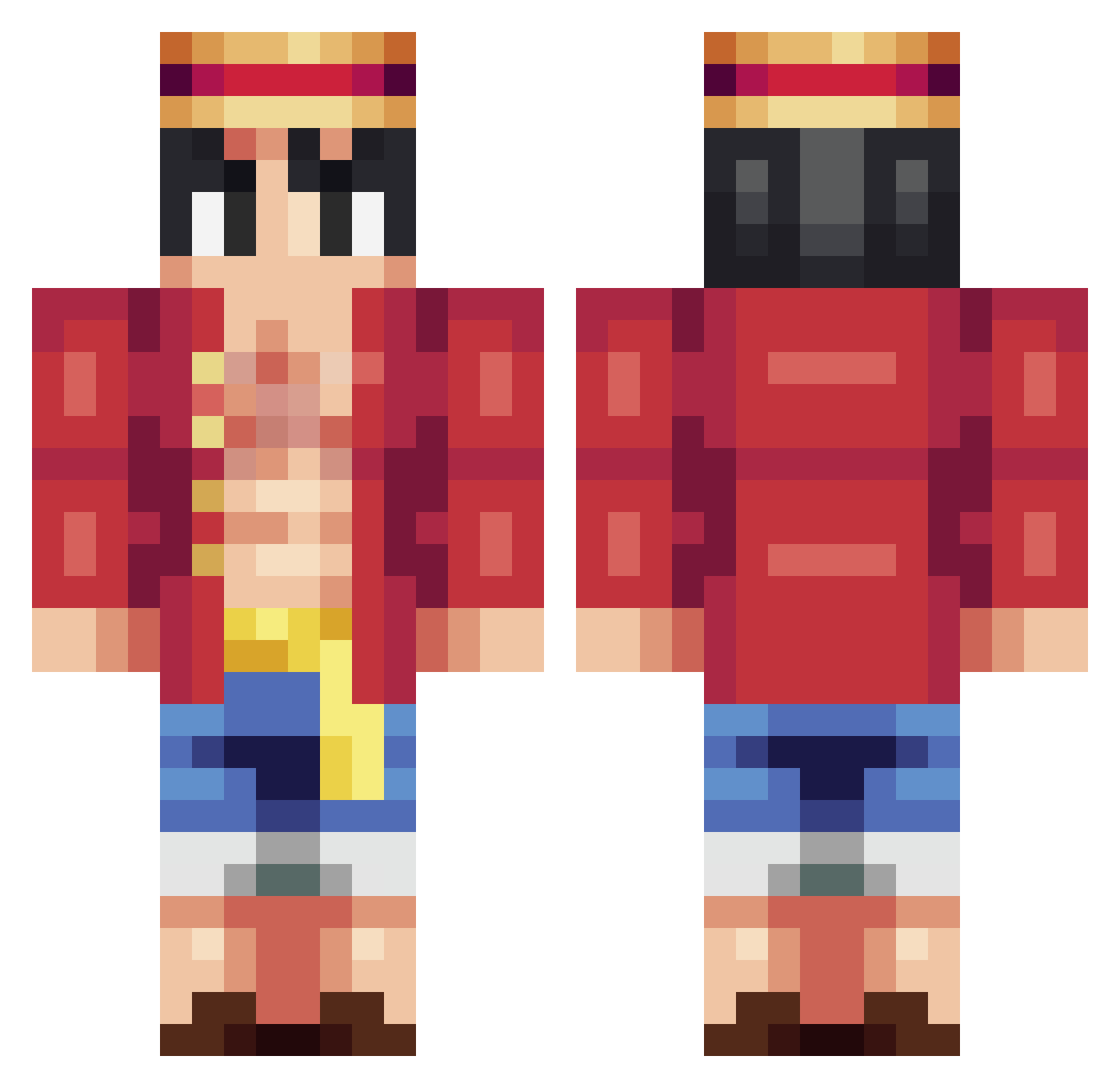
Current Minecraft skin of the player Halentn_, loaded from the official Mojang API. Rotate the 3D model with your mouse or finger, then download the skin as a PNG file and use it in Minecraft: Bedrock Edition or Java Edition for free. When Halentn_ changes their skin, this page updates automatically and the old skin stays in the history below.
Other players with this skin (261)
Halentn_ was the 214th player we have seen with this skin, first spotted on 18.10.2026. The same skin was seen on these players. Open a nickname to see their current skin and skin history.
 Fafan_ Flyiing ReC0n_ nicodetmig Herovvr Adamis333 daitman FelixSR08 localsockbandit DodgerBleu Cl3dew KaizerEmpireTOP DiamondHalvar Evehdz7 V1taly_ ppgaman Clutcheht77 ErikLPC Edos2011 SirSalamander34 Hero004 sicurityyy Zybono 1l1r JoshAsimp MonkeyDtoto Benyuh Malocoxis_ jeuese Abbhyisalking2 Deagarys Andysagredo Yulencio xaptermigueletop segzi hangover8 di3be sexyboy2011 quackedKahvin ItzDeezee iTzEd7 GhostwithCoffee Ge0rge_Fl0yd420 epomakes AdiFajka caado1 Artmis_ jelmer_dv cesarsagod Egct Lego_Expert Isindor dahee315 Invincible_Son WeebContent Ajimi74 dragonlegend56 YungWeej Suruss Usoland17
More Monkey D Luffy Minecraft skins
See all 925 Monkey D Luffy skins
How to install the Halentn_ skin
- Press the Download button above to save the skin as a PNG file.
- Minecraft: Bedrock Edition (PE): open the Dressing Room from the main menu (or tap your character → Edit Character), go to Classic Skins → Owned, press the + (new skin) button, choose the downloaded PNG and pick the Classic (Steve) model. Works on PC and mobile; consoles cannot import custom skins.
- Minecraft: Java Edition: open the Minecraft Launcher, go to the Skins tab, click New Skin, load the PNG, pick the Classic (Steve) model and press Save & Use. You can also upload it at minecraft.net → Profile → Change Skin.
The skin does not show up after import - what should I do?
Restart Minecraft and open the Dressing Room again - imported skins sometimes appear only after a restart. Also make sure you selected the imported skin and picked the Classic (Steve) model.
Which model should I choose, Classic or Slim?
This skin is designed for the Classic (Steve) model. If you pick the wrong model, the arms of the skin will look stretched or squeezed.
Is the skin of Halentn_ free to download?
Yes. Press Download, save the PNG file and use it in Minecraft: Bedrock Edition or Java Edition - no payment or registration needed. The skin also works on multiplayer servers and Realms.
More skins
Looking for more? Go back to all Minecraft skins and check the top skins of the week, month and all time, or find any player's skin by nickname.