
Hafozli9_ - Minecraft Skins & Skin History
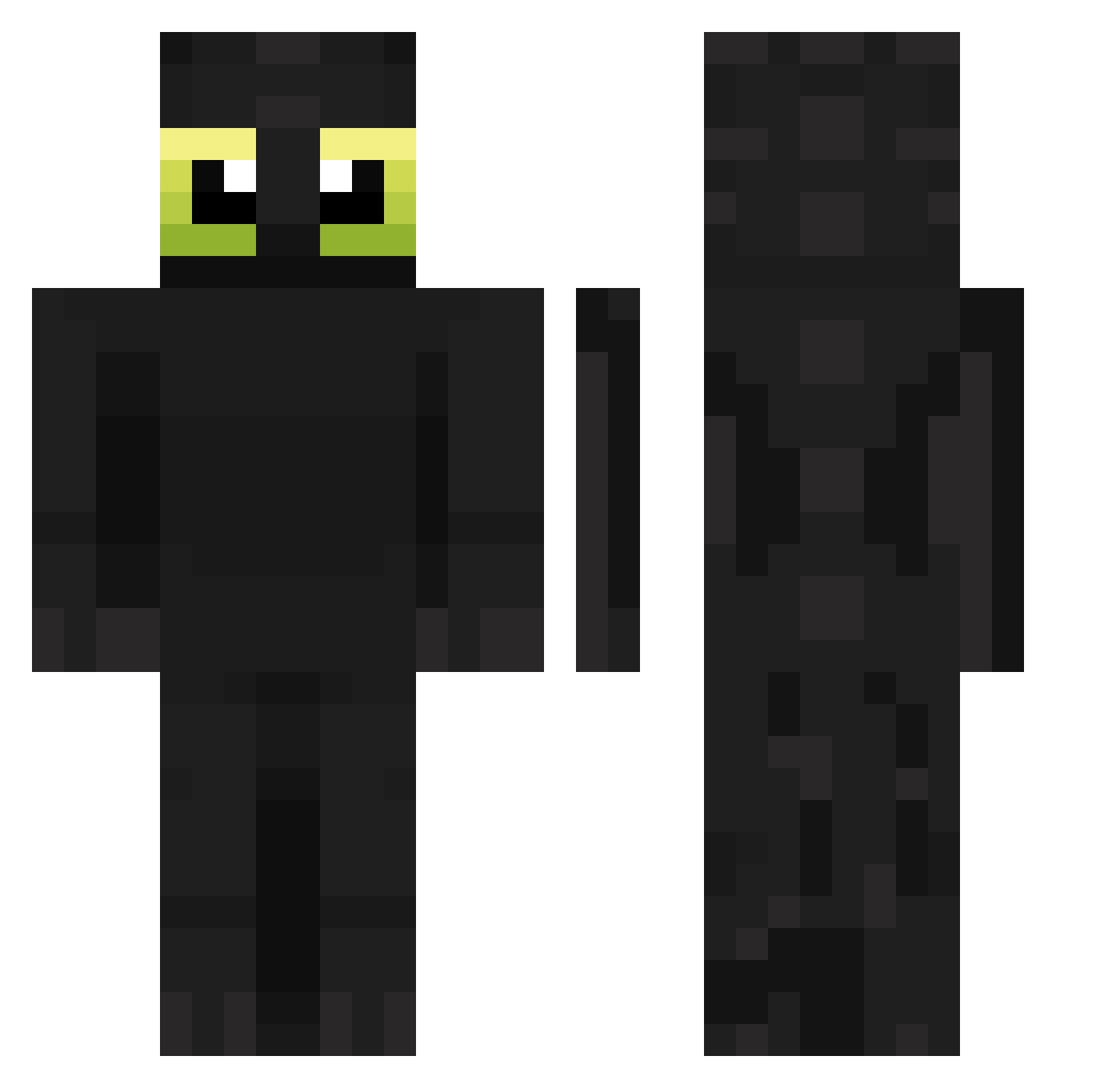
Current Minecraft skin of the player Hafozli9_, loaded from the official Mojang API. Rotate the 3D model with your mouse or finger, then download the skin as a PNG file and use it in Minecraft: Bedrock Edition or Java Edition for free. When Hafozli9_ changes their skin, this page updates automatically and the old skin stays in the history below.
Other players with this skin (143)
Hafozli9_ was the 48th player we have seen with this skin, first spotted on 23.08.2026. The same skin was seen on these players. Open a nickname to see their current skin and skin history.
 Pacuro12 olmaniac Skeru Yako_7 ViZionMVP RiPToMaNiX S1mplySag3 chyni kokeee__
 FasolkaSamuraj Spidders Laga17 sc99_ talamickey pathos0 baxxey UnRealNB 8485SV GalaxyS25Ultra OUTLANDER396 Filosovek italocb GahRae Elyesa_67 minyeddi xuhonyz cevad Cozy_0414 db1813 ZeRox0906 NuboeGW0510JK xxwhatthehelli amirzax arthur_vr niceguyernie
 SunlessParrot99 kiyoshiyi o_sose Purzy XamDJ marcher001 xLouise DZ1R4F4 arguableimmanen goatzoah XXLLRR fqdx TaeTeaTae PusisSlayer Cartonik MBAPPEEEEEEEEEE SSHAWNN_SS LiL0uDiDouPiPou benjacrp BrunoCactus Hz40 m4li5 Eadagan Buchs07 Yarskuy
More Toothless Minecraft skins
How to install the Hafozli9_ skin
- Press the Download button above to save the skin as a PNG file.
- Minecraft: Bedrock Edition (PE): open the Dressing Room from the main menu (or tap your character → Edit Character), go to Classic Skins → Owned, press the + (new skin) button, choose the downloaded PNG and pick the Classic (Steve) model. Works on PC and mobile; consoles cannot import custom skins.
- Minecraft: Java Edition: open the Minecraft Launcher, go to the Skins tab, click New Skin, load the PNG, pick the Classic (Steve) model and press Save & Use. You can also upload it at minecraft.net → Profile → Change Skin.
The skin does not show up after import - what should I do?
Restart Minecraft and open the Dressing Room again - imported skins sometimes appear only after a restart. Also make sure you selected the imported skin and picked the Classic (Steve) model.
Which model should I choose, Classic or Slim?
This skin is designed for the Classic (Steve) model. If you pick the wrong model, the arms of the skin will look stretched or squeezed.
Is the skin of Hafozli9_ free to download?
Yes. Press Download, save the PNG file and use it in Minecraft: Bedrock Edition or Java Edition - no payment or registration needed. The skin also works on multiplayer servers and Realms.
More skins
Looking for more? Go back to all Minecraft skins and check the top skins of the week, month and all time, or find any player's skin by nickname.