
HZR_Trippyn - Minecraft Skins & Skin History
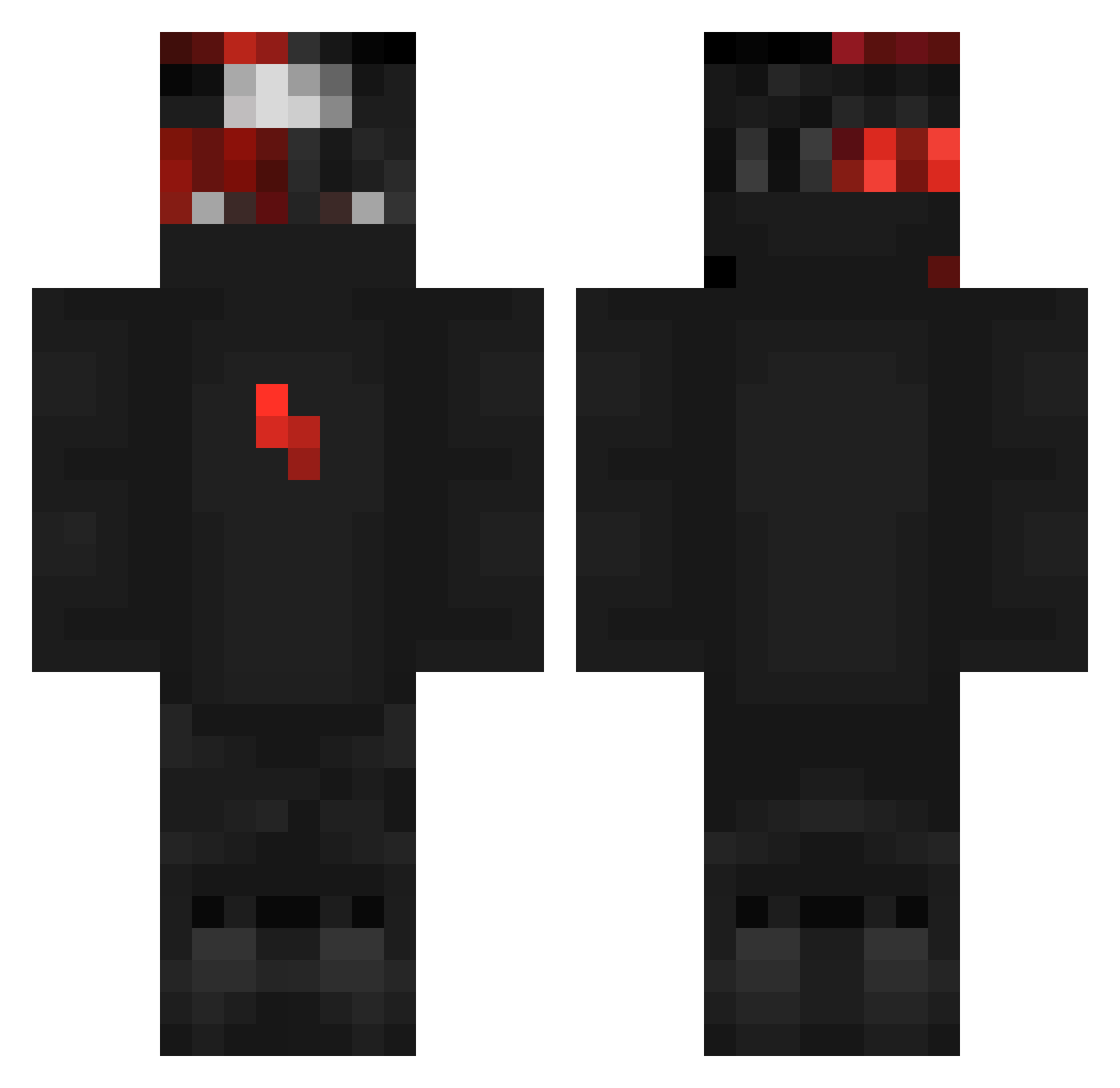
Current Minecraft skin of the player HZR_Trippyn, loaded from the official Mojang API. Rotate the 3D model with your mouse or finger, then download the skin as a PNG file and use it in Minecraft: Bedrock Edition or Java Edition for free. When HZR_Trippyn changes their skin, this page updates automatically and the old skin stays in the history below.
Other players with this skin (299)
HZR_Trippyn was the 298th player we have seen with this skin, first spotted on 29.10.2026. The same skin was seen on these players. Open a nickname to see their current skin and skin history.
 Yooka_ The_Savage_1337 btatsX 1x_DOMINATOR_x1 Thomynator97 BlackJosu 16ShotSs Merkxz Vaute VisionaryXP qrazed sylofarris zMenMinner mlaenge nezi4 redwrangler3 hami1010 Jake_W_W millerkills Le_Requin_Blanc Notorious_Hooper timohhh dcline007 doveish skizzelzzzxz VIV117 JeffstarX moeyanddemarehot _Bugg3r_ GeeX__ arnav20pkl Jseu PGCFuLG fahredd1n MmxsmM 1Leeeo1 PfandHunt yeetpaul RupuRopsuu Naiveir alazmi90650 Ziiboard Darkalios Phliqz xTwiisto RocketPat zyleum _Yousef_Enab Z_E__U_S ReTr0FaB PARKHM xInstinctZ SamfromHell06 ENNY_87 _DarkDen_ SUPERMAN0234 Zarlin89 AntiReduce Aimprax Zotez
More Ninja Minecraft skins
How to install the HZR_Trippyn skin
- Press the Download button above to save the skin as a PNG file.
- Minecraft: Bedrock Edition (PE): open the Dressing Room from the main menu (or tap your character → Edit Character), go to Classic Skins → Owned, press the + (new skin) button, choose the downloaded PNG and pick the Classic (Steve) model. Works on PC and mobile; consoles cannot import custom skins.
- Minecraft: Java Edition: open the Minecraft Launcher, go to the Skins tab, click New Skin, load the PNG, pick the Classic (Steve) model and press Save & Use. You can also upload it at minecraft.net → Profile → Change Skin.
The skin does not show up after import - what should I do?
Restart Minecraft and open the Dressing Room again - imported skins sometimes appear only after a restart. Also make sure you selected the imported skin and picked the Classic (Steve) model.
Which model should I choose, Classic or Slim?
This skin is designed for the Classic (Steve) model. If you pick the wrong model, the arms of the skin will look stretched or squeezed.
Is the skin of HZR_Trippyn free to download?
Yes. Press Download, save the PNG file and use it in Minecraft: Bedrock Edition or Java Edition - no payment or registration needed. The skin also works on multiplayer servers and Realms.
More skins
Looking for more? Go back to all Minecraft skins and check the top skins of the week, month and all time, or find any player's skin by nickname.