
H4YATEN - Minecraft Skins & Skin History
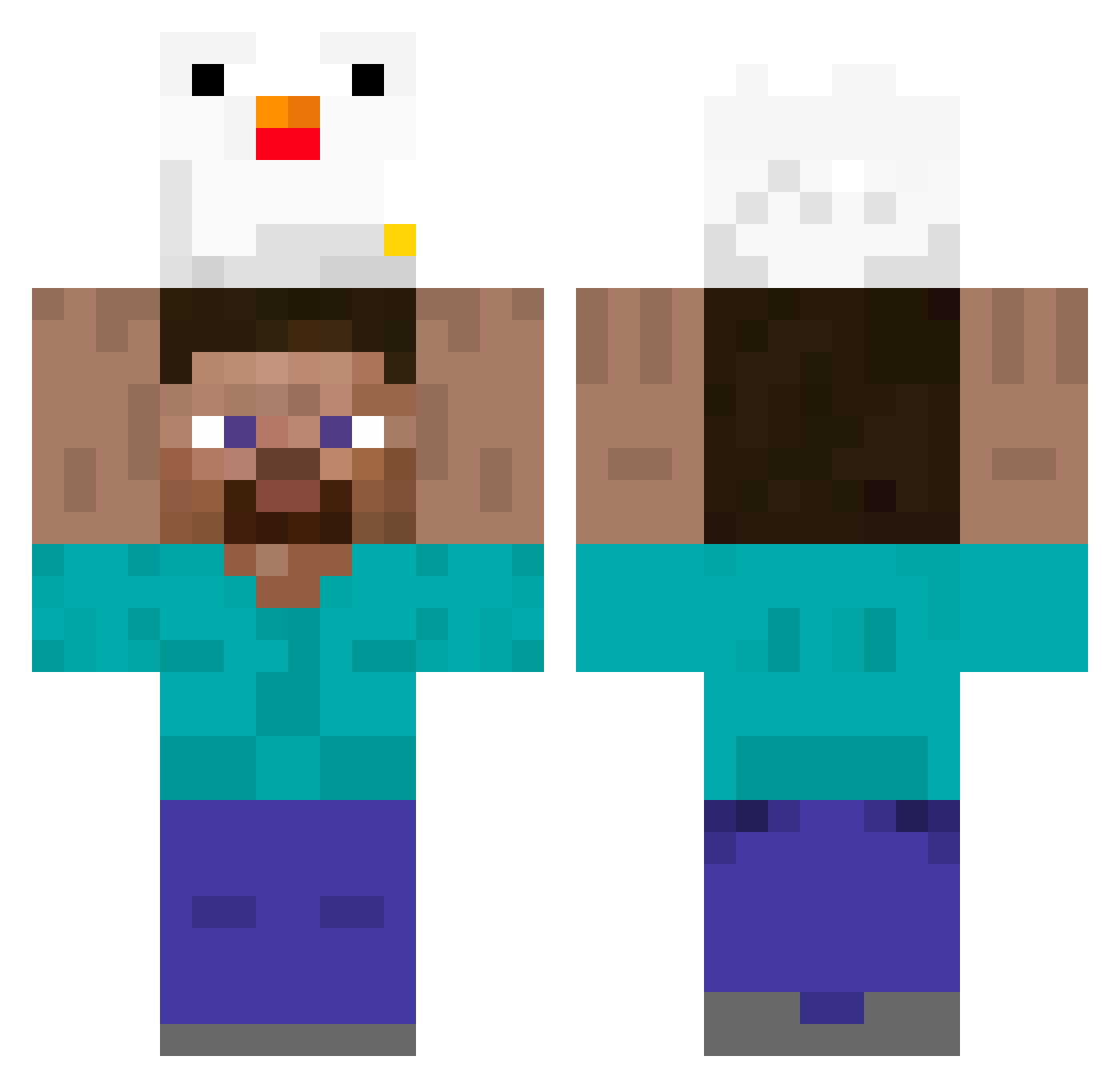
Current Minecraft skin of the player H4YATEN, loaded from the official Mojang API. Rotate the 3D model with your mouse or finger, then download the skin as a PNG file and use it in Minecraft: Bedrock Edition or Java Edition for free. When H4YATEN changes their skin, this page updates automatically and the old skin stays in the history below.
Other players with this skin (395)
H4YATEN was the 48th player we have seen with this skin, first spotted on 07.08.2026. The same skin was seen on these players. Open a nickname to see their current skin and skin history.
 502milk PyroSparkPT crowbars_ ChanDoraO biggbird13 BRAVEXD_Legit rkddls2468135 Boynd DL23333 CbeGuy DaLi_1109 chicken13172 pasochill Alpha_PLP filipo6879 YameteQwQ Aqearue MiikeyyLol howga akakankan _MeinKampf_ kimchiryun Tapzyk Eulen124 Elovana Pattes bacon_nolife Murder_Chicken Itz_Michaels LordLeppy pipili_ iLoveStinkyToes Kira_Kimo Umuua Spazztistics Engnong llClicell Unt1dyy Xue_Ye_Lei XxAthwarxX minikal EnderMan5487 bonsaan CRUNCHY63 carabaallo14 legit_snake lowlay_ nikirua Takaahiro_ emrrrrrrrrrrrrr Koinynv SergiBiff lizardeater2 BielFinn Catltm Eatmytoe11 dylanddy Lukii_Lauw riq7 Carlosroberto
More Holding Chicken Minecraft skins
See all 8 Holding Chicken skins
How to install the H4YATEN skin
- Press the Download button above to save the skin as a PNG file.
- Minecraft: Bedrock Edition (PE): open the Dressing Room from the main menu (or tap your character → Edit Character), go to Classic Skins → Owned, press the + (new skin) button, choose the downloaded PNG and pick the Classic (Steve) model. Works on PC and mobile; consoles cannot import custom skins.
- Minecraft: Java Edition: open the Minecraft Launcher, go to the Skins tab, click New Skin, load the PNG, pick the Classic (Steve) model and press Save & Use. You can also upload it at minecraft.net → Profile → Change Skin.
The skin does not show up after import - what should I do?
Restart Minecraft and open the Dressing Room again - imported skins sometimes appear only after a restart. Also make sure you selected the imported skin and picked the Classic (Steve) model.
Which model should I choose, Classic or Slim?
This skin is designed for the Classic (Steve) model. If you pick the wrong model, the arms of the skin will look stretched or squeezed.
Is the skin of H4YATEN free to download?
Yes. Press Download, save the PNG file and use it in Minecraft: Bedrock Edition or Java Edition - no payment or registration needed. The skin also works on multiplayer servers and Realms.
More skins
Looking for more? Go back to all Minecraft skins and check the top skins of the week, month and all time, or find any player's skin by nickname.