
H2OGHOSTGAMING - Minecraft Skins & Skin History
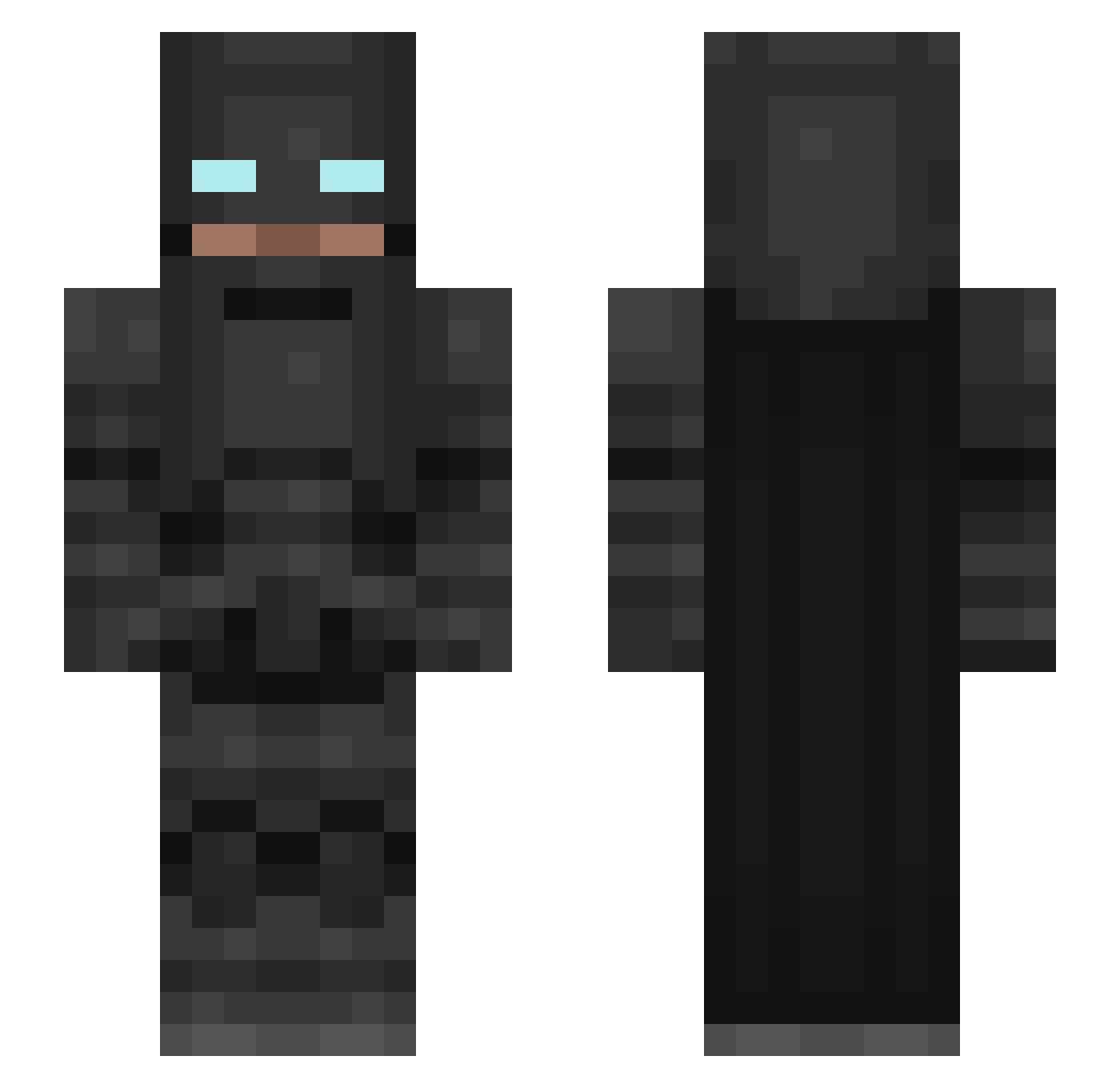
Current Minecraft skin of the player H2OGHOSTGAMING, loaded from the official Mojang API. Rotate the 3D model with your mouse or finger, then download the skin as a PNG file and use it in Minecraft: Bedrock Edition or Java Edition for free. When H2OGHOSTGAMING changes their skin, this page updates automatically and the old skin stays in the history below.
Other players with this skin (183)
H2OGHOSTGAMING was the 41st player we have seen with this skin, first spotted on 16.08.2026. The same skin was seen on these players. Open a nickname to see their current skin and skin history.
 Mr_Snail_Man hammyghostt smwright93 whistles3 DraciR Xidihong J_palm14 hermhm3344 dragon_ki1ler Vacsson Strxxa laotou1985 Lasineitor MinecraftWave1o1 Boltspring hollattmee TroyGz Chico_co ProSKilled Smilley10 Bad_Boy21 SkyeMC_ random69_ BarbaricPlum10 tg_zer0 AvidSharkLover Harp_Y Axio91 Apophis09 sloutchy W7TCH7 Marc3L0IIIX zedfa333 beezul1106 REIVA99 HarshGamingOP1 RipTideBaXter Viktorkaiser Chopper118 batcraftman121 iilliiaass Aaarip JPMYSTERY k0kc VenDaFul killakev413 taimur0607 RCreranD maize1201 Lightyear_RIP Ccola16 BatsAndGuts FrexMex PerikoLoco iTz_CriTiKal Salty_Phish Abdulmjeed99 EarthSaturn4135 enriqueparra2000 grovekid
More Batman Minecraft skins
How to install the H2OGHOSTGAMING skin
- Press the Download button above to save the skin as a PNG file.
- Minecraft: Bedrock Edition (PE): open the Dressing Room from the main menu (or tap your character → Edit Character), go to Classic Skins → Owned, press the + (new skin) button, choose the downloaded PNG and pick the Slim (Alex) model. Works on PC and mobile; consoles cannot import custom skins.
- Minecraft: Java Edition: open the Minecraft Launcher, go to the Skins tab, click New Skin, load the PNG, pick the Slim (Alex) model and press Save & Use. You can also upload it at minecraft.net → Profile → Change Skin.
The skin does not show up after import - what should I do?
Restart Minecraft and open the Dressing Room again - imported skins sometimes appear only after a restart. Also make sure you selected the imported skin and picked the Slim (Alex) model.
Which model should I choose, Classic or Slim?
This skin is designed for the Slim (Alex) model. If you pick the wrong model, the arms of the skin will look stretched or squeezed.
Is the skin of H2OGHOSTGAMING free to download?
Yes. Press Download, save the PNG file and use it in Minecraft: Bedrock Edition or Java Edition - no payment or registration needed. The skin also works on multiplayer servers and Realms.
More skins
Looking for more? Go back to all Minecraft skins and check the top skins of the week, month and all time, or find any player's skin by nickname.