
GxbrielLols - Minecraft Skins & Skin History
Current Minecraft skin of the player GxbrielLols, loaded from the official Mojang API. Rotate the 3D model with your mouse or finger, then download the skin as a PNG file and use it in Minecraft: Bedrock Edition or Java Edition for free. When GxbrielLols changes their skin, this page updates automatically and the old skin stays in the history below.
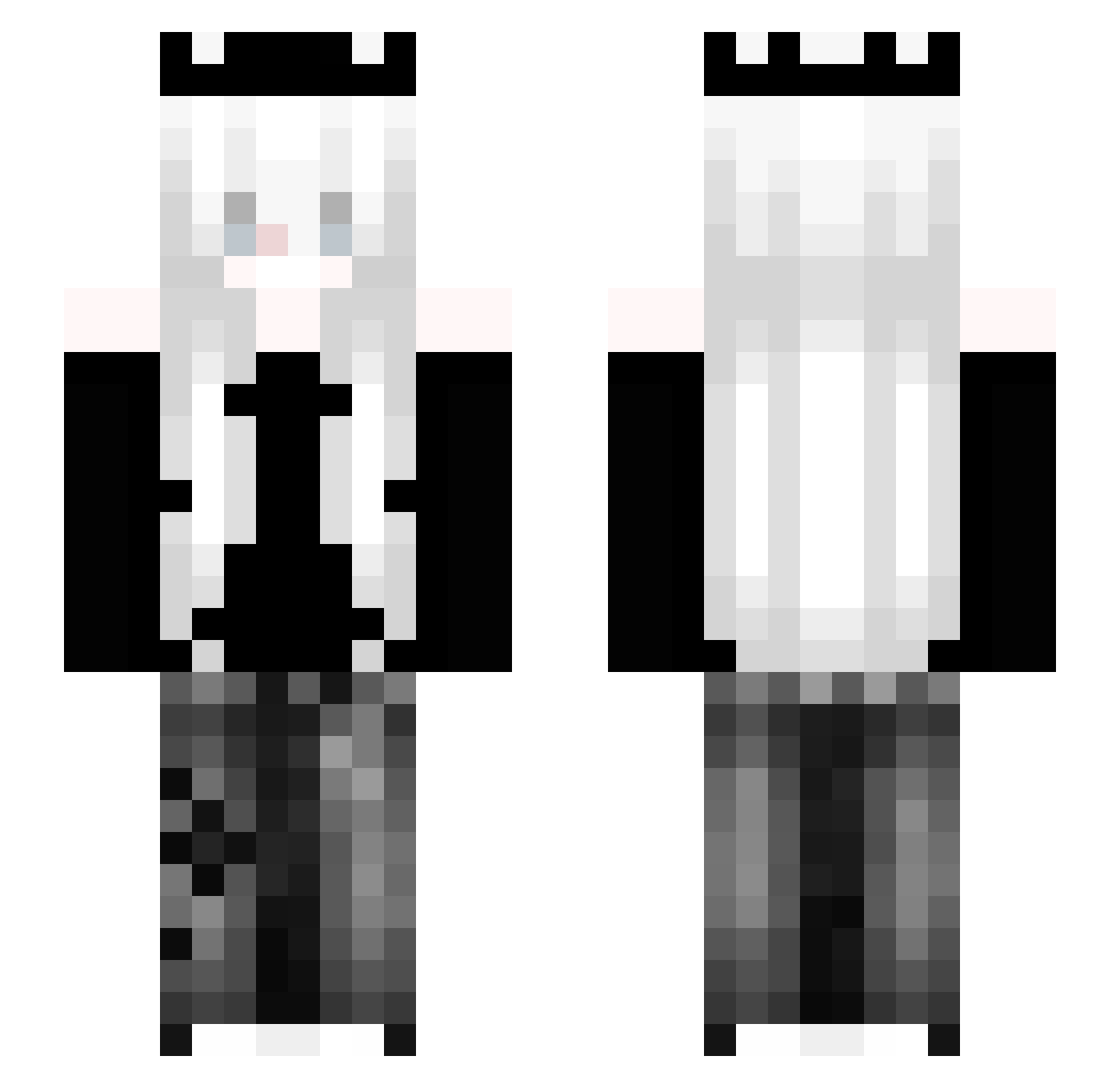
Other players with this skin (167)
GxbrielLols was the 45th player we have seen with this skin, first spotted on 18.08.2026. The same skin was seen on these players. Open a nickname to see their current skin and skin history.
 zexia__ mefedroniara2137
 Cassie362 _jasiu_xd worjr HerrTomasz Dagamo111 Frieeren wxnnx
 pleng_
 Wigglebops B1RS10
 burrun
 xzk0 xKevo_ jing030604 Belle3107 TakoTaha 788k Xkzf rilyee _lhuiixan zaoyuya
 LunaNova22 KryptFern Rxsefps selfdmg T3kashiX L0StS0ulz1234
 sms_darke belenxd_ 77iovo Thensy Tu_uka BOCOLD AmoreMio_1
 mTmMishel Kylo_z Prodenius mothman1 xvvyz_ ManiaHeart Turquoise_831 Echo_kun travis_skot habiiba Loxyyz
 crazyydx Dethmark Marti_00 NowiRune luminescatta Moth4056 Itreal_yubpvp Sugar_1513
 tsv3 RainyWainyBwaaa _TheSunset MaidInFelix AaShuiMuDaWang
More Crown Minecraft skins
How to install the GxbrielLols skin
- Press the Download button above to save the skin as a PNG file.
- Minecraft: Bedrock Edition (PE): open the Dressing Room from the main menu (or tap your character → Edit Character), go to Classic Skins → Owned, press the + (new skin) button, choose the downloaded PNG and pick the Slim (Alex) model. Works on PC and mobile; consoles cannot import custom skins.
- Minecraft: Java Edition: open the Minecraft Launcher, go to the Skins tab, click New Skin, load the PNG, pick the Slim (Alex) model and press Save & Use. You can also upload it at minecraft.net → Profile → Change Skin.
The skin does not show up after import - what should I do?
Restart Minecraft and open the Dressing Room again - imported skins sometimes appear only after a restart. Also make sure you selected the imported skin and picked the Slim (Alex) model.
Which model should I choose, Classic or Slim?
This skin is designed for the Slim (Alex) model. If you pick the wrong model, the arms of the skin will look stretched or squeezed.
Is the skin of GxbrielLols free to download?
Yes. Press Download, save the PNG file and use it in Minecraft: Bedrock Edition or Java Edition - no payment or registration needed. The skin also works on multiplayer servers and Realms.
More skins
Looking for more? Go back to all Minecraft skins and check the top skins of the week, month and all time, or find any player's skin by nickname.