
Guimarret - Minecraft Skins & Skin History
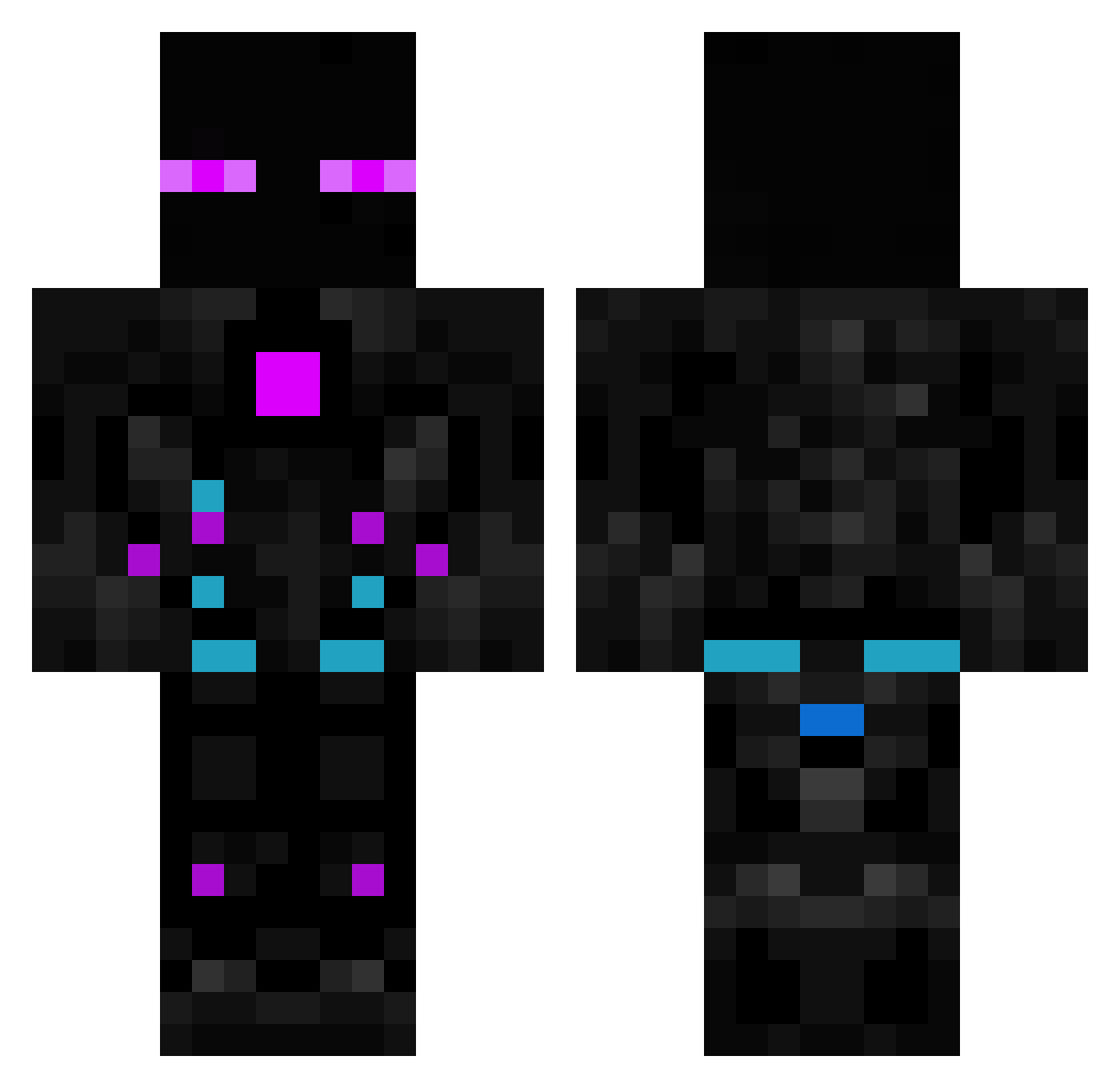
Current Minecraft skin of the player Guimarret, loaded from the official Mojang API. Rotate the 3D model with your mouse or finger, then download the skin as a PNG file and use it in Minecraft: Bedrock Edition or Java Edition for free. When Guimarret changes their skin, this page updates automatically and the old skin stays in the history below.
Other players with this skin (615)
Guimarret was the 256th player we have seen with this skin, first spotted on 14.09.2026. The same skin was seen on these players. Open a nickname to see their current skin and skin history.
 Absolutc00l Crazymanhow MIC_GzTFVt6 furkan8106 baoproplayer MyClooS Dudugateu Pauul91 RiFt_Stylo rotem1 Axelj95 kaktus_exe Cloverland Craziest_Arth otavio_gamer_br Jef_fy Filiteus EinBelegtesBrot Cyber_cats Atomic_Tearium Darkstar_1244 yados93 ElbazIsThebest Tokyorama jcicosn Klexy07 DougCocudo TerrificDavid X_xFabicool06x_X ting20030306 Sixnite lil_lavo ReinGerk PurplePenguin777 Juanse09 ILuvOrcas matiasPK assergy Luluz AndrejM_28 Luckyagent007 erickgames1000 Joglsson WalVo G3tR3kx SamFisherKiller eloc710 _daxido_ andresuchi Redeulous Radko123123 R3main123 Manzo_Main manobernies CleMage79 _Kinino_ Andreskb7 AmitKing55 Rave1456 Endernyash
More Cyborg Minecraft skins
How to install the Guimarret skin
- Press the Download button above to save the skin as a PNG file.
- Minecraft: Bedrock Edition (PE): open the Dressing Room from the main menu (or tap your character → Edit Character), go to Classic Skins → Owned, press the + (new skin) button, choose the downloaded PNG and pick the Classic (Steve) model. Works on PC and mobile; consoles cannot import custom skins.
- Minecraft: Java Edition: open the Minecraft Launcher, go to the Skins tab, click New Skin, load the PNG, pick the Classic (Steve) model and press Save & Use. You can also upload it at minecraft.net → Profile → Change Skin.
The skin does not show up after import - what should I do?
Restart Minecraft and open the Dressing Room again - imported skins sometimes appear only after a restart. Also make sure you selected the imported skin and picked the Classic (Steve) model.
Which model should I choose, Classic or Slim?
This skin is designed for the Classic (Steve) model. If you pick the wrong model, the arms of the skin will look stretched or squeezed.
Is the skin of Guimarret free to download?
Yes. Press Download, save the PNG file and use it in Minecraft: Bedrock Edition or Java Edition - no payment or registration needed. The skin also works on multiplayer servers and Realms.
More skins
Looking for more? Go back to all Minecraft skins and check the top skins of the week, month and all time, or find any player's skin by nickname.