
Guilherme_Chan - Minecraft Skins & Skin History
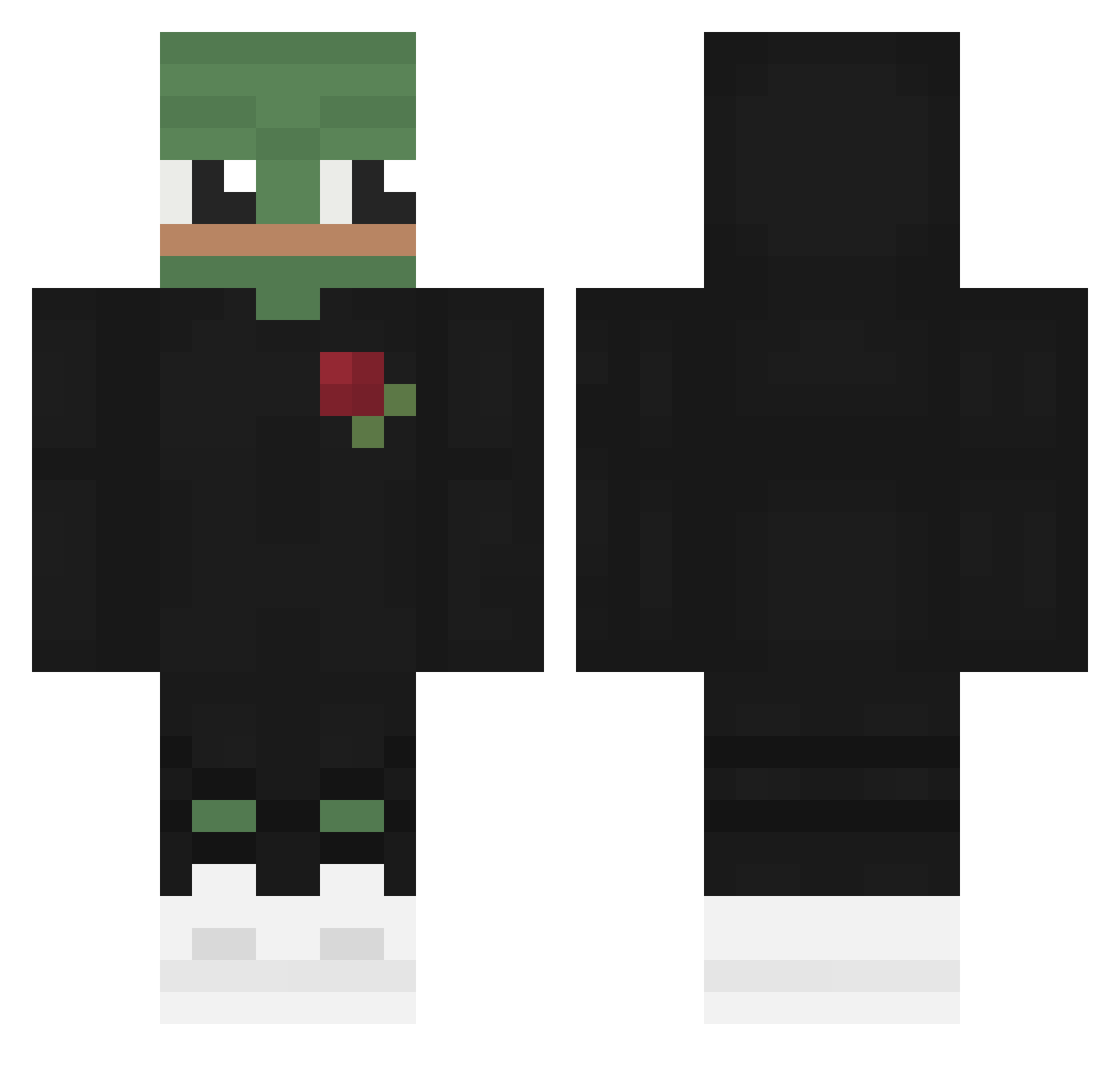
Current Minecraft skin of the player Guilherme_Chan, loaded from the official Mojang API. Rotate the 3D model with your mouse or finger, then download the skin as a PNG file and use it in Minecraft: Bedrock Edition or Java Edition for free. When Guilherme_Chan changes their skin, this page updates automatically and the old skin stays in the history below.
Other players with this skin (568)
Guilherme_Chan was the 412th player we have seen with this skin, first spotted on 06.10.2026. The same skin was seen on these players. Open a nickname to see their current skin and skin history.
 ChiefTimo ashdgf Iwantu123 Feliziux _Toffik_ Nzrui robsonxlr pepegahh Canio503 orang22222 voidere EggJah Sychuuu_ bytrak Kezuk00 Mr_Antonio7 Jaacx_ MiniJames22 hungjun KingKhaaan MrVigan Kunn_02 CFS_WARLOCK sharpev2 VVarrante k1ronnnn KatzeTF Lazy_pasta_ Xx_DarkFrost_ mo3tz24 __Frozzt__ dacookie2k BLLLUUEE KIDOBROE puppymaster4908 roadkillex Fishycactus7730 dheehc DishyWishy xgenisen TeMuK120 Shcuble Brunild0 jayjr1105 Jean_Black RudyGames_YT LeonDerKnecht otrosariolendo ZorialxRobin Ribonucleic ALI1EN GubbelVogel Krrzywy DiverDown115ft Dylan_316 Ma1khou ezalda joesnelling19 barbardk NothingSan
More Pepe Minecraft skins
How to install the Guilherme_Chan skin
- Press the Download button above to save the skin as a PNG file.
- Minecraft: Bedrock Edition (PE): open the Dressing Room from the main menu (or tap your character → Edit Character), go to Classic Skins → Owned, press the + (new skin) button, choose the downloaded PNG and pick the Classic (Steve) model. Works on PC and mobile; consoles cannot import custom skins.
- Minecraft: Java Edition: open the Minecraft Launcher, go to the Skins tab, click New Skin, load the PNG, pick the Classic (Steve) model and press Save & Use. You can also upload it at minecraft.net → Profile → Change Skin.
The skin does not show up after import - what should I do?
Restart Minecraft and open the Dressing Room again - imported skins sometimes appear only after a restart. Also make sure you selected the imported skin and picked the Classic (Steve) model.
Which model should I choose, Classic or Slim?
This skin is designed for the Classic (Steve) model. If you pick the wrong model, the arms of the skin will look stretched or squeezed.
Is the skin of Guilherme_Chan free to download?
Yes. Press Download, save the PNG file and use it in Minecraft: Bedrock Edition or Java Edition - no payment or registration needed. The skin also works on multiplayer servers and Realms.
More skins
Looking for more? Go back to all Minecraft skins and check the top skins of the week, month and all time, or find any player's skin by nickname.