
Grinch887 - Minecraft Skins & Skin History
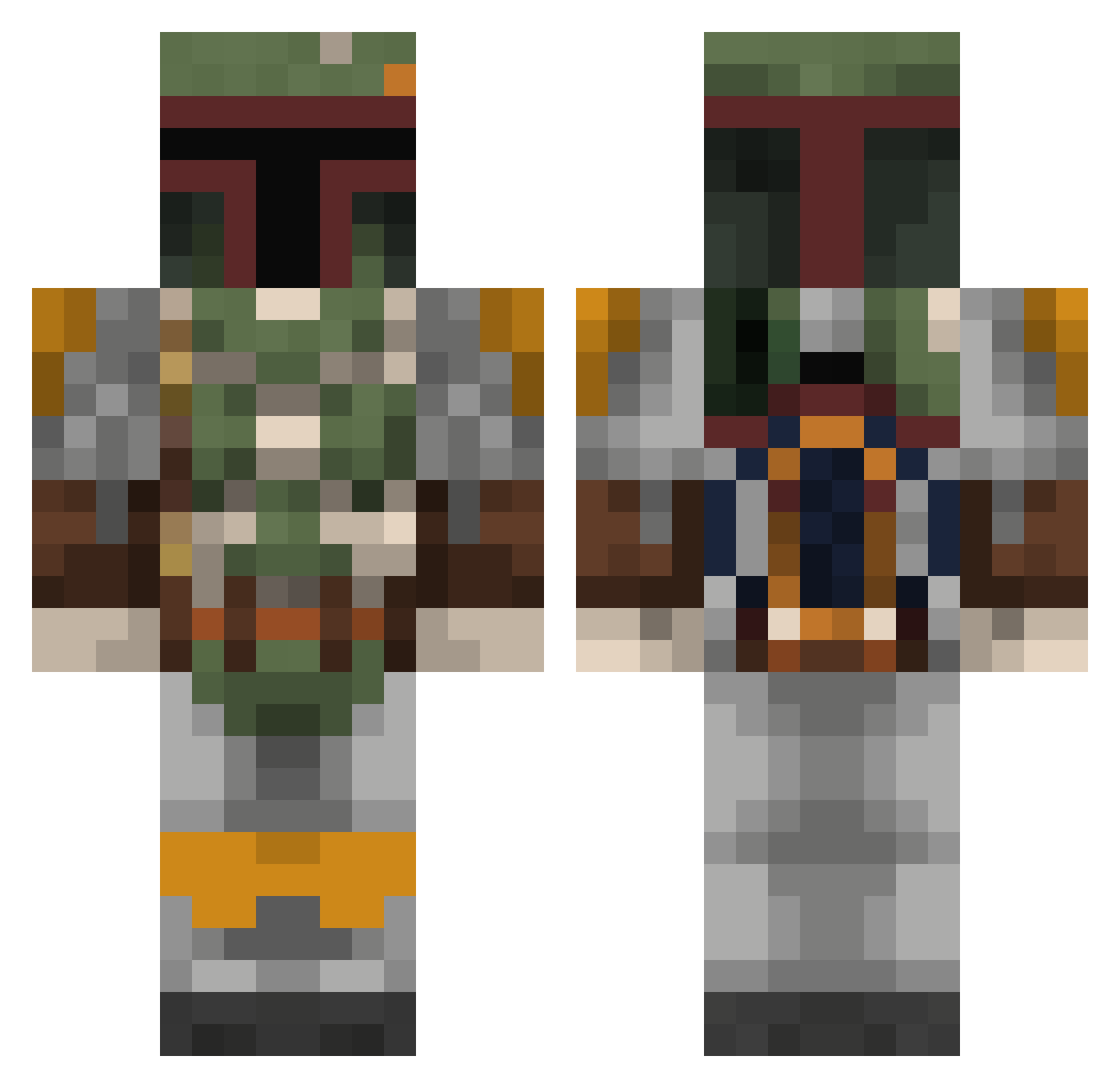
Current Minecraft skin of the player Grinch887, loaded from the official Mojang API. Rotate the 3D model with your mouse or finger, then download the skin as a PNG file and use it in Minecraft: Bedrock Edition or Java Edition for free. When Grinch887 changes their skin, this page updates automatically and the old skin stays in the history below.
Other players with this skin (432)
Grinch887 was the 368th player we have seen with this skin, first spotted on 05.11.2026. The same skin was seen on these players. Open a nickname to see their current skin and skin history.
 SaviorSix1 Cyberoni696 AlexArctico LupieMike xeon12 Bobafett639 jamabern edkan7 JaggyM15 KanesCabDriver BarretTai InZane393 SparhawkIV wt_55 jojoch3ck3r TayarJ Isthatapixel BroMo19 TrogdortheBrnn8r XYZMIKEL StormShadow40k Shanhara25 elgecko22 ScovilleSpicy SLAYER3945 choque_18 TempNut Urssch Maiki2425 lunasabaism jrdkddk TraceSnipe Shwakk Romerillo123 Blaxican27 Faxenmacher11 The_Assasin_ SgtHippieJew BeardedRoger hawala18 Sjuggur Rick110901 Sstarchlord countdemonet Gamaguy365 CavemanFountain Ref1802 Fran5317 JustRowynn civick5 PEFILL kazuokimura1 ChildishPaulbino BreiterReiter izukii DeloyeT Laith11 LonWolph Jzeller03 Krohnas
More Boba Fett Minecraft skins
How to install the Grinch887 skin
- Press the Download button above to save the skin as a PNG file.
- Minecraft: Bedrock Edition (PE): open the Dressing Room from the main menu (or tap your character → Edit Character), go to Classic Skins → Owned, press the + (new skin) button, choose the downloaded PNG and pick the Classic (Steve) model. Works on PC and mobile; consoles cannot import custom skins.
- Minecraft: Java Edition: open the Minecraft Launcher, go to the Skins tab, click New Skin, load the PNG, pick the Classic (Steve) model and press Save & Use. You can also upload it at minecraft.net → Profile → Change Skin.
The skin does not show up after import - what should I do?
Restart Minecraft and open the Dressing Room again - imported skins sometimes appear only after a restart. Also make sure you selected the imported skin and picked the Classic (Steve) model.
Which model should I choose, Classic or Slim?
This skin is designed for the Classic (Steve) model. If you pick the wrong model, the arms of the skin will look stretched or squeezed.
Is the skin of Grinch887 free to download?
Yes. Press Download, save the PNG file and use it in Minecraft: Bedrock Edition or Java Edition - no payment or registration needed. The skin also works on multiplayer servers and Realms.
More skins
Looking for more? Go back to all Minecraft skins and check the top skins of the week, month and all time, or find any player's skin by nickname.