
Gremrin - Minecraft Skins & Skin History
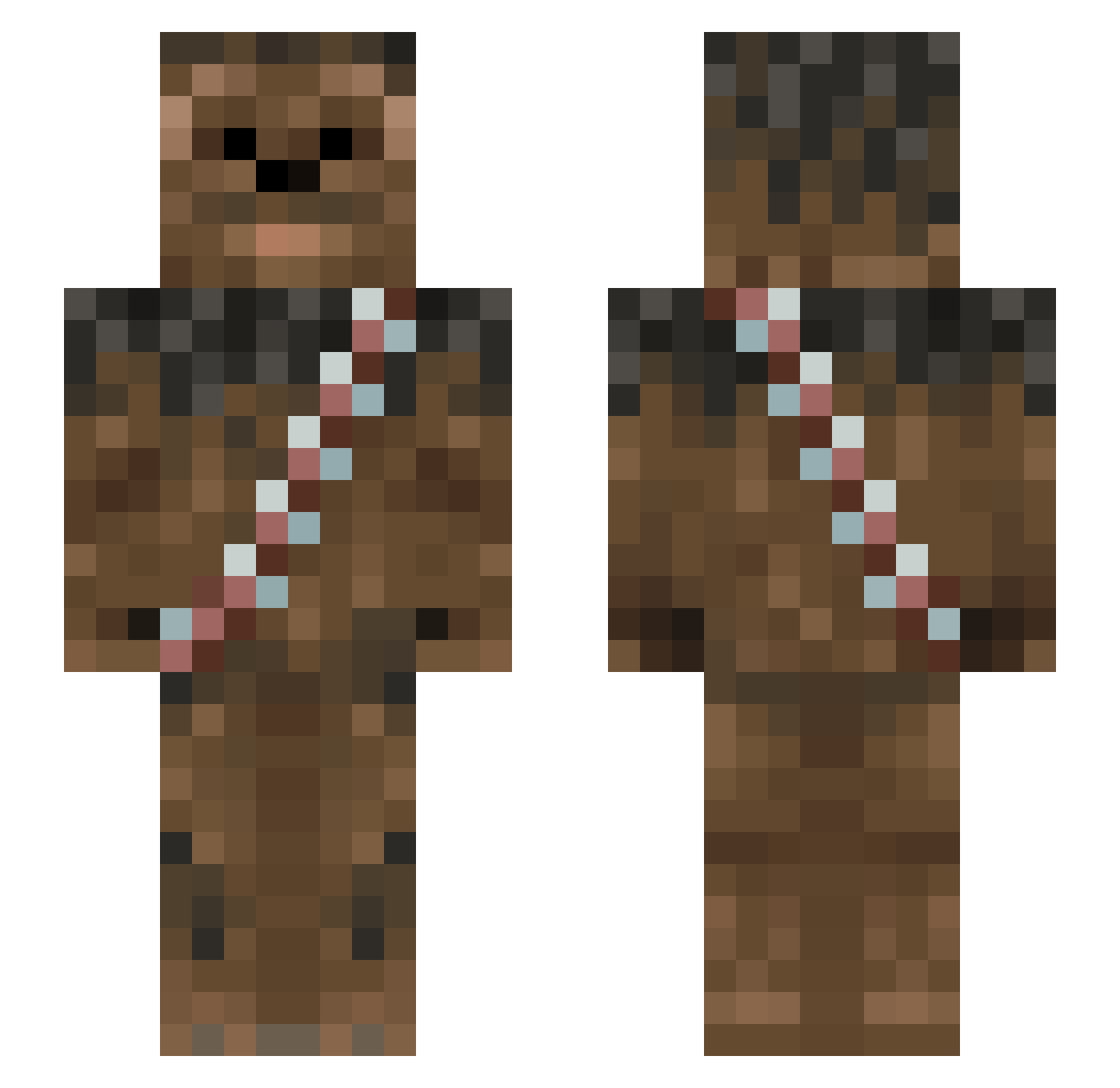
Current Minecraft skin of the player Gremrin, loaded from the official Mojang API. Rotate the 3D model with your mouse or finger, then download the skin as a PNG file and use it in Minecraft: Bedrock Edition or Java Edition for free. When Gremrin changes their skin, this page updates automatically and the old skin stays in the history below.
Other players with this skin (1013)
Gremrin was the 458th player we have seen with this skin, first spotted on 15.09.2026. The same skin was seen on these players. Open a nickname to see their current skin and skin history.
 demitrio113 jkbastea hpzsa54 caiddu33 Mussinski Adam_B1 Chewbanter ClarkyBoy1314 slackmanbob BlueNeptuune ApparentlyJewish championss devilxdoopster jack4299 gmousss hbgdvm CaptPopsicle sbridgew Lunte2004 mattheweggins100 HVT94 Jumanji420 Shadoom322 ChScarecrow LeweyTV FREERUNNER03 hc99999 Muffin747 Zoohouse007 TheRebeccaTorres Surfboy66 WilltheWarrior1 Just1m Fluffogrande Eothlorien colemattice bonja Phoenix_io ricking84 gatalis horizonlegendo nicolasx26 H4ZZA16 pattyriley Inspector_me LBB07 bjorn098 TheGolden_Block olefty22 Chevity RyanShields2003 Microdot nic2226 mhontz paintballjack TeeeZeee TopHatCatt Chewi_21 KSM_Razer VooDoo321
More Wookiee Minecraft skins
How to install the Gremrin skin
- Press the Download button above to save the skin as a PNG file.
- Minecraft: Bedrock Edition (PE): open the Dressing Room from the main menu (or tap your character → Edit Character), go to Classic Skins → Owned, press the + (new skin) button, choose the downloaded PNG and pick the Slim (Alex) model. Works on PC and mobile; consoles cannot import custom skins.
- Minecraft: Java Edition: open the Minecraft Launcher, go to the Skins tab, click New Skin, load the PNG, pick the Slim (Alex) model and press Save & Use. You can also upload it at minecraft.net → Profile → Change Skin.
The skin does not show up after import - what should I do?
Restart Minecraft and open the Dressing Room again - imported skins sometimes appear only after a restart. Also make sure you selected the imported skin and picked the Slim (Alex) model.
Which model should I choose, Classic or Slim?
This skin is designed for the Slim (Alex) model. If you pick the wrong model, the arms of the skin will look stretched or squeezed.
Is the skin of Gremrin free to download?
Yes. Press Download, save the PNG file and use it in Minecraft: Bedrock Edition or Java Edition - no payment or registration needed. The skin also works on multiplayer servers and Realms.
More skins
Looking for more? Go back to all Minecraft skins and check the top skins of the week, month and all time, or find any player's skin by nickname.