
Green0_0bean - Minecraft Skins & Skin History
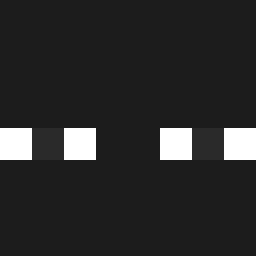
Current Minecraft skin of the player Green0_0bean, loaded from the official Mojang API. Rotate the 3D model with your mouse or finger, then download the skin as a PNG file and use it in Minecraft: Bedrock Edition or Java Edition for free. When Green0_0bean changes their skin, this page updates automatically and the old skin stays in the history below.

Other players with this skin (1196)
Green0_0bean was the 883rd player we have seen with this skin, first spotted on 09.10.2026. The same skin was seen on these players. Open a nickname to see their current skin and skin history.
 DidusGeorge Swaidan 37mt qxjr BlackDons Maximusgoxxd GeroooG GoofyGloobus APPLESAUC3GOOD Warakorn_t Itinua maybedylan1 Jeffwells7 Shmiglefig HiYOil KrabbeGlobus603 MrZra Hosaky Dobokjun GhostlySpirits Gengos Chichagod kingsawoo Sado_x largoosprey coolbromans chetou famasiito 344jonah Paulxdq gvstosz 1Obdachloser tL79 JSuggs Jinski_ HIMARS69 ToqqIer xSegon Olympiyan BART_857 Tr1pleA2 masterX1o TRSERTEL Akvan_ _Myanko ALPHA54542 Squishee666 ChristianTSmith f_uu Bblaroo yoyoxnd yuu1469 Aarchie61 QWERVBN zsny _FLYING_FISH_ JefersonCaminhon Apelann AJMAT00 AICE___
How to install the Green0_0bean skin
- Press the Download button above to save the skin as a PNG file.
- Minecraft: Bedrock Edition (PE): open the Dressing Room from the main menu (or tap your character → Edit Character), go to Classic Skins → Owned, press the + (new skin) button, choose the downloaded PNG and pick the Classic (Steve) model. Works on PC and mobile; consoles cannot import custom skins.
- Minecraft: Java Edition: open the Minecraft Launcher, go to the Skins tab, click New Skin, load the PNG, pick the Classic (Steve) model and press Save & Use. You can also upload it at minecraft.net → Profile → Change Skin.
The skin does not show up after import - what should I do?
Restart Minecraft and open the Dressing Room again - imported skins sometimes appear only after a restart. Also make sure you selected the imported skin and picked the Classic (Steve) model.
Which model should I choose, Classic or Slim?
This skin is designed for the Classic (Steve) model. If you pick the wrong model, the arms of the skin will look stretched or squeezed.
Is the skin of Green0_0bean free to download?
Yes. Press Download, save the PNG file and use it in Minecraft: Bedrock Edition or Java Edition - no payment or registration needed. The skin also works on multiplayer servers and Realms.
More skins
Looking for more? Go back to all Minecraft skins and check the top skins of the week, month and all time, or find any player's skin by nickname.