
Goldil0x2 - Minecraft Skins & Skin History
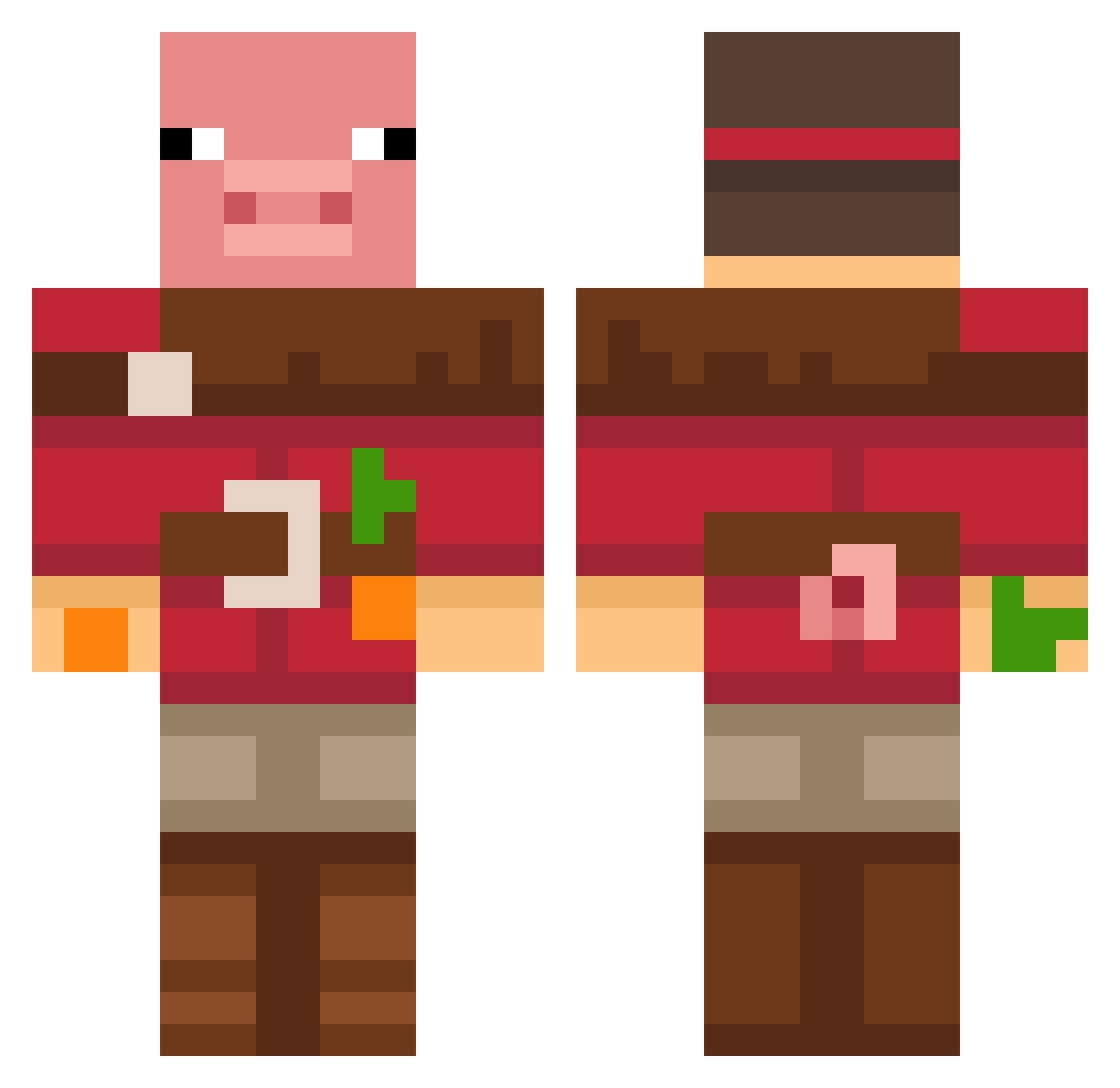
Current Minecraft skin of the player Goldil0x2, loaded from the official Mojang API. Rotate the 3D model with your mouse or finger, then download the skin as a PNG file and use it in Minecraft: Bedrock Edition or Java Edition for free. When Goldil0x2 changes their skin, this page updates automatically and the old skin stays in the history below.
Other players with this skin (677)
Goldil0x2 was the 454th player we have seen with this skin, first spotted on 05.10.2026. The same skin was seen on these players. Open a nickname to see their current skin and skin history.
 Crispin313 pseoyul Tin008 Furious_02 primera_jabalina Pankuuka eniymaster fyjhrt Simona231 GOOSERGEN aRaT135 Scmoon2711 hooni0514 yundonghyeon Brummmmmmmm AloneWolfe70353 malegedi Foolish_Zone bulgot_b lemonyYapper MARCOGOODIE Elite10012002 NinjaBacon92 heyitsmevictor leetngus Ratagigante P_Lemon 999nini BornProud ZacOuttaNoWhere Suzlide Bella507 RoxyFuture Susoniix hegeranli siwoo123456 YEET213LOLOOF GuzXavier WAKWI1002 BaconCdn SvenyBoy63 ka3mar Nexofinn Denied_Access Monxiito Mikter_ wystyy Elgatominchi Lixl07 X2xS fitogordo mkaste06 tedward2310 33393 TacoKat_ GamerForSure Thomek_307 pedro_juasjuas HandsomeHank Musasaca
More Pig Minecraft skins
How to install the Goldil0x2 skin
- Press the Download button above to save the skin as a PNG file.
- Minecraft: Bedrock Edition (PE): open the Dressing Room from the main menu (or tap your character → Edit Character), go to Classic Skins → Owned, press the + (new skin) button, choose the downloaded PNG and pick the Classic (Steve) model. Works on PC and mobile; consoles cannot import custom skins.
- Minecraft: Java Edition: open the Minecraft Launcher, go to the Skins tab, click New Skin, load the PNG, pick the Classic (Steve) model and press Save & Use. You can also upload it at minecraft.net → Profile → Change Skin.
The skin does not show up after import - what should I do?
Restart Minecraft and open the Dressing Room again - imported skins sometimes appear only after a restart. Also make sure you selected the imported skin and picked the Classic (Steve) model.
Which model should I choose, Classic or Slim?
This skin is designed for the Classic (Steve) model. If you pick the wrong model, the arms of the skin will look stretched or squeezed.
Is the skin of Goldil0x2 free to download?
Yes. Press Download, save the PNG file and use it in Minecraft: Bedrock Edition or Java Edition - no payment or registration needed. The skin also works on multiplayer servers and Realms.
More skins
Looking for more? Go back to all Minecraft skins and check the top skins of the week, month and all time, or find any player's skin by nickname.