
GingerSloth7 - Minecraft Skins & Skin History
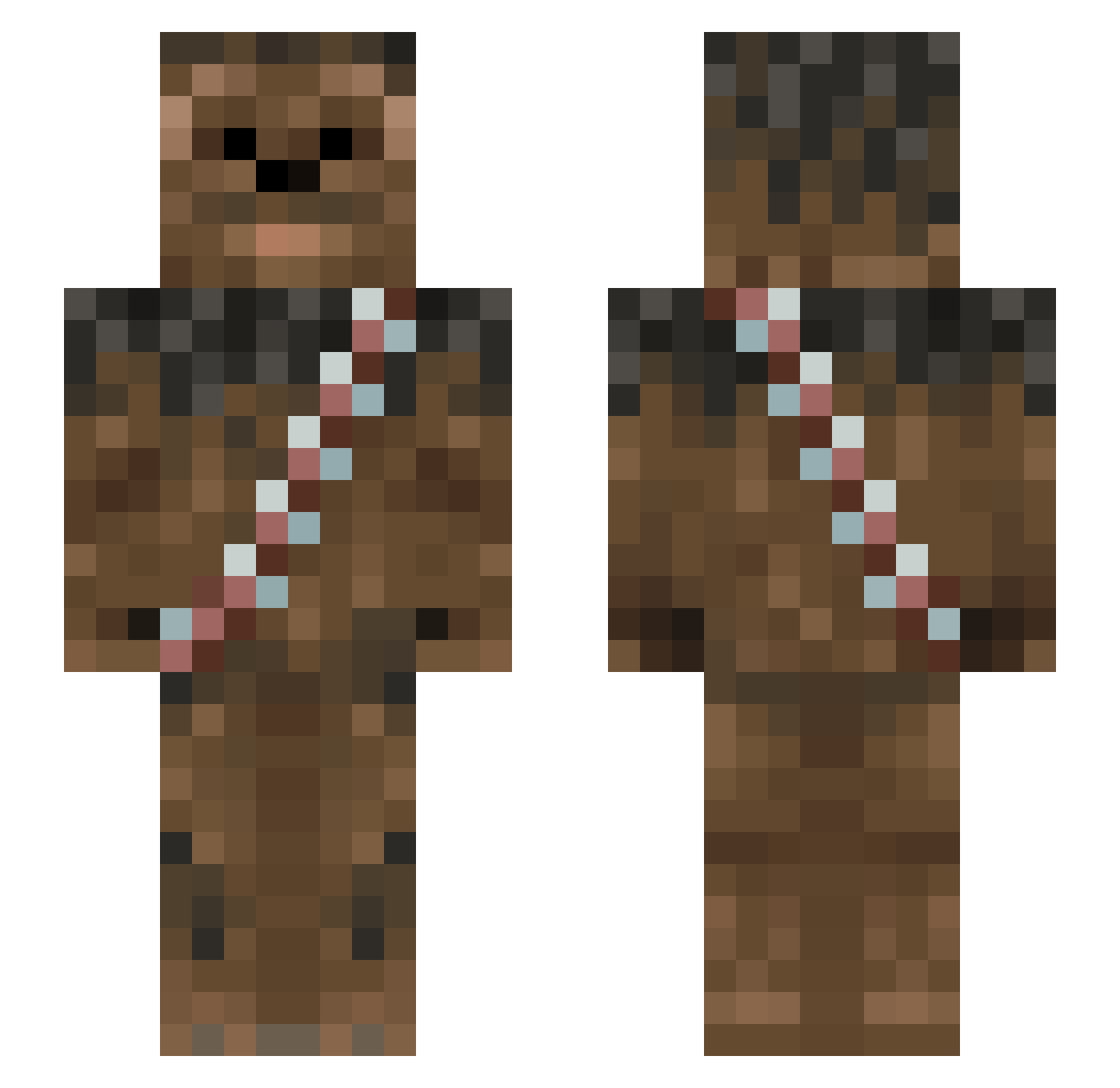
Current Minecraft skin of the player GingerSloth7, loaded from the official Mojang API. Rotate the 3D model with your mouse or finger, then download the skin as a PNG file and use it in Minecraft: Bedrock Edition or Java Edition for free. When GingerSloth7 changes their skin, this page updates automatically and the old skin stays in the history below.
Other players with this skin (1013)
GingerSloth7 was the 271st player we have seen with this skin, first spotted on 25.08.2026. The same skin was seen on these players. Open a nickname to see their current skin and skin history.
 WTW999 FluffyWarrior Fudg3monk3y DippyD try_to_stop_me1 ChewbaccaNoodle daytona959 Wookiee_Goldberg steenvick Sctise polsky1 Jannemann123456 Chargreavess Papa_Dadwick MCB007 toughnut88 SpecialKev Complete_Random Yarni24 BillyTheGeek TheHiphophipo MeowMix4Lyfe SvenLenn Delectro halo101010 Flyer146 justdrod bluehunter88 Dylanator1337 glovegun rebel_SMUGG Alcarex knight823 Peace01 GreeenLarry Donatethedonut klelon winston101 BrosephMcJoseph Shadow_22 SirTerrance HulznFTW StealthX42 ItsWookieeTime JankieCZ michaelwelte ABND Melonenfresser24 Solokvist niblarr PainWookie DigiMineIT Cannabeastie ozanjohn DarkPippus andbj XaXoTaXo Cerraw TheRamon1 itsBigfoot808
More Wookiee Minecraft skins
How to install the GingerSloth7 skin
- Press the Download button above to save the skin as a PNG file.
- Minecraft: Bedrock Edition (PE): open the Dressing Room from the main menu (or tap your character → Edit Character), go to Classic Skins → Owned, press the + (new skin) button, choose the downloaded PNG and pick the Slim (Alex) model. Works on PC and mobile; consoles cannot import custom skins.
- Minecraft: Java Edition: open the Minecraft Launcher, go to the Skins tab, click New Skin, load the PNG, pick the Slim (Alex) model and press Save & Use. You can also upload it at minecraft.net → Profile → Change Skin.
The skin does not show up after import - what should I do?
Restart Minecraft and open the Dressing Room again - imported skins sometimes appear only after a restart. Also make sure you selected the imported skin and picked the Slim (Alex) model.
Which model should I choose, Classic or Slim?
This skin is designed for the Slim (Alex) model. If you pick the wrong model, the arms of the skin will look stretched or squeezed.
Is the skin of GingerSloth7 free to download?
Yes. Press Download, save the PNG file and use it in Minecraft: Bedrock Edition or Java Edition - no payment or registration needed. The skin also works on multiplayer servers and Realms.
More skins
Looking for more? Go back to all Minecraft skins and check the top skins of the week, month and all time, or find any player's skin by nickname.