
Giammylo22 - Minecraft Skins & Skin History
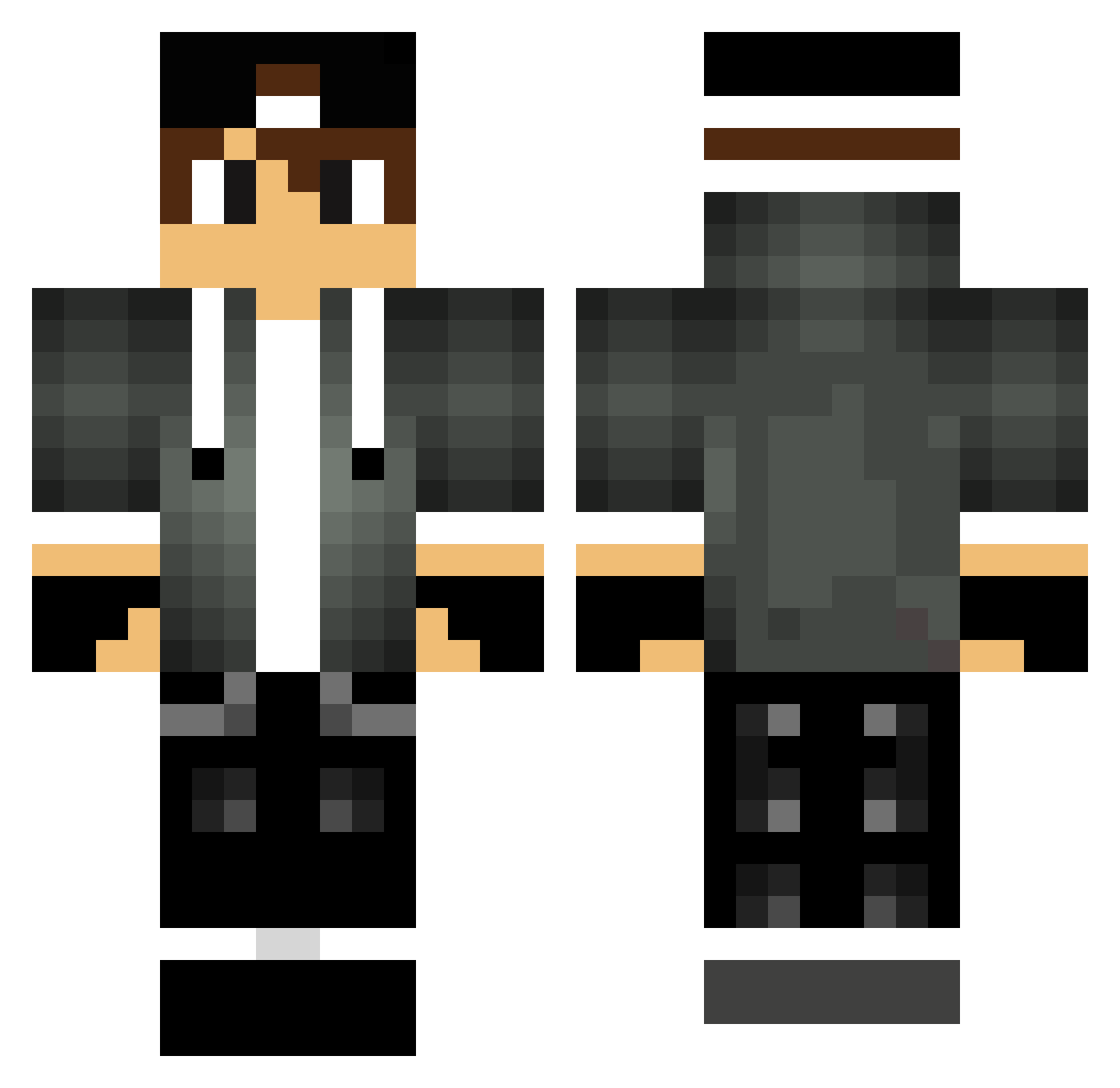
Current Minecraft skin of the player Giammylo22, loaded from the official Mojang API. Rotate the 3D model with your mouse or finger, then download the skin as a PNG file and use it in Minecraft: Bedrock Edition or Java Edition for free. When Giammylo22 changes their skin, this page updates automatically and the old skin stays in the history below.
Other players with this skin (288)
Giammylo22 was the 211th player we have seen with this skin, first spotted on 11.10.2026. The same skin was seen on these players. Open a nickname to see their current skin and skin history.
 XxlgamingxX Irishtrojan ItsSummerTime s3ed_3li_OB guliver006 xKeyyThrone ggomes28 Ditoh icekill092 Randytheman13 KingDanikMort_YT RoastedLemon21 Four_Page Crafter97t NegoZago zalanmc12 Aziz5665 veos5 Ryan0wen TomS2002 ibrahim128 PepperCool Timon23lt Ryanisarockstar kingHaVo CiaranPreston TheKubix122 Celeston Thechozunone joaocraft2007 CaptainRokk Gustavo_Poi ExplorerMAP Hamza_TR_ Deneria xXLonely420 Nixzn InhoqueDeFrango WesJL Daniel_sully JoaoTikoSam Sm0gi fentanest7 UmutBaba5334 miki1606 Priimeq Geosid MicraN ayeitsyaboi0 Yuan_Yuannnnn DavidTech_ pschranz goncalo1414 MachuGamingDX Underseagnome noroxymorphone Edzy51 Miloszfelu xSpLoWx faizal06
More Cap Minecraft skins
How to install the Giammylo22 skin
- Press the Download button above to save the skin as a PNG file.
- Minecraft: Bedrock Edition (PE): open the Dressing Room from the main menu (or tap your character → Edit Character), go to Classic Skins → Owned, press the + (new skin) button, choose the downloaded PNG and pick the Classic (Steve) model. Works on PC and mobile; consoles cannot import custom skins.
- Minecraft: Java Edition: open the Minecraft Launcher, go to the Skins tab, click New Skin, load the PNG, pick the Classic (Steve) model and press Save & Use. You can also upload it at minecraft.net → Profile → Change Skin.
The skin does not show up after import - what should I do?
Restart Minecraft and open the Dressing Room again - imported skins sometimes appear only after a restart. Also make sure you selected the imported skin and picked the Classic (Steve) model.
Which model should I choose, Classic or Slim?
This skin is designed for the Classic (Steve) model. If you pick the wrong model, the arms of the skin will look stretched or squeezed.
Is the skin of Giammylo22 free to download?
Yes. Press Download, save the PNG file and use it in Minecraft: Bedrock Edition or Java Edition - no payment or registration needed. The skin also works on multiplayer servers and Realms.
More skins
Looking for more? Go back to all Minecraft skins and check the top skins of the week, month and all time, or find any player's skin by nickname.