
GhastlyKing08 - Minecraft Skins & Skin History
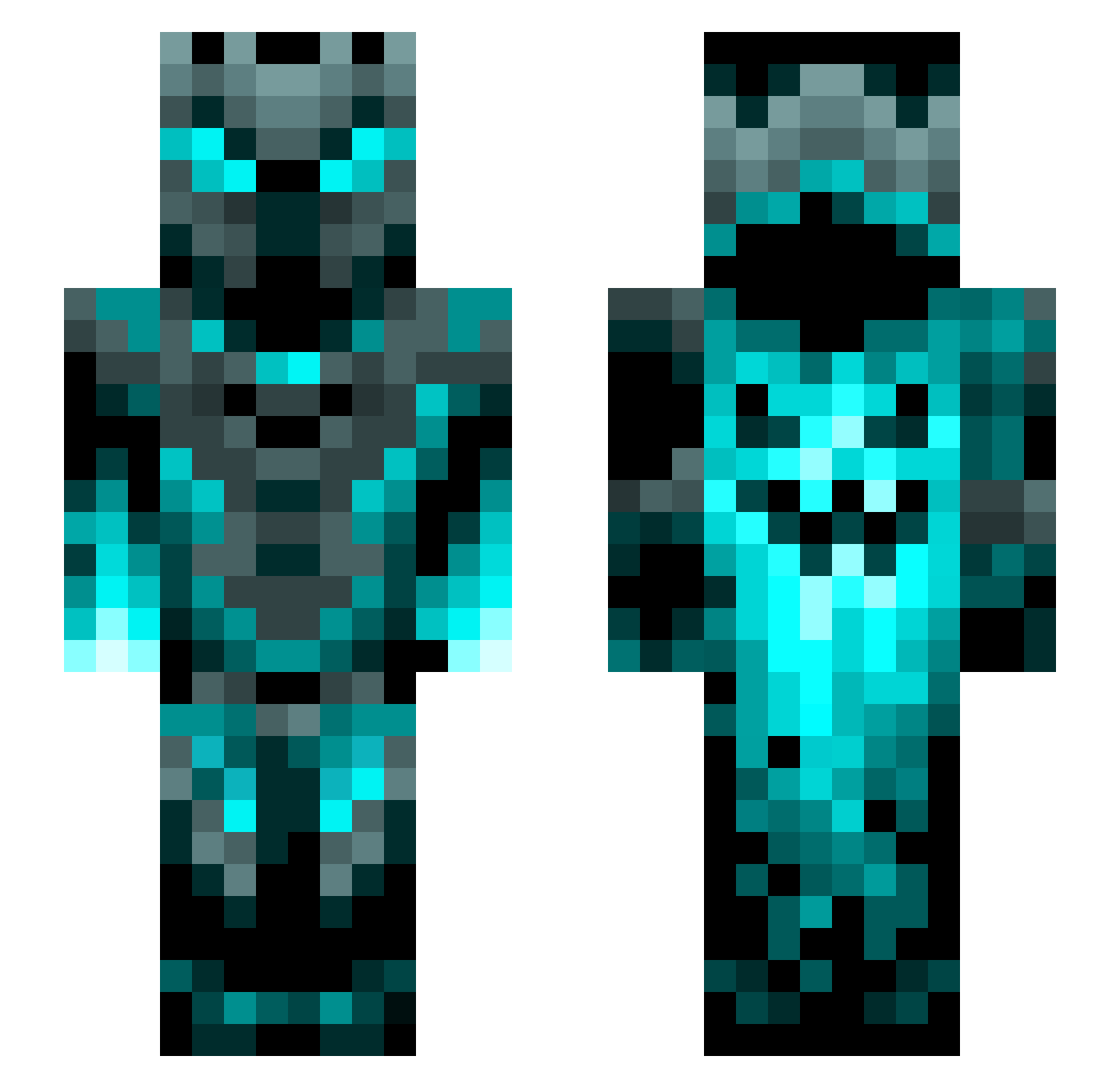
Current Minecraft skin of the player GhastlyKing08, loaded from the official Mojang API. Rotate the 3D model with your mouse or finger, then download the skin as a PNG file and use it in Minecraft: Bedrock Edition or Java Edition for free. When GhastlyKing08 changes their skin, this page updates automatically and the old skin stays in the history below.
Other players with this skin (1200)
GhastlyKing08 was the 852nd player we have seen with this skin, first spotted on 06.10.2026. The same skin was seen on these players. Open a nickname to see their current skin and skin history.
 DRAGONTALES4EVR Nimbleray1234 shopper2512GOD xTempist Threyeth LeopardGecco783 PowerGoose79 Keaton547 spikboymex Erygue DangerousAx Hecke23 Tommyelpro DemodogKiller Gambizon Rathead1120 lostgear nirnayreddy123 JimViper17 SoulChaosX JKhaotic Supperseal LeatherJohn WALLY2010 NAYEF_k Xenomatej Neptune669 Swift_Voltz BlueR1110 Minsterr gatorbait__72 MasterEel LonelyCozmo Gooniack CoolaVictor1234 SirKushh Tonga02 GarrusVakarians tbdiamond Inzahne DisturbedSpawn SlovikMT700 Kyrohn F22RaptorLove iammeelyman Oxirius CoinOmnivore515 Doomking18 Robertus10 ETN69420 crafcik23 q1z2e3r4_ fardean Marrokas Careos07 HeavyMetalSpain Solageo vT_Anxiety GamerX5218 Discovery_Road
More Phantom Minecraft skins
How to install the GhastlyKing08 skin
- Press the Download button above to save the skin as a PNG file.
- Minecraft: Bedrock Edition (PE): open the Dressing Room from the main menu (or tap your character → Edit Character), go to Classic Skins → Owned, press the + (new skin) button, choose the downloaded PNG and pick the Slim (Alex) model. Works on PC and mobile; consoles cannot import custom skins.
- Minecraft: Java Edition: open the Minecraft Launcher, go to the Skins tab, click New Skin, load the PNG, pick the Slim (Alex) model and press Save & Use. You can also upload it at minecraft.net → Profile → Change Skin.
The skin does not show up after import - what should I do?
Restart Minecraft and open the Dressing Room again - imported skins sometimes appear only after a restart. Also make sure you selected the imported skin and picked the Slim (Alex) model.
Which model should I choose, Classic or Slim?
This skin is designed for the Slim (Alex) model. If you pick the wrong model, the arms of the skin will look stretched or squeezed.
Is the skin of GhastlyKing08 free to download?
Yes. Press Download, save the PNG file and use it in Minecraft: Bedrock Edition or Java Edition - no payment or registration needed. The skin also works on multiplayer servers and Realms.
More skins
Looking for more? Go back to all Minecraft skins and check the top skins of the week, month and all time, or find any player's skin by nickname.