
Georgia1623 - Minecraft Skins & Skin History
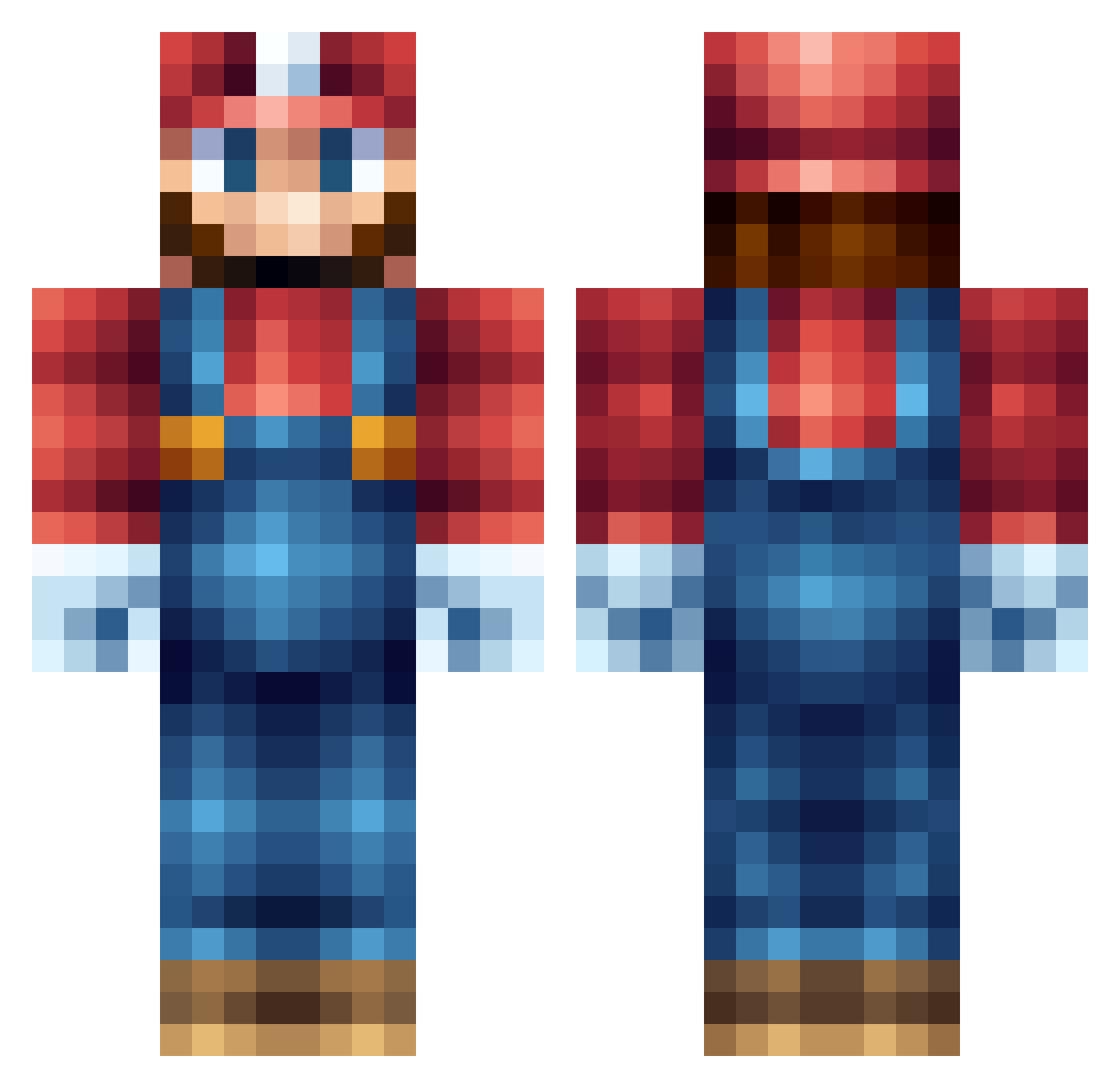
Current Minecraft skin of the player Georgia1623, loaded from the official Mojang API. Rotate the 3D model with your mouse or finger, then download the skin as a PNG file and use it in Minecraft: Bedrock Edition or Java Edition for free. When Georgia1623 changes their skin, this page updates automatically and the old skin stays in the history below.
Other players with this skin (676)
Georgia1623 was the 613th player we have seen with this skin, first spotted on 09.11.2026. The same skin was seen on these players. Open a nickname to see their current skin and skin history.
 TCM10 koenator123 maci943d Miami34 murphy189 Dr_Demolition Der_Michi GMH615 POOPDAWGJINNKINS bobbyholstein Halkris SrBubblewrap AlexanderFoley SabinaGraulund PattyMen44 luke_is_so_hot Maxstein1 Zeebzz Dani3l45 BadCaptainCam Khrito Awkward_Austin AJONES35 timdekker gbrussell khalid100 StarkInc360 andreasfuglsig VanSuu SuperMinke the_great_power PaganViking busbybest larsky2004 Harry070802 josearaujo17 TobiHen JohnDeereLuc46 assepoesje Zalp crump123 superstrong99 louja2000 aussiekent snippisnip niko9318 juanjr100 kyote14 xxTheDoctor Jorge311 Vigyzok Kakugyo Egame117 Suguru1696 Krutnes Jonathankbh kalokxxx rugby3366 fjodor2005 Khixxx
More Nintendo Minecraft skins
How to install the Georgia1623 skin
- Press the Download button above to save the skin as a PNG file.
- Minecraft: Bedrock Edition (PE): open the Dressing Room from the main menu (or tap your character → Edit Character), go to Classic Skins → Owned, press the + (new skin) button, choose the downloaded PNG and pick the Classic (Steve) model. Works on PC and mobile; consoles cannot import custom skins.
- Minecraft: Java Edition: open the Minecraft Launcher, go to the Skins tab, click New Skin, load the PNG, pick the Classic (Steve) model and press Save & Use. You can also upload it at minecraft.net → Profile → Change Skin.
The skin does not show up after import - what should I do?
Restart Minecraft and open the Dressing Room again - imported skins sometimes appear only after a restart. Also make sure you selected the imported skin and picked the Classic (Steve) model.
Which model should I choose, Classic or Slim?
This skin is designed for the Classic (Steve) model. If you pick the wrong model, the arms of the skin will look stretched or squeezed.
Is the skin of Georgia1623 free to download?
Yes. Press Download, save the PNG file and use it in Minecraft: Bedrock Edition or Java Edition - no payment or registration needed. The skin also works on multiplayer servers and Realms.
More skins
Looking for more? Go back to all Minecraft skins and check the top skins of the week, month and all time, or find any player's skin by nickname.