
Genelito - Minecraft Skins & Skin History
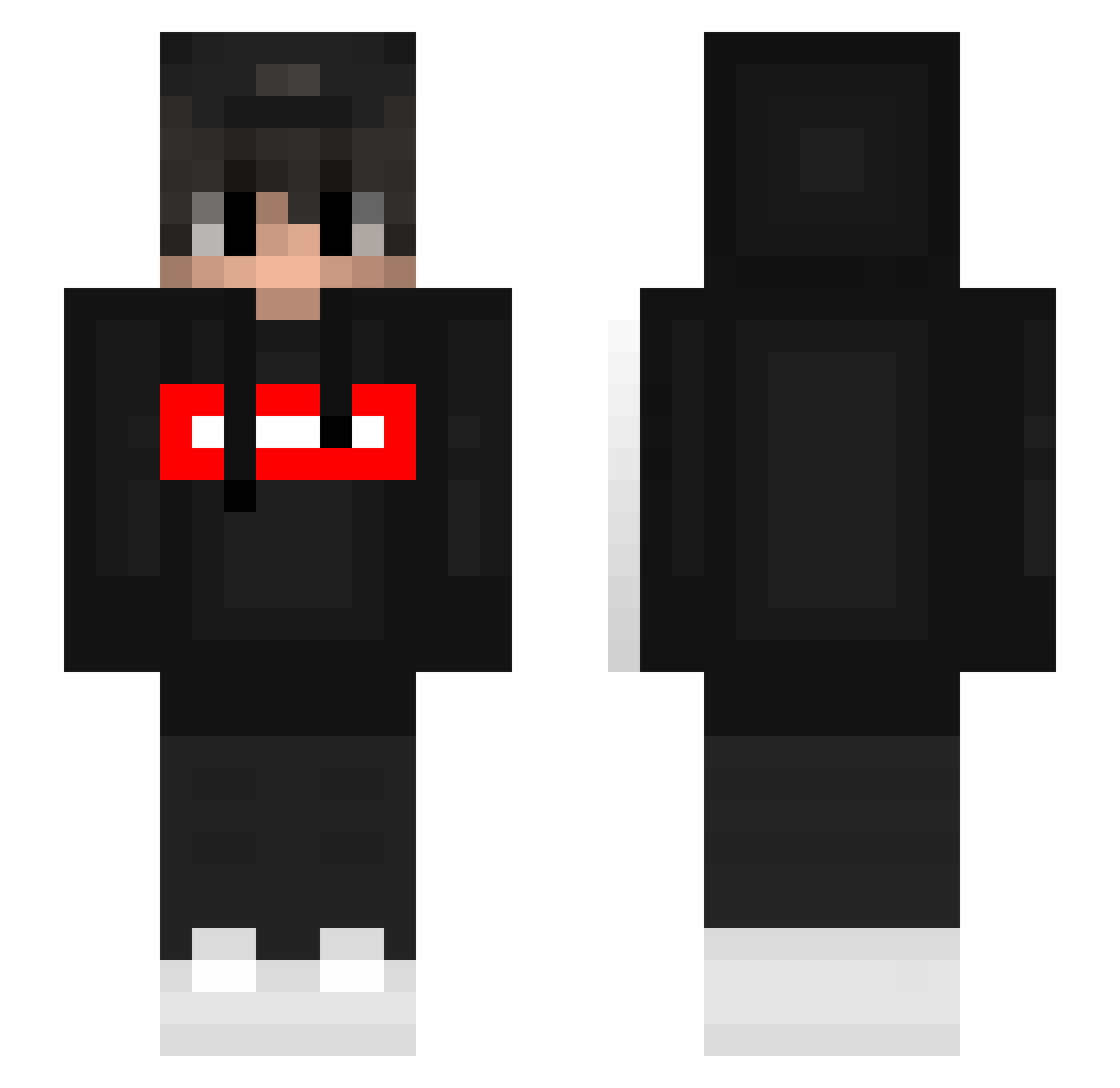
Current Minecraft skin of the player Genelito, loaded from the official Mojang API. Rotate the 3D model with your mouse or finger, then download the skin as a PNG file and use it in Minecraft: Bedrock Edition or Java Edition for free. When Genelito changes their skin, this page updates automatically and the old skin stays in the history below.
Other players with this skin (393)
Genelito was the 135th player we have seen with this skin, first spotted on 03.09.2026. The same skin was seen on these players. Open a nickname to see their current skin and skin history.
 hanyhorizons ptasznik6969 l1tdude tibimaximus Visach_GG MarcoWong06 cbrinegar RyuceY SoarTyg Motki VibingDertek Malaz_YT NETHERNIKO_MC FluxiaMC buuczy DM2XX Hyper_Orion ChenteYSL MrFexozYT mrdashocker corycory0402 kjthgamer Blausteinigel wtorek TrixzyEU auquu baldboyman AutoKeks Daminion815 XxFeldoxX ajuyo Nxtsr allyourid0lsdied El_Praesidende gothgayprince Lxxury adria1509 CLEB999 KlaxMC Javicab xwh1013
 MICHUOFF IBMThinkPad FlameM_ _bez1miennY un_yul federicheddu TheMoneyProblem DortHit_ad7ef7aa Gryko zeqian_zq yiheng1234567
 Borsuk_Zwierz don_daniels andy21531122 acozzang628 Koncross silverwolfaiden dokky3 MatiasN25
More Streetwear Minecraft skins
How to install the Genelito skin
- Press the Download button above to save the skin as a PNG file.
- Minecraft: Bedrock Edition (PE): open the Dressing Room from the main menu (or tap your character → Edit Character), go to Classic Skins → Owned, press the + (new skin) button, choose the downloaded PNG and pick the Slim (Alex) model. Works on PC and mobile; consoles cannot import custom skins.
- Minecraft: Java Edition: open the Minecraft Launcher, go to the Skins tab, click New Skin, load the PNG, pick the Slim (Alex) model and press Save & Use. You can also upload it at minecraft.net → Profile → Change Skin.
The skin does not show up after import - what should I do?
Restart Minecraft and open the Dressing Room again - imported skins sometimes appear only after a restart. Also make sure you selected the imported skin and picked the Slim (Alex) model.
Which model should I choose, Classic or Slim?
This skin is designed for the Slim (Alex) model. If you pick the wrong model, the arms of the skin will look stretched or squeezed.
Is the skin of Genelito free to download?
Yes. Press Download, save the PNG file and use it in Minecraft: Bedrock Edition or Java Edition - no payment or registration needed. The skin also works on multiplayer servers and Realms.
More skins
Looking for more? Go back to all Minecraft skins and check the top skins of the week, month and all time, or find any player's skin by nickname.