
Geekrrz - Minecraft Skins & Skin History
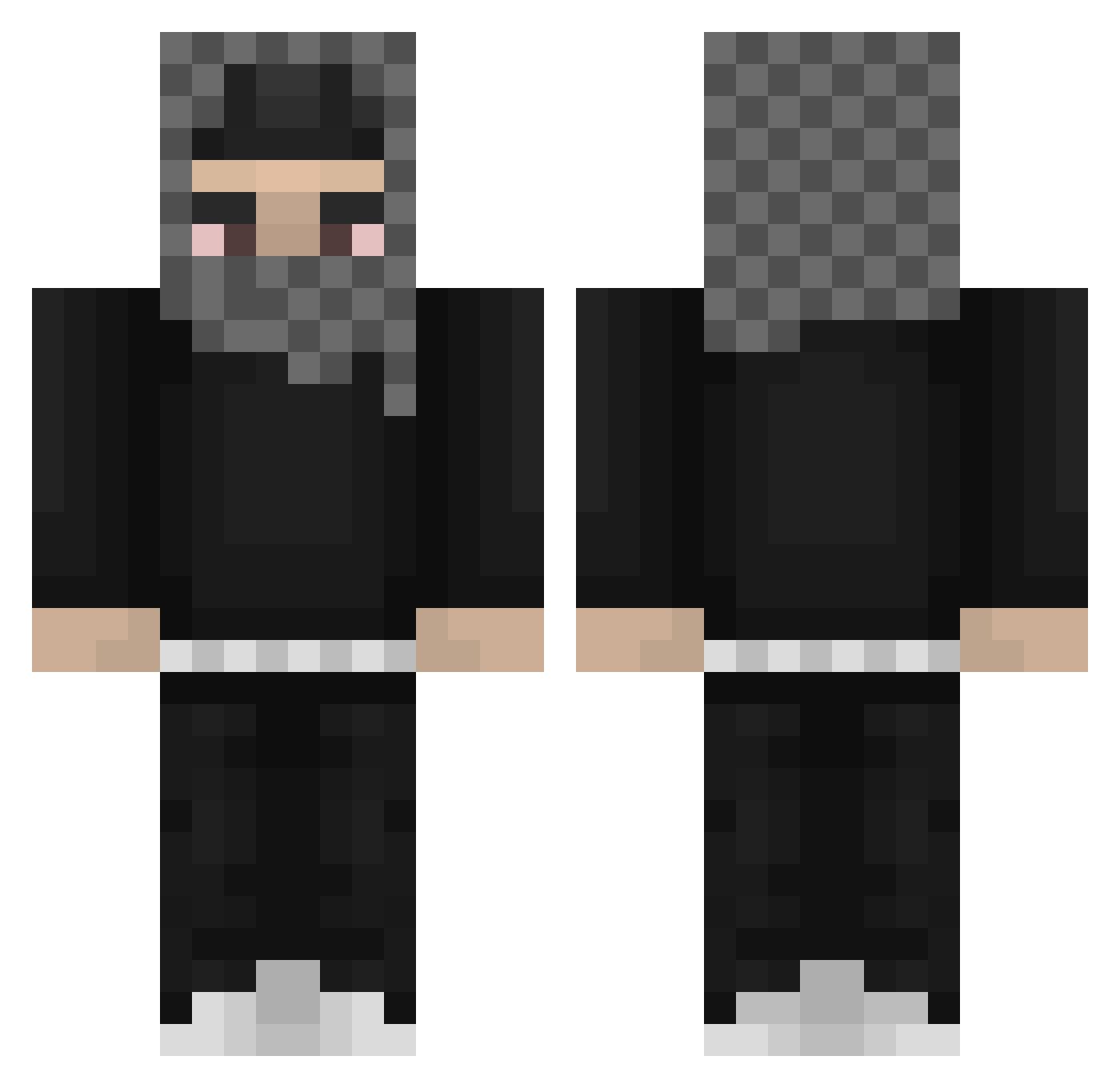
Current Minecraft skin of the player Geekrrz, loaded from the official Mojang API. Rotate the 3D model with your mouse or finger, then download the skin as a PNG file and use it in Minecraft: Bedrock Edition or Java Edition for free. When Geekrrz changes their skin, this page updates automatically and the old skin stays in the history below.
Other players with this skin (812)
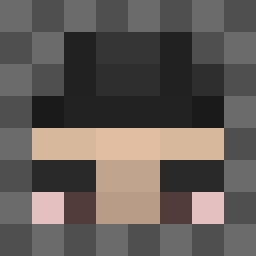
Geekrrz was the 445th player we have seen with this skin, first spotted on 26.09.2026. The same skin was seen on these players. Open a nickname to see their current skin and skin history.
 YeatIsGoated lashedaxe lSPOOkl Josue9090 TenderHender MAYOMAN112 yahuogggg futstal celica921 Hive_Clash TBONTIME USillyGooose ch444rlie 4KTxTiger _kilaura BewaretheItis spcthg overcookedbeans ZenoIsHereXD PastorQuiv mateoalenda Caydenj1 AHQ69 AdversarySK Hauntxed GATSU334 Exotoast187 domofr CashTwizzy SDR23 hahapoopy J0rgl3 mrsktz UncleRukus0 raketovypohon SaintRbn Big_Ben4 Bruhnium kiddixoxo YeatFan2009 119h auxypoo martim18_ MaxPerhap asthro777 YourMomsCappin Stilpanee jdsi535 gusiics cosmicspaceblox jBalda RobbsWow99 Nitr0shell turbanbyvuitton JALLEN8213 ayrozan thiccyams24 7520 ballfart7 luhgeeky
More Streetwear Minecraft skins
How to install the Geekrrz skin
- Press the Download button above to save the skin as a PNG file.
- Minecraft: Bedrock Edition (PE): open the Dressing Room from the main menu (or tap your character → Edit Character), go to Classic Skins → Owned, press the + (new skin) button, choose the downloaded PNG and pick the Classic (Steve) model. Works on PC and mobile; consoles cannot import custom skins.
- Minecraft: Java Edition: open the Minecraft Launcher, go to the Skins tab, click New Skin, load the PNG, pick the Classic (Steve) model and press Save & Use. You can also upload it at minecraft.net → Profile → Change Skin.
The skin does not show up after import - what should I do?
Restart Minecraft and open the Dressing Room again - imported skins sometimes appear only after a restart. Also make sure you selected the imported skin and picked the Classic (Steve) model.
Which model should I choose, Classic or Slim?
This skin is designed for the Classic (Steve) model. If you pick the wrong model, the arms of the skin will look stretched or squeezed.
Is the skin of Geekrrz free to download?
Yes. Press Download, save the PNG file and use it in Minecraft: Bedrock Edition or Java Edition - no payment or registration needed. The skin also works on multiplayer servers and Realms.
More skins
Looking for more? Go back to all Minecraft skins and check the top skins of the week, month and all time, or find any player's skin by nickname.