
Geekcorse - Minecraft Skins & Skin History
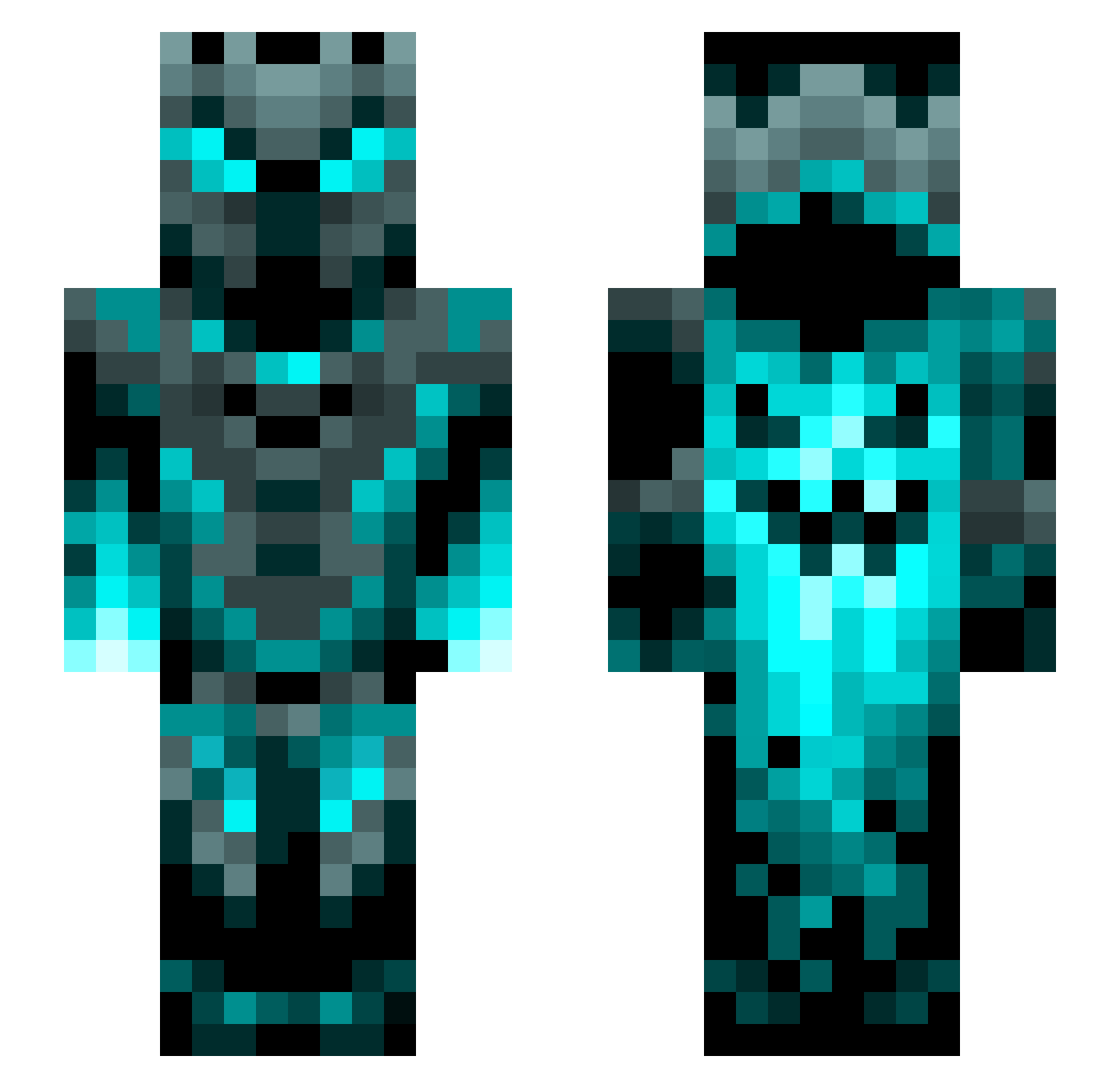
Current Minecraft skin of the player Geekcorse, loaded from the official Mojang API. Rotate the 3D model with your mouse or finger, then download the skin as a PNG file and use it in Minecraft: Bedrock Edition or Java Edition for free. When Geekcorse changes their skin, this page updates automatically and the old skin stays in the history below.
Other players with this skin (1200)
Geekcorse was the 1040th player we have seen with this skin, first spotted on 21.10.2026. The same skin was seen on these players. Open a nickname to see their current skin and skin history.
 junosha dreadlord2099 AHMETHRDLC AirSummer2012 masna06 6bejkHjJAi Honno Sakura1597 XTRMBilly123 Michimi92 devthanos NotValle HugMe77 Earl_Shizzo lxxxxxxxxxxxxxl Der__Zerstoerer NikoHenny Destroyer_2022 GabAnna0928 SunyataSan Coolman_12092 volca02 soulfrfr BlazeNemesis9z Buchtel22 HannaBelal rEiChArDt92 AwDThunder emiliobip MagicCards34 Asaditoo PlanearChaos Piggy596 Tek_No AJC29 Snusbaer ROGUILEAL NedVeith RangerFox42 Anna666 NoFinerMiner33 Berryegg clifor332211 Skyzer DaYz_Destroyer Cardrinjr CTB0207 ElementalNinja1 RamseySheep karateluke sarahkemp2022 CrazyPanda2010 Ekulfi Littleladh Svash10 Gunslinger123 MasterTNT1 DEM2006 BerryB69 UHNFClipz
More Phantom Minecraft skins
How to install the Geekcorse skin
- Press the Download button above to save the skin as a PNG file.
- Minecraft: Bedrock Edition (PE): open the Dressing Room from the main menu (or tap your character → Edit Character), go to Classic Skins → Owned, press the + (new skin) button, choose the downloaded PNG and pick the Slim (Alex) model. Works on PC and mobile; consoles cannot import custom skins.
- Minecraft: Java Edition: open the Minecraft Launcher, go to the Skins tab, click New Skin, load the PNG, pick the Slim (Alex) model and press Save & Use. You can also upload it at minecraft.net → Profile → Change Skin.
The skin does not show up after import - what should I do?
Restart Minecraft and open the Dressing Room again - imported skins sometimes appear only after a restart. Also make sure you selected the imported skin and picked the Slim (Alex) model.
Which model should I choose, Classic or Slim?
This skin is designed for the Slim (Alex) model. If you pick the wrong model, the arms of the skin will look stretched or squeezed.
Is the skin of Geekcorse free to download?
Yes. Press Download, save the PNG file and use it in Minecraft: Bedrock Edition or Java Edition - no payment or registration needed. The skin also works on multiplayer servers and Realms.
More skins
Looking for more? Go back to all Minecraft skins and check the top skins of the week, month and all time, or find any player's skin by nickname.