
Gandalf1936 - Minecraft Skins & Skin History
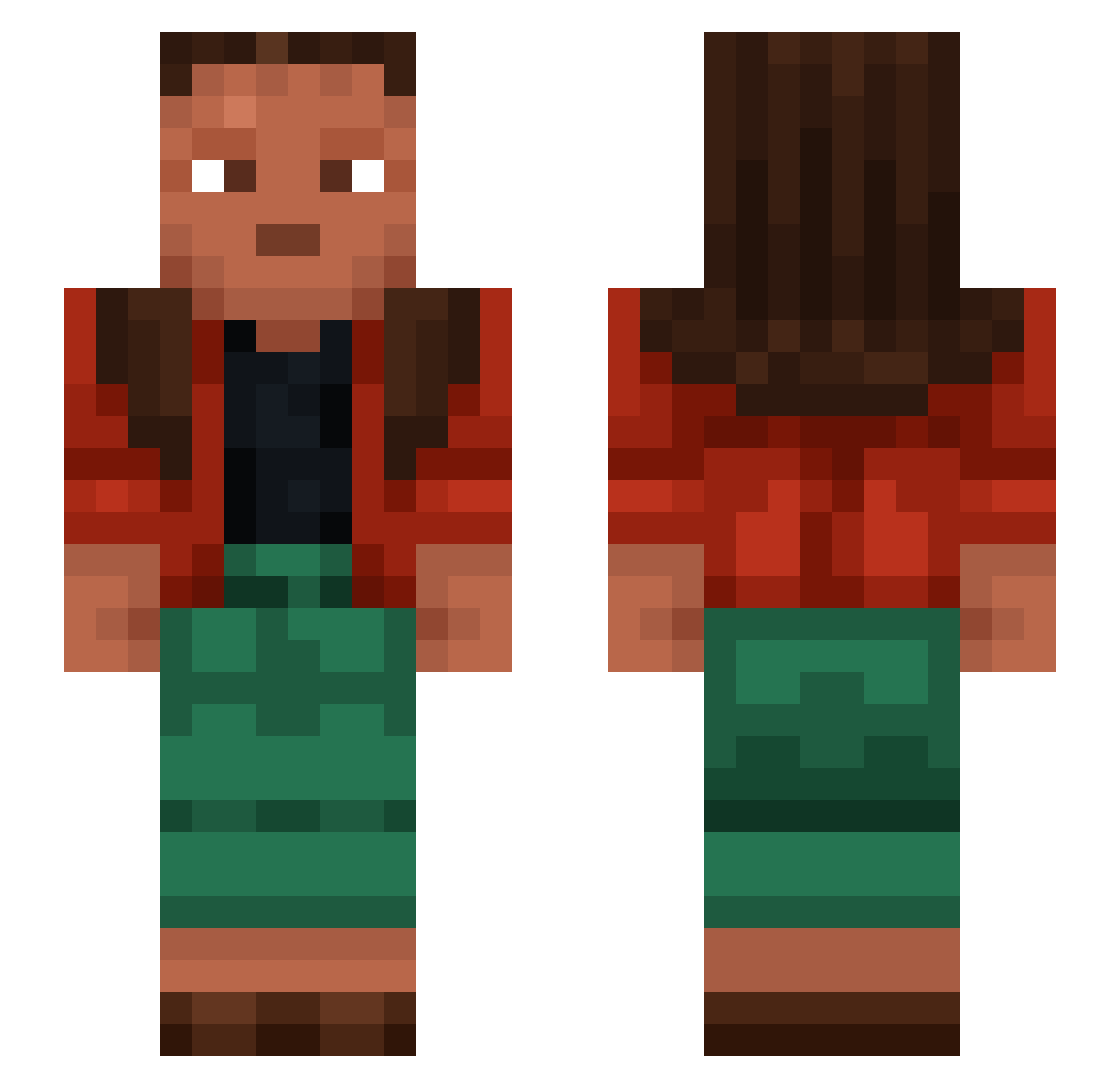
Current Minecraft skin of the player Gandalf1936, loaded from the official Mojang API. Rotate the 3D model with your mouse or finger, then download the skin as a PNG file and use it in Minecraft: Bedrock Edition or Java Edition for free. When Gandalf1936 changes their skin, this page updates automatically and the old skin stays in the history below.
Other players with this skin (1276)
Gandalf1936 was the 902nd player we have seen with this skin, first spotted on 13.10.2026. The same skin was seen on these players. Open a nickname to see their current skin and skin history.
 Goubz62 BlahCube Etatism Scbrite Didactics hiimJAYandimaalc EL1l1l Medo0048 Excvn Void_Ymir Depraving Panettone Endoscopist CycloAddition KylianHFR Woolskin fabhe Barf_Fanaat 1_D_a_n_i_e_l_ clearimagination joke794 kiwihawk FIVE5S5 Mirky macias777 Streetwalker balisstreri hobar13 gyat_sigma kasimir1989 DAN123TOP_YT unalienated Seor Ruzgar_RZG Thalyvrae RINSED Hails bloempot3000 currynumcher Jay2shiftyYN Stankfrate DarKosX_ jesperw04 murkye Malati Treaders SmXJO Refeign kgf whattal1te elnacodemi david2453 Girthed Emmamsa Psithura7 oarket SweetyJoana KpopSuxks xReci20 K3yMiL
How to install the Gandalf1936 skin
- Press the Download button above to save the skin as a PNG file.
- Minecraft: Bedrock Edition (PE): open the Dressing Room from the main menu (or tap your character → Edit Character), go to Classic Skins → Owned, press the + (new skin) button, choose the downloaded PNG and pick the Slim (Alex) model. Works on PC and mobile; consoles cannot import custom skins.
- Minecraft: Java Edition: open the Minecraft Launcher, go to the Skins tab, click New Skin, load the PNG, pick the Slim (Alex) model and press Save & Use. You can also upload it at minecraft.net → Profile → Change Skin.
The skin does not show up after import - what should I do?
Restart Minecraft and open the Dressing Room again - imported skins sometimes appear only after a restart. Also make sure you selected the imported skin and picked the Slim (Alex) model.
Which model should I choose, Classic or Slim?
This skin is designed for the Slim (Alex) model. If you pick the wrong model, the arms of the skin will look stretched or squeezed.
Is the skin of Gandalf1936 free to download?
Yes. Press Download, save the PNG file and use it in Minecraft: Bedrock Edition or Java Edition - no payment or registration needed. The skin also works on multiplayer servers and Realms.
More skins
Looking for more? Go back to all Minecraft skins and check the top skins of the week, month and all time, or find any player's skin by nickname.