
K3yMiL - Minecraft Skins & Skin History
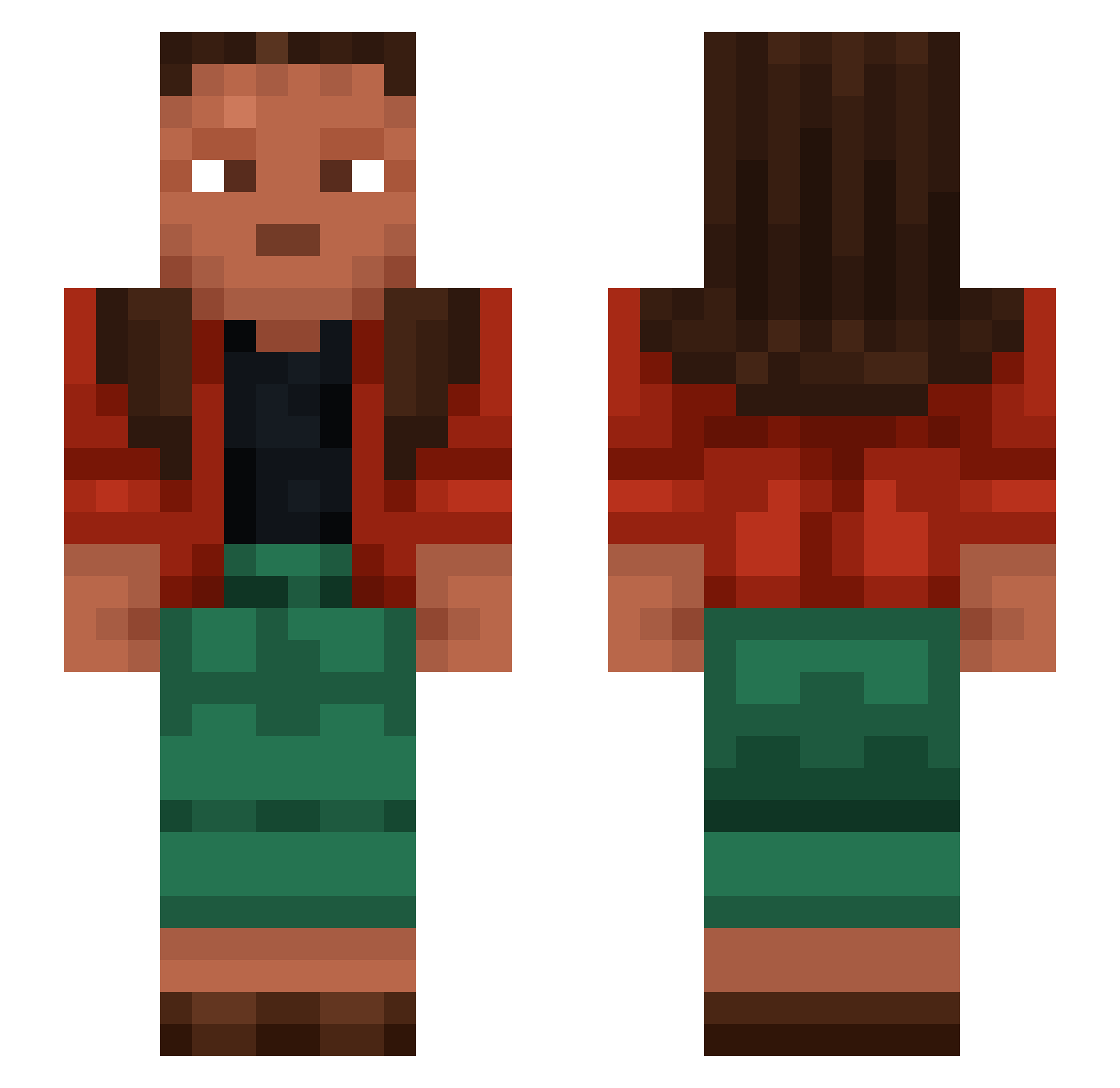
Current Minecraft skin of the player K3yMiL, loaded from the official Mojang API. Rotate the 3D model with your mouse or finger, then download the skin as a PNG file and use it in Minecraft: Bedrock Edition or Java Edition for free. When K3yMiL changes their skin, this page updates automatically and the old skin stays in the history below.
Other players with this skin (1276)
K3yMiL was the 931st player we have seen with this skin, first spotted on 15.10.2026. The same skin was seen on these players. Open a nickname to see their current skin and skin history.
 nevome Jinxes razorbland SweetyJoana Psithura7 ganee resigh matiso4 kgf Refeign SmXJO pikaface Wastel Ninjat09j Malati fidgus EveryC Cantthinkofaname Riddle Vacationing UchihaSouto DarKosX_ Sevener Dirls Educational currynumcher bloempot3000 ParkCW Hails Thalyvrae FilipPro505 RFZ kasimir1989 RebelPaladen69 Sagster6913 1337flexx hobar13 balisstreri lunarmoonfall macias777 songsound2 minecwaft123 Scaleless kiwihawk Zystanoff avocadoskibdidi MINETEXASDEMON clearimagination EdgierCornet296 Barf_Fanaat fabhe KylianHFR clubs1331 AlexanderSC Panettone IMKANDYXW Bean529 Depraving Medo0048 EL1l1l
How to install the K3yMiL skin
- Press the Download button above to save the skin as a PNG file.
- Minecraft: Bedrock Edition (PE): open the Dressing Room from the main menu (or tap your character → Edit Character), go to Classic Skins → Owned, press the + (new skin) button, choose the downloaded PNG and pick the Slim (Alex) model. Works on PC and mobile; consoles cannot import custom skins.
- Minecraft: Java Edition: open the Minecraft Launcher, go to the Skins tab, click New Skin, load the PNG, pick the Slim (Alex) model and press Save & Use. You can also upload it at minecraft.net → Profile → Change Skin.
The skin does not show up after import - what should I do?
Restart Minecraft and open the Dressing Room again - imported skins sometimes appear only after a restart. Also make sure you selected the imported skin and picked the Slim (Alex) model.
Which model should I choose, Classic or Slim?
This skin is designed for the Slim (Alex) model. If you pick the wrong model, the arms of the skin will look stretched or squeezed.
Is the skin of K3yMiL free to download?
Yes. Press Download, save the PNG file and use it in Minecraft: Bedrock Edition or Java Edition - no payment or registration needed. The skin also works on multiplayer servers and Realms.
More skins
Looking for more? Go back to all Minecraft skins and check the top skins of the week, month and all time, or find any player's skin by nickname.