
Gamebnormal - Minecraft Skins & Skin History
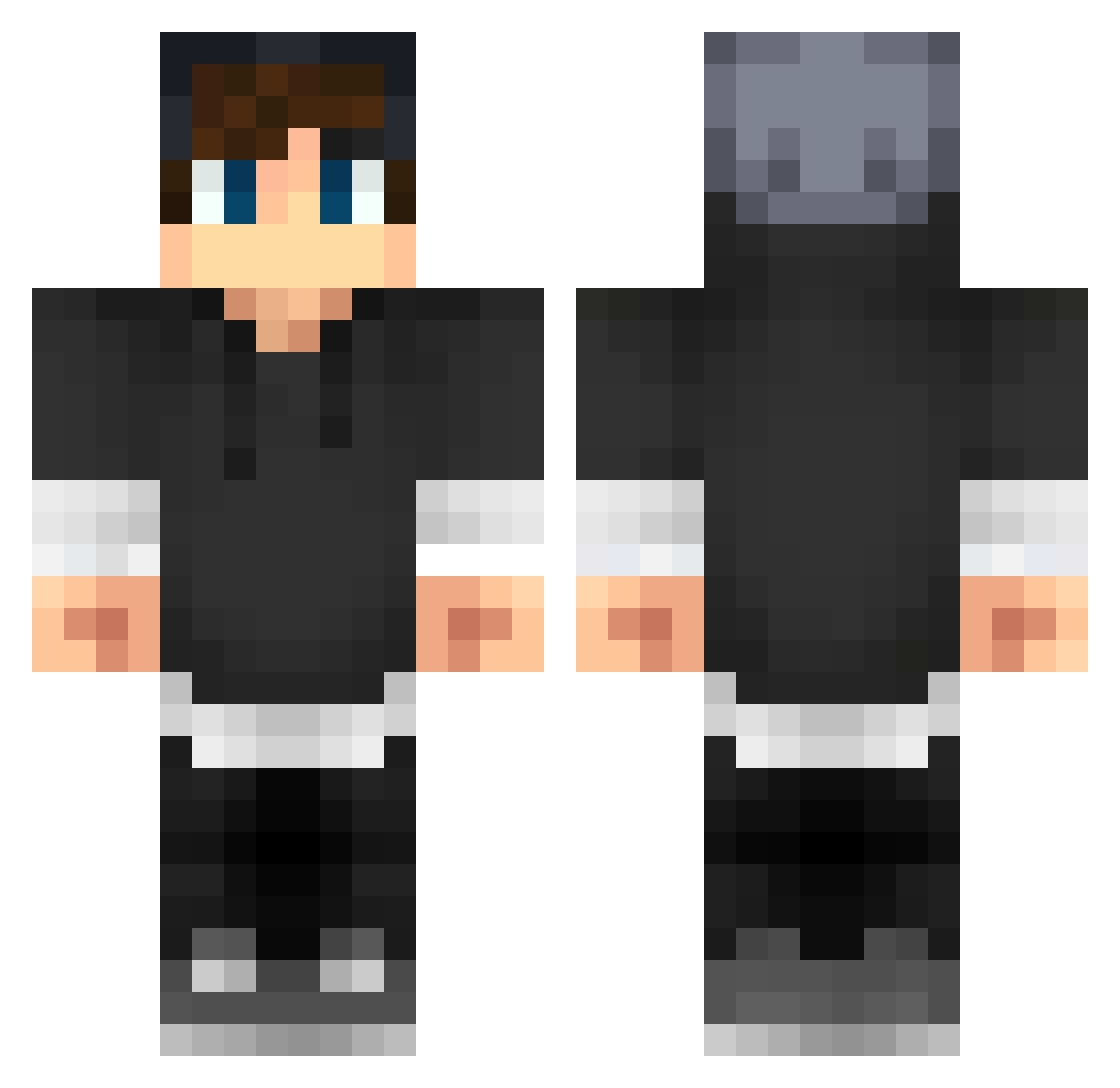
Current Minecraft skin of the player Gamebnormal, loaded from the official Mojang API. Rotate the 3D model with your mouse or finger, then download the skin as a PNG file and use it in Minecraft: Bedrock Edition or Java Edition for free. When Gamebnormal changes their skin, this page updates automatically and the old skin stays in the history below.
Other players with this skin (279)
Gamebnormal was the 65th player we have seen with this skin, first spotted on 17.08.2026. The same skin was seen on these players. Open a nickname to see their current skin and skin history.
 _sSamuel Isadella C4TALIN221 kaito220 BLACKNI6HT Mac_Book_Gamer Graysiie andyjany_ fleur909 Shdffa BadSugar24 Bastizoockt DarknessCholo Wossik CookiesnWaffles _GustavoBeck_ ouassim_boy therealtokki Timoo0345 Vicxor InotGamerl_l maddogtiger246 _Igenetix PoarNeem Joakim_N cHUNK29 Rgamer_47 PercyJackson148 Rock_Silence zinkooo dv_gaming DeathScroll Zyrek705 RabenBoi FipsCrafter Pedrodela TheFlo0000 gemer2005 Amplifications DanSpitsFire VaineS Swish147 VigganB4 ES02104 ryu9251 CoolAdidasBoy davidoversteeg _Ravenger_ trimmerssXX TiredCrayon697 UnitedTwist TTHavard Nubslasher LajnanBrunk techsavage12 Vovjocke Krustychicken DivineAwe coolgabbe05 WhyWouldIknow
More Streetwear Minecraft skins
How to install the Gamebnormal skin
- Press the Download button above to save the skin as a PNG file.
- Minecraft: Bedrock Edition (PE): open the Dressing Room from the main menu (or tap your character → Edit Character), go to Classic Skins → Owned, press the + (new skin) button, choose the downloaded PNG and pick the Classic (Steve) model. Works on PC and mobile; consoles cannot import custom skins.
- Minecraft: Java Edition: open the Minecraft Launcher, go to the Skins tab, click New Skin, load the PNG, pick the Classic (Steve) model and press Save & Use. You can also upload it at minecraft.net → Profile → Change Skin.
The skin does not show up after import - what should I do?
Restart Minecraft and open the Dressing Room again - imported skins sometimes appear only after a restart. Also make sure you selected the imported skin and picked the Classic (Steve) model.
Which model should I choose, Classic or Slim?
This skin is designed for the Classic (Steve) model. If you pick the wrong model, the arms of the skin will look stretched or squeezed.
Is the skin of Gamebnormal free to download?
Yes. Press Download, save the PNG file and use it in Minecraft: Bedrock Edition or Java Edition - no payment or registration needed. The skin also works on multiplayer servers and Realms.
More skins
Looking for more? Go back to all Minecraft skins and check the top skins of the week, month and all time, or find any player's skin by nickname.