
GUf36 - Minecraft Skins & Skin History
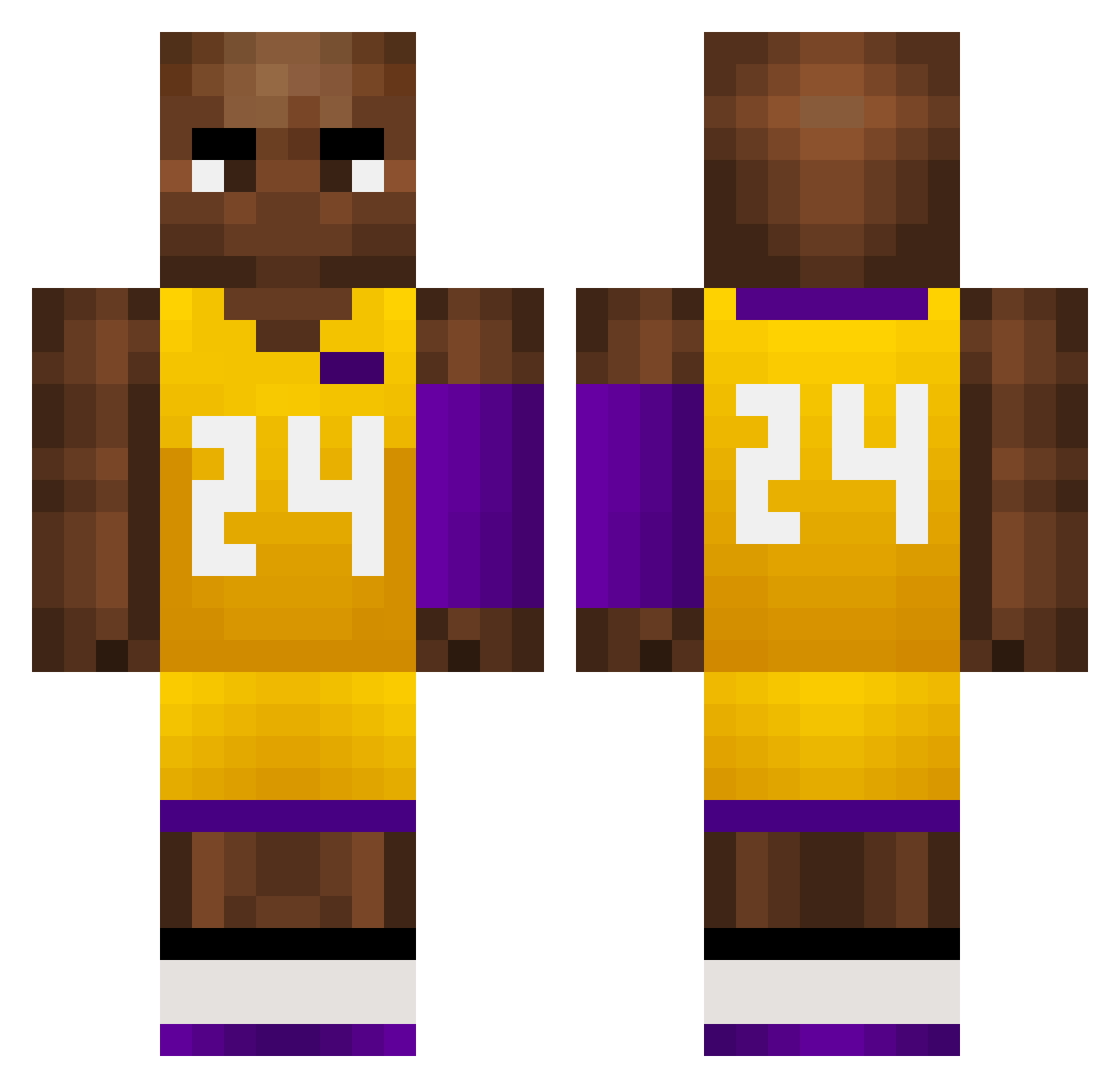
Current Minecraft skin of the player GUf36, loaded from the official Mojang API. Rotate the 3D model with your mouse or finger, then download the skin as a PNG file and use it in Minecraft: Bedrock Edition or Java Edition for free. When GUf36 changes their skin, this page updates automatically and the old skin stays in the history below.
Other players with this skin (760)
GUf36 was the 366th player we have seen with this skin, first spotted on 18.09.2026. The same skin was seen on these players. Open a nickname to see their current skin and skin history.
 AddictWithA TWRespect_ Dnham Luigi16061 Kathy11 Bottis2010 kgw1019 Kenny1228 ZoroTheExplorerr Ninetezzz BasketballPan YoungKDV HDx_x kobe_bryant_bana 114514Cafe Sparta729 fdhui FpF304 NERIDA_24 JayGao xKobesPilotx LUCASGLzzzz Borid CABUMM Obama_Toes Kobelyk ZsA504 Skylarfz Kobe_Bryant0824 Peterpakerr Lucas_o7 Terrylin1022 Leijona2K xjh_1021 mudzahedinn Warrior_Hys DPAZ1793 redwings24 fur1ouss BeanBryant lucknoobly La_tea vctorsesar Zip01 Yohhhn wowuzui sweetcuhmane dsk86 ganhuuomaiqi herobrine190 Mxrleyyy ikun4567 CRUZZ97 Jayhy DarkenHD hotcat1014 1D_Lov3r 24kobe Rafiki566 lhx7878
More Kobe Bryant Minecraft skins
How to install the GUf36 skin
- Press the Download button above to save the skin as a PNG file.
- Minecraft: Bedrock Edition (PE): open the Dressing Room from the main menu (or tap your character → Edit Character), go to Classic Skins → Owned, press the + (new skin) button, choose the downloaded PNG and pick the Classic (Steve) model. Works on PC and mobile; consoles cannot import custom skins.
- Minecraft: Java Edition: open the Minecraft Launcher, go to the Skins tab, click New Skin, load the PNG, pick the Classic (Steve) model and press Save & Use. You can also upload it at minecraft.net → Profile → Change Skin.
The skin does not show up after import - what should I do?
Restart Minecraft and open the Dressing Room again - imported skins sometimes appear only after a restart. Also make sure you selected the imported skin and picked the Classic (Steve) model.
Which model should I choose, Classic or Slim?
This skin is designed for the Classic (Steve) model. If you pick the wrong model, the arms of the skin will look stretched or squeezed.
Is the skin of GUf36 free to download?
Yes. Press Download, save the PNG file and use it in Minecraft: Bedrock Edition or Java Edition - no payment or registration needed. The skin also works on multiplayer servers and Realms.
More skins
Looking for more? Go back to all Minecraft skins and check the top skins of the week, month and all time, or find any player's skin by nickname.