
GTOMugIwaRa - Minecraft Skins & Skin History
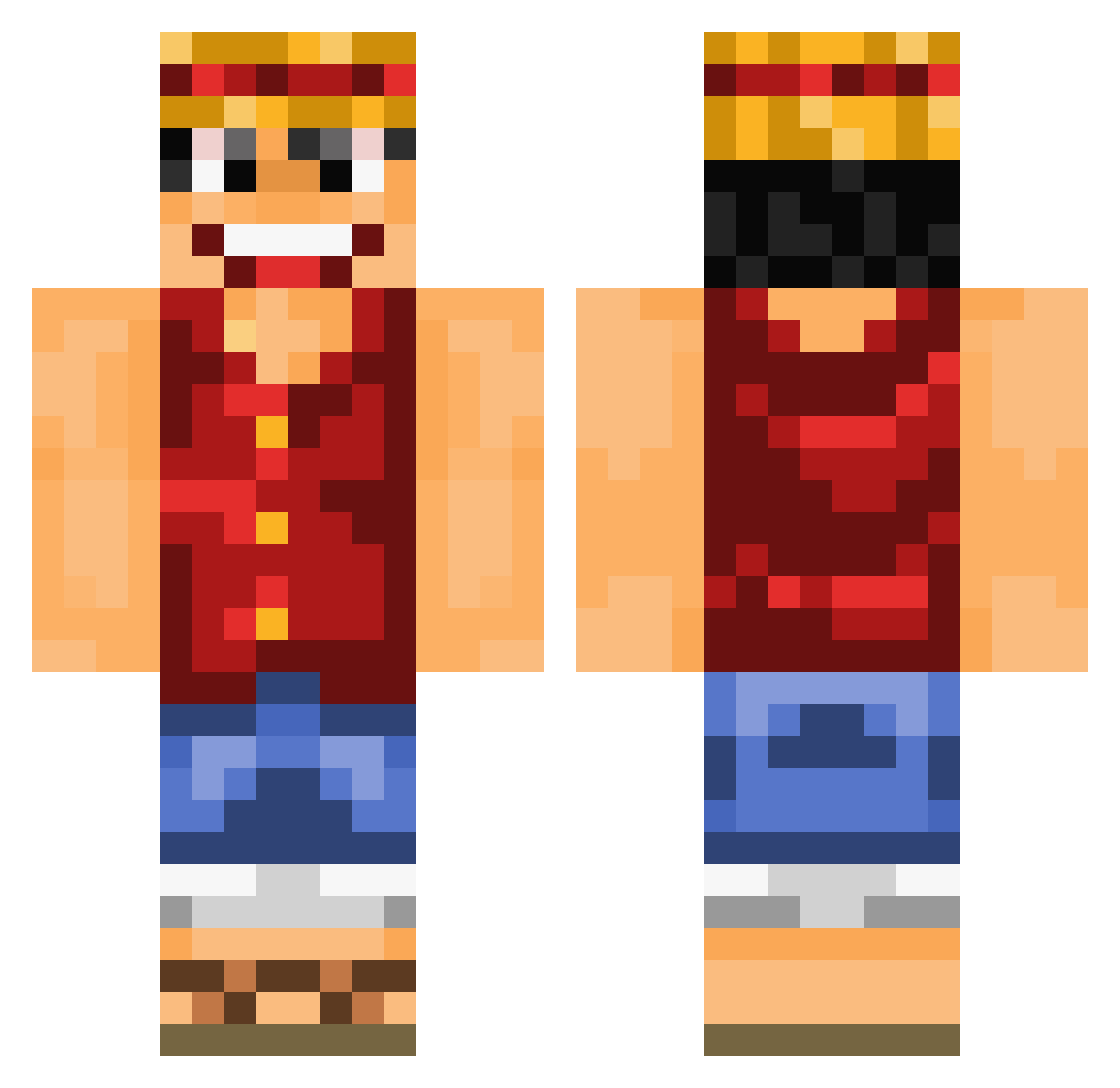
Current Minecraft skin of the player GTOMugIwaRa, loaded from the official Mojang API. Rotate the 3D model with your mouse or finger, then download the skin as a PNG file and use it in Minecraft: Bedrock Edition or Java Edition for free. When GTOMugIwaRa changes their skin, this page updates automatically and the old skin stays in the history below.
Other players with this skin (754)
GTOMugIwaRa was the 208th player we have seen with this skin, first spotted on 22.08.2026. The same skin was seen on these players. Open a nickname to see their current skin and skin history.
 Zersera barto_pollo_2010 ravenzombie21 SMOKINMEATZ PPhysi0 Arsouille88 FoxHerya HabKeinName Clipsyyy candy_CND Loukas91 BoldJupiter64 TheSpacecatto Bolossgnaise PixZter HsiangPaPa milk972 Pixelbyte Nagakara77 DYDOUDOUX LucaSraka officialmalissa DeathShark87 MQAERT wolfodonal RLgameSK are3s Xarein Gaudi91 Spinonopp AMFws DTittel badoum1857 braybray3905 MinatoLegend Crossbomber Woochie6 Coolkidfuture S4l22 sw9999 SteCapo Moha2006v Jouse4i20 adi89757 OGSmith snkwhn OrchideeJuwel87 JToTheR22 Jonkyy B0ggle tooproforulol pancake777 Frydensbjerg5 Jonesty Dark_Eye86 TalalF3 luke051027 blackbannamann gamefreak1704 mrd0mk3
More Monkey D Luffy Minecraft skins
See all 863 Monkey D Luffy skins
How to install the GTOMugIwaRa skin
- Press the Download button above to save the skin as a PNG file.
- Minecraft: Bedrock Edition (PE): open the Dressing Room from the main menu (or tap your character → Edit Character), go to Classic Skins → Owned, press the + (new skin) button, choose the downloaded PNG and pick the Classic (Steve) model. Works on PC and mobile; consoles cannot import custom skins.
- Minecraft: Java Edition: open the Minecraft Launcher, go to the Skins tab, click New Skin, load the PNG, pick the Classic (Steve) model and press Save & Use. You can also upload it at minecraft.net → Profile → Change Skin.
The skin does not show up after import - what should I do?
Restart Minecraft and open the Dressing Room again - imported skins sometimes appear only after a restart. Also make sure you selected the imported skin and picked the Classic (Steve) model.
Which model should I choose, Classic or Slim?
This skin is designed for the Classic (Steve) model. If you pick the wrong model, the arms of the skin will look stretched or squeezed.
Is the skin of GTOMugIwaRa free to download?
Yes. Press Download, save the PNG file and use it in Minecraft: Bedrock Edition or Java Edition - no payment or registration needed. The skin also works on multiplayer servers and Realms.
More skins
Looking for more? Go back to all Minecraft skins and check the top skins of the week, month and all time, or find any player's skin by nickname.