
GAMERGURL6999 - Minecraft Skins & Skin History
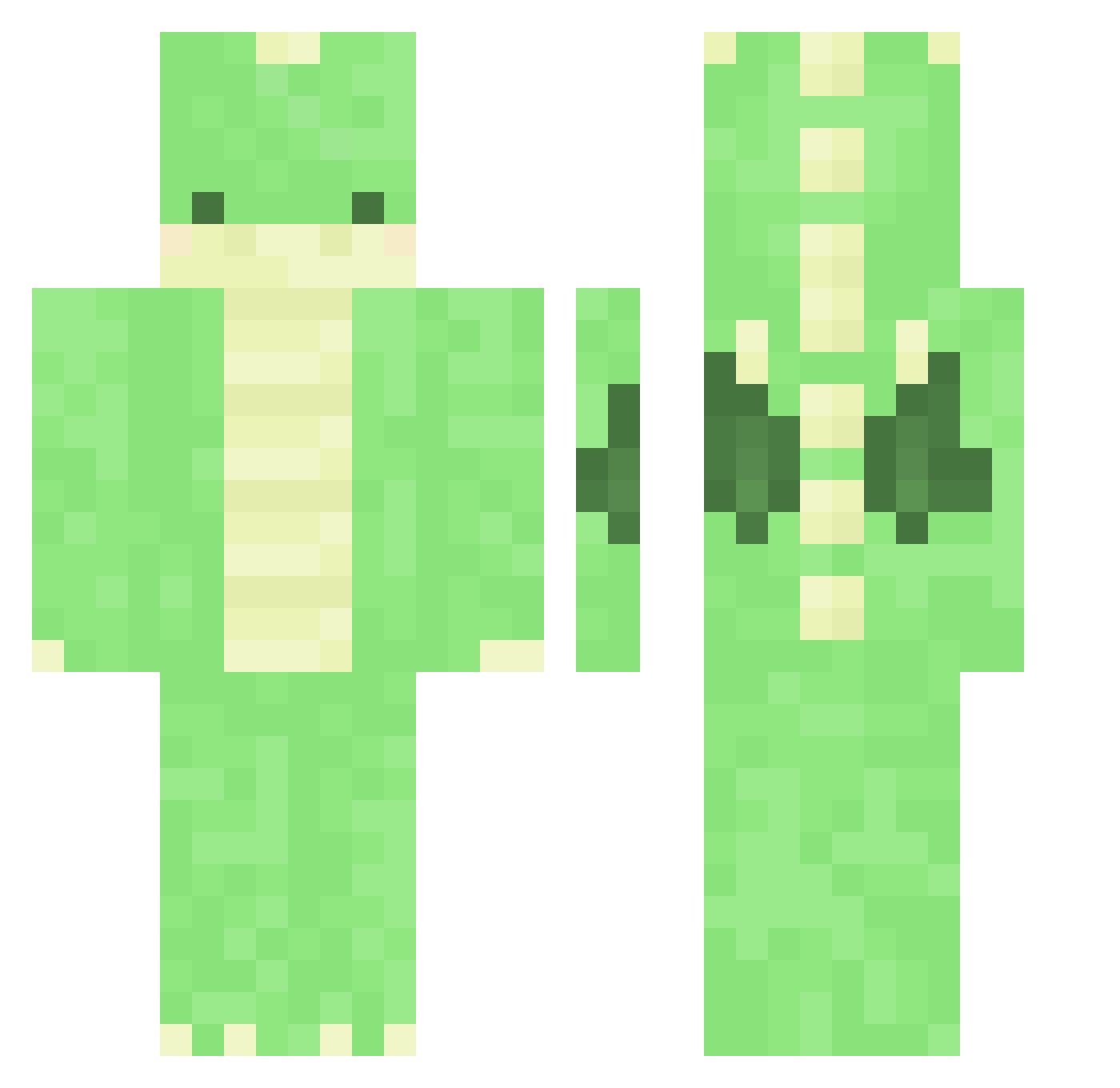
Current Minecraft skin of the player GAMERGURL6999, loaded from the official Mojang API. Rotate the 3D model with your mouse or finger, then download the skin as a PNG file and use it in Minecraft: Bedrock Edition or Java Edition for free. When GAMERGURL6999 changes their skin, this page updates automatically and the old skin stays in the history below.
Other players with this skin (375)
GAMERGURL6999 was the 230th player we have seen with this skin, first spotted on 30.09.2026. The same skin was seen on these players. Open a nickname to see their current skin and skin history.
 WieslanderBoss llw07 abendrotttttttt juiceboxmiyu 7H_JUN Glitchiee AP_AD arkkorea pfs_deelnemer_9 Drqkie lalan2486 agression1 Clement621 frvi29_ Kayeon69 collinbagel itsallhunky_dory DefeatDragons chaehan0129 slshs2 cremeunicorn hakan2003 Boooofus minuminuminu ryanlee1718 crinel747 dedeiqaz todlerr sa_1020 _Crustyboi_ Samdeath1999 momo_meow Exiledz_ waifuwithaknifu Abstract_Owl gihyeon0226 jjiho9525 lilugly03 bi_6n8 Topeustace999 loreannaxoxo byounghyunni Ileana7138 Spannee blade707 Gigeant FeetOnlyFans Tevreden CASTLEBRO23 Boof_In_Diams BigBoyGlassy kaishimmy Patchy_2019 yh1017 XxI_Love_Paul_xX JosefinKanin skyrydr21 slientcloudy Kempblac FriendlyGoose11
More Dinosaur Minecraft skins
How to install the GAMERGURL6999 skin
- Press the Download button above to save the skin as a PNG file.
- Minecraft: Bedrock Edition (PE): open the Dressing Room from the main menu (or tap your character → Edit Character), go to Classic Skins → Owned, press the + (new skin) button, choose the downloaded PNG and pick the Classic (Steve) model. Works on PC and mobile; consoles cannot import custom skins.
- Minecraft: Java Edition: open the Minecraft Launcher, go to the Skins tab, click New Skin, load the PNG, pick the Classic (Steve) model and press Save & Use. You can also upload it at minecraft.net → Profile → Change Skin.
The skin does not show up after import - what should I do?
Restart Minecraft and open the Dressing Room again - imported skins sometimes appear only after a restart. Also make sure you selected the imported skin and picked the Classic (Steve) model.
Which model should I choose, Classic or Slim?
This skin is designed for the Classic (Steve) model. If you pick the wrong model, the arms of the skin will look stretched or squeezed.
Is the skin of GAMERGURL6999 free to download?
Yes. Press Download, save the PNG file and use it in Minecraft: Bedrock Edition or Java Edition - no payment or registration needed. The skin also works on multiplayer servers and Realms.
More skins
Looking for more? Go back to all Minecraft skins and check the top skins of the week, month and all time, or find any player's skin by nickname.