
FrogSammy - Minecraft Skins & Skin History
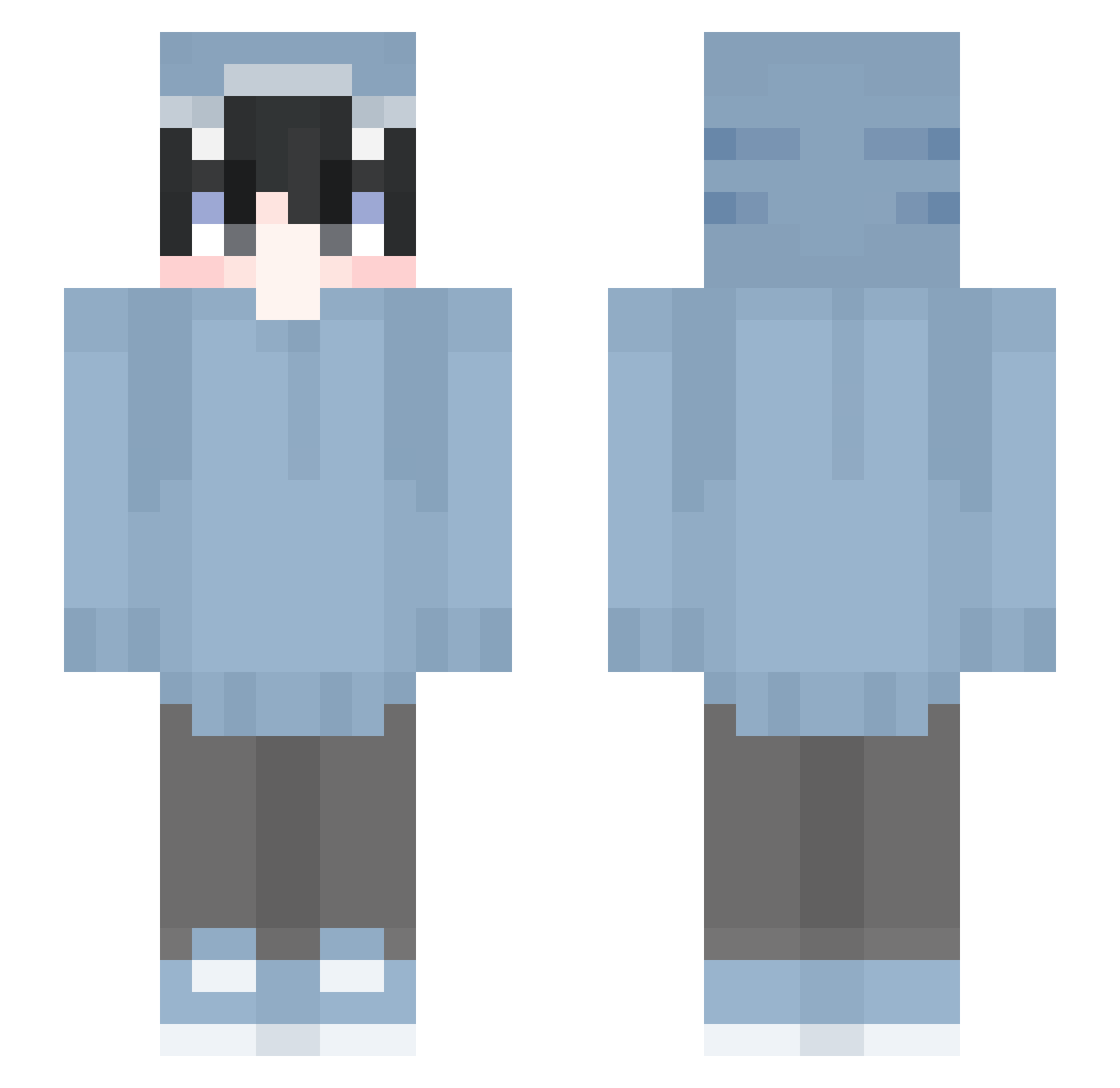
Current Minecraft skin of the player FrogSammy, loaded from the official Mojang API. Rotate the 3D model with your mouse or finger, then download the skin as a PNG file and use it in Minecraft: Bedrock Edition or Java Edition for free. When FrogSammy changes their skin, this page updates automatically and the old skin stays in the history below.
Other players with this skin (529)
FrogSammy was the 492nd player we have seen with this skin, first spotted on 17.10.2026. The same skin was seen on these players. Open a nickname to see their current skin and skin history.
 majkmini Daniulo jiminchworm 08Ding KarLik69 NaokiAmbumiya LOVEWII abecmary nun0001 MkMuz_ sleepy_pandaaa well_sorry Panda0_0__ Soi_0 Louisgamer678 _Inva_ Mashqxox00 jorellana Crisz07 tuckoooo LeafyArcher2338 vINYLbAG tomatoooon sa_adam Hanamaeiei BlackShark04 Apeirocz kaikai1202 __AbsoluteMadlad Yuzpon01 manaka3 Yozola0718 hyuuga1591 PAiNYeh hippy3500 cahpexx chapepe Mirulu__ spooky_star Yukkin3738 happyharry123 LANSOT SMGTropical ProfiJulien Redamancy0722 Sailewane Korniva tcoyy Bererrr_0 Grafeur6 JustSharkyy Rexxy3131 dorsal_finn Llamas19997 Mas1lo0106 shlooklook DocMom JimmyChen566 Montana_Cocaina morikumasaan0808
More Shark Onesie Minecraft skins
See all 163 Shark Onesie skins
How to install the FrogSammy skin
- Press the Download button above to save the skin as a PNG file.
- Minecraft: Bedrock Edition (PE): open the Dressing Room from the main menu (or tap your character → Edit Character), go to Classic Skins → Owned, press the + (new skin) button, choose the downloaded PNG and pick the Slim (Alex) model. Works on PC and mobile; consoles cannot import custom skins.
- Minecraft: Java Edition: open the Minecraft Launcher, go to the Skins tab, click New Skin, load the PNG, pick the Slim (Alex) model and press Save & Use. You can also upload it at minecraft.net → Profile → Change Skin.
The skin does not show up after import - what should I do?
Restart Minecraft and open the Dressing Room again - imported skins sometimes appear only after a restart. Also make sure you selected the imported skin and picked the Slim (Alex) model.
Which model should I choose, Classic or Slim?
This skin is designed for the Slim (Alex) model. If you pick the wrong model, the arms of the skin will look stretched or squeezed.
Is the skin of FrogSammy free to download?
Yes. Press Download, save the PNG file and use it in Minecraft: Bedrock Edition or Java Edition - no payment or registration needed. The skin also works on multiplayer servers and Realms.
More skins
Looking for more? Go back to all Minecraft skins and check the top skins of the week, month and all time, or find any player's skin by nickname.