
Freddy44 - Minecraft Skins & Skin History
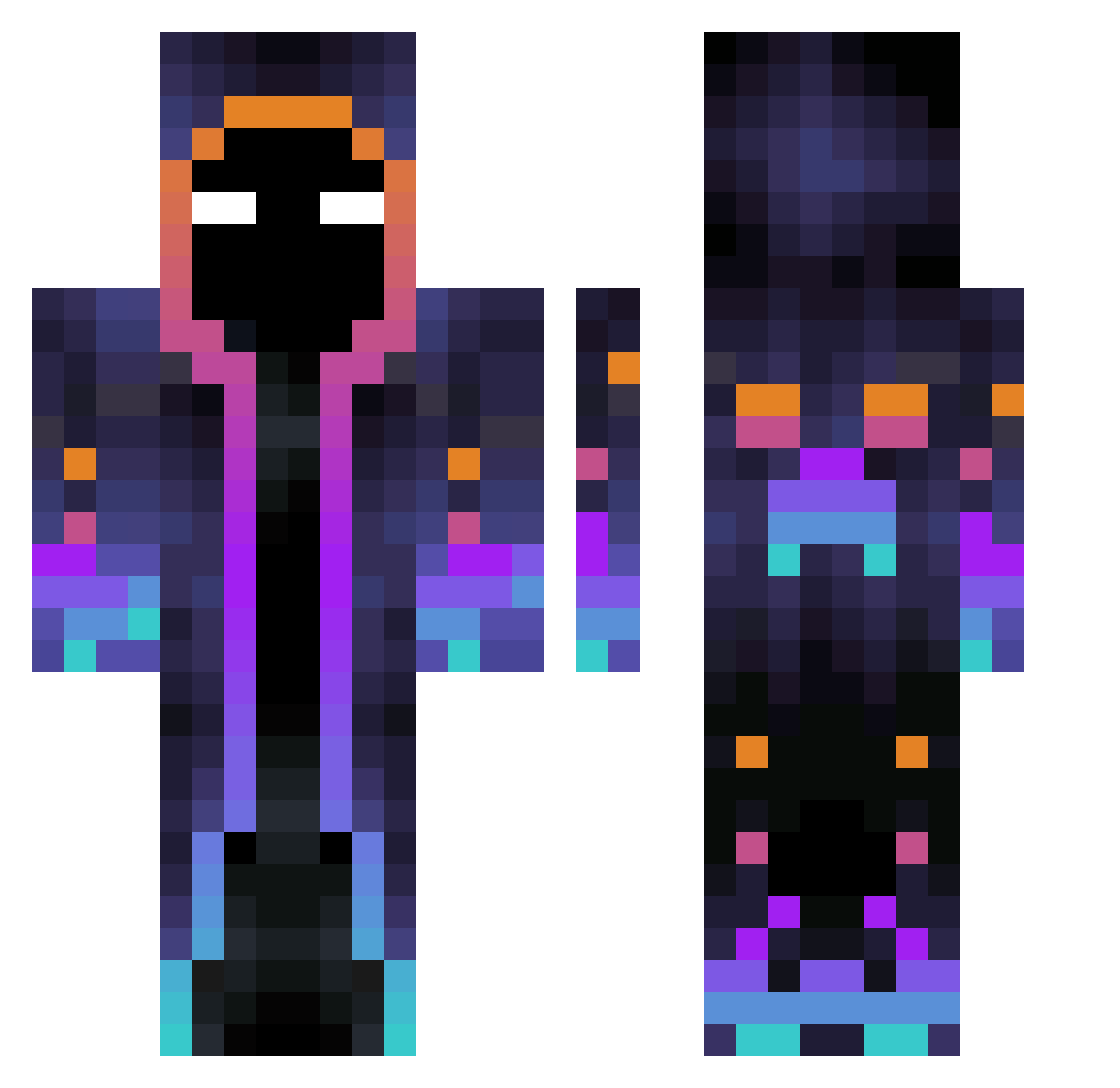
Current Minecraft skin of the player Freddy44, loaded from the official Mojang API. Rotate the 3D model with your mouse or finger, then download the skin as a PNG file and use it in Minecraft: Bedrock Edition or Java Edition for free. When Freddy44 changes their skin, this page updates automatically and the old skin stays in the history below.
Other players with this skin (597)
Freddy44 was the 255th player we have seen with this skin, first spotted on 18.09.2026. The same skin was seen on these players. Open a nickname to see their current skin and skin history.
 whitehero666 godofwater01 UsaAussy ThoseAreMyToes 666AAAA SebyShefu Arctih yanmiao Barclem Brian69hg Nihil___ GF_Frazzel edoardocc1 yoon1135 kuru0_0 Warumbel AS_coffees shadocraft5366 AhmetOzer27 LoneWolf0207 palpijuali Haruharu4 BluePrime31 Phiiiiips MaxiMoch11 Richi0631 kimkoree jieame TritzieoNix Wulaszlo SteveGGw MoonLighterYu noppers2 Snouux Whayan preefile ViejoGamerOk Orion2491 zaisi7 Asma02 coffeemilk087 DraconicSoulFire xxOVIZxx 0_bin 76VHm SkyR0se_ Gradas5658 torreti Billie_Jean05 m4_q PDXCH Li_Pe Zhawi92 TheLiamCreeper Bloodthirstyk MCDiaboromon THE_VARK DVNKLXRD Jerry_LiuPu aksugamerr
More Galaxy Minecraft skins
How to install the Freddy44 skin
- Press the Download button above to save the skin as a PNG file.
- Minecraft: Bedrock Edition (PE): open the Dressing Room from the main menu (or tap your character → Edit Character), go to Classic Skins → Owned, press the + (new skin) button, choose the downloaded PNG and pick the Classic (Steve) model. Works on PC and mobile; consoles cannot import custom skins.
- Minecraft: Java Edition: open the Minecraft Launcher, go to the Skins tab, click New Skin, load the PNG, pick the Classic (Steve) model and press Save & Use. You can also upload it at minecraft.net → Profile → Change Skin.
The skin does not show up after import - what should I do?
Restart Minecraft and open the Dressing Room again - imported skins sometimes appear only after a restart. Also make sure you selected the imported skin and picked the Classic (Steve) model.
Which model should I choose, Classic or Slim?
This skin is designed for the Classic (Steve) model. If you pick the wrong model, the arms of the skin will look stretched or squeezed.
Is the skin of Freddy44 free to download?
Yes. Press Download, save the PNG file and use it in Minecraft: Bedrock Edition or Java Edition - no payment or registration needed. The skin also works on multiplayer servers and Realms.
More skins
Looking for more? Go back to all Minecraft skins and check the top skins of the week, month and all time, or find any player's skin by nickname.