
Frappinthevisage - Minecraft Skins & Skin History
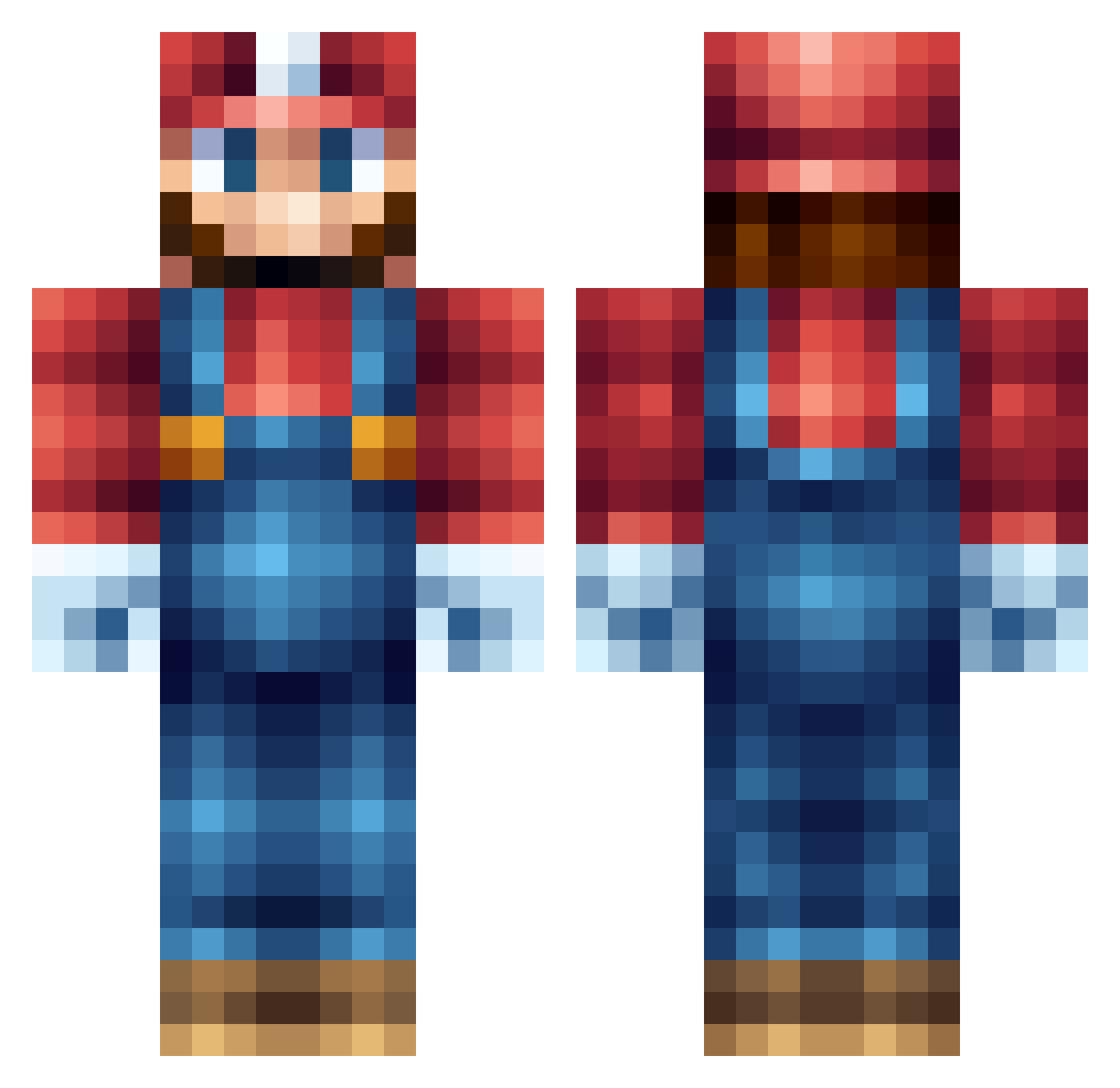
Current Minecraft skin of the player Frappinthevisage, loaded from the official Mojang API. Rotate the 3D model with your mouse or finger, then download the skin as a PNG file and use it in Minecraft: Bedrock Edition or Java Edition for free. When Frappinthevisage changes their skin, this page updates automatically and the old skin stays in the history below.
Other players with this skin (555)
Frappinthevisage was the 122nd player we have seen with this skin, first spotted on 18.08.2026. The same skin was seen on these players. Open a nickname to see their current skin and skin history.
 rodrick413 MarioPlayzMC DDx_Jack XiaoEr Feng_RT K98MC alpha_mouse Vincentnorin Wildern24 miawen _Yeeman_ skitteryspoon80 Kendawg18 socdude223 Dracho907 conad12 Xx_smilereck_xX DavidHeHeHe roels3000 ByggmesterBob92 SwistAks JayK189 tim_ryan Glenz21 Icetytan silask4 pirate_672 ASAP_APE Gab_Cam Mr_Dxch seb100 mikemmike6 SaLeong ENGFRAZ SKATINN Izotox bootygoon69 BuildOfLegend tytef kinkakuji CESUROYUN J_dog999 xiao5kang JoshJake1226 INTERNALHACK_dj kev1 Enrov Chazirwin mariomaster001 Slothuk Herpiderpido wrinklycucumber __Cyro__ WillDeE Breitseite01 Ricootjjeh Herobrinegirly dyluck tominator69330 _OaKFieLD_
More Nintendo Minecraft skins
How to install the Frappinthevisage skin
- Press the Download button above to save the skin as a PNG file.
- Minecraft: Bedrock Edition (PE): open the Dressing Room from the main menu (or tap your character → Edit Character), go to Classic Skins → Owned, press the + (new skin) button, choose the downloaded PNG and pick the Classic (Steve) model. Works on PC and mobile; consoles cannot import custom skins.
- Minecraft: Java Edition: open the Minecraft Launcher, go to the Skins tab, click New Skin, load the PNG, pick the Classic (Steve) model and press Save & Use. You can also upload it at minecraft.net → Profile → Change Skin.
The skin does not show up after import - what should I do?
Restart Minecraft and open the Dressing Room again - imported skins sometimes appear only after a restart. Also make sure you selected the imported skin and picked the Classic (Steve) model.
Which model should I choose, Classic or Slim?
This skin is designed for the Classic (Steve) model. If you pick the wrong model, the arms of the skin will look stretched or squeezed.
Is the skin of Frappinthevisage free to download?
Yes. Press Download, save the PNG file and use it in Minecraft: Bedrock Edition or Java Edition - no payment or registration needed. The skin also works on multiplayer servers and Realms.
More skins
Looking for more? Go back to all Minecraft skins and check the top skins of the week, month and all time, or find any player's skin by nickname.